User Manual
10
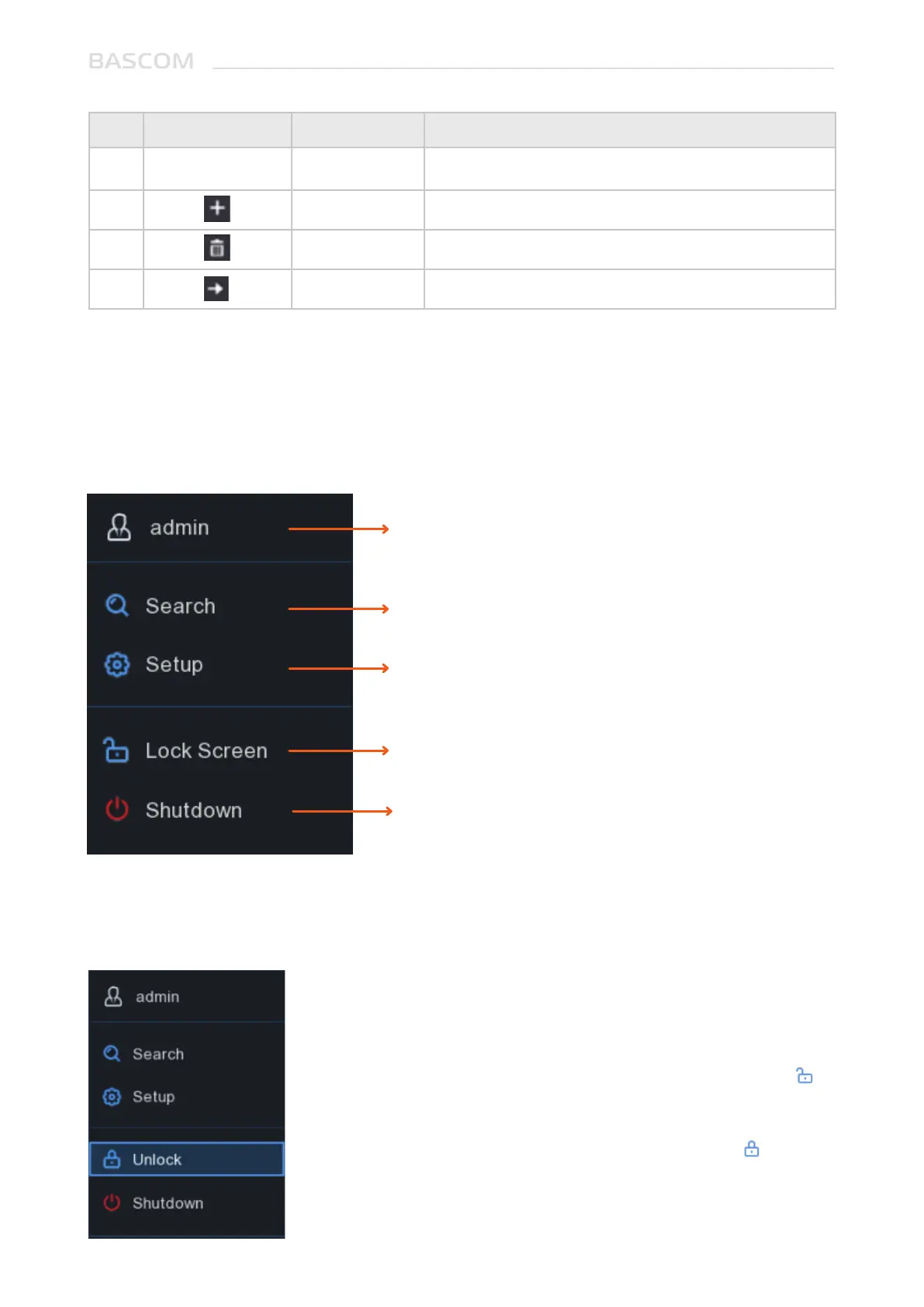
2.1.4 Start Menu
With the start menu, you can switch user, playback recorded videos, adjust settings, lock & unlock the
screen, shut down, reboot & logout the system.
To switch user.
System Settings
Lock & unlock screen.
Shutdown, reboot & logout the system.
Search in recorded videos.
2.1.4.1 Unlock and Lock Screen
The screen will be locked to protect unauthorized operation
when the system is not in menu operation 1 minute.
If necessary, you can also lock the screen operation manually. To
do so, go to Start Menu, and then click the Lock Screen icon to
lock the system immediately.
If the system is locked, you can click the Unlock icon to unlock
the system for further operation.
No. ICON ITEM DESCRIPTION
11
12
13
14
Save
set
Delete
Go to
N/A
N/A
N/A
N/A
Save



 To Next Page