User Manual
36
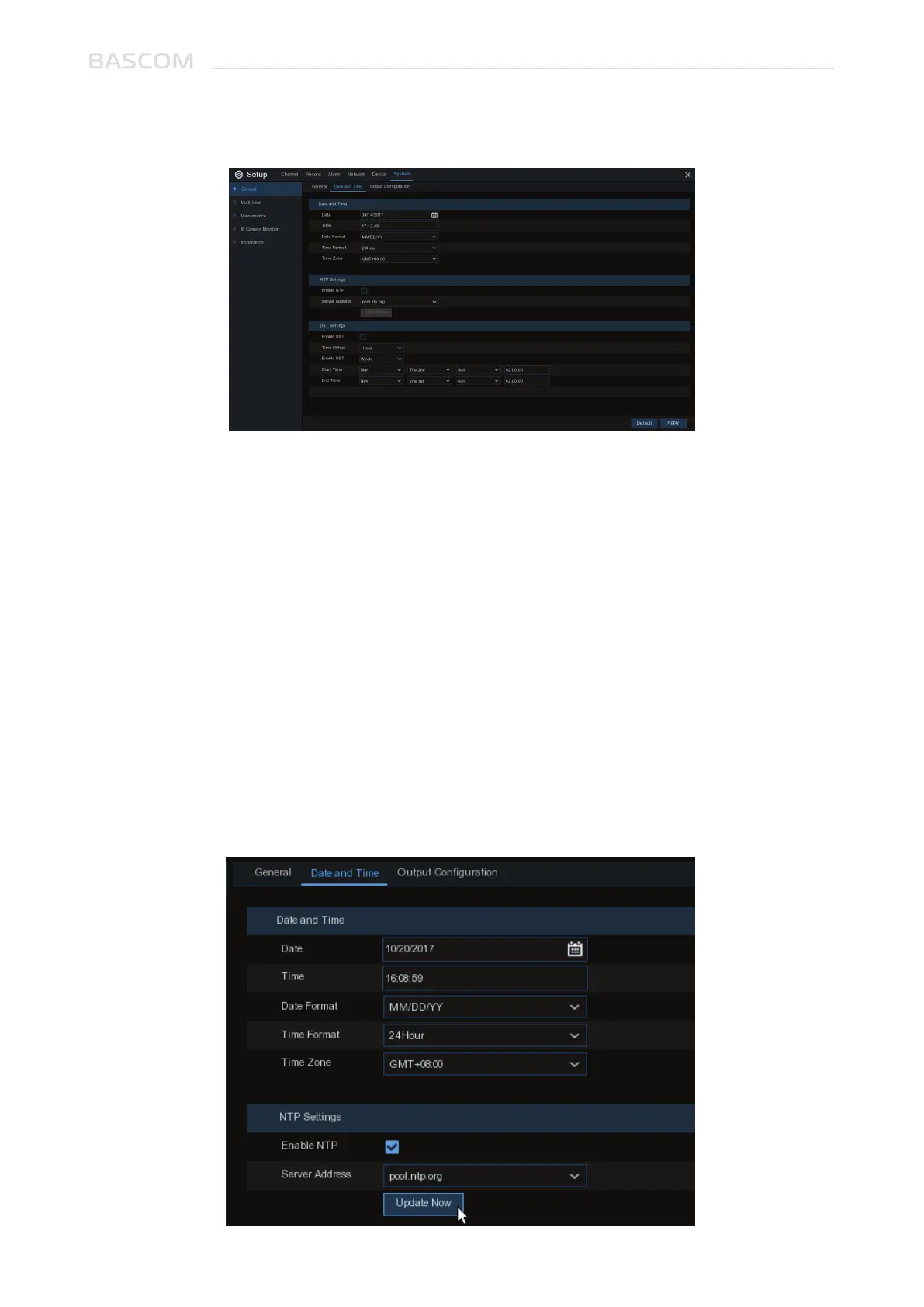
Date: Click the calendar icon to change the date.
Time: Click the dialogue box to change the time.
Date Format: Select the preferred date format.
Time Format: Select the preferred time format.
Time Zone: Select a time zone relevant to your region or city.
3.6.1.1 Date and Time
The NTP (Network Time Protocol) function allows your system to automatically sync its clock with a
time server. This gives it the ability to constantly have an accurate time setting (your system will
periodically sync automatically).
3.6.1.2 NTP Settings



 To Next Page