User Manual
4
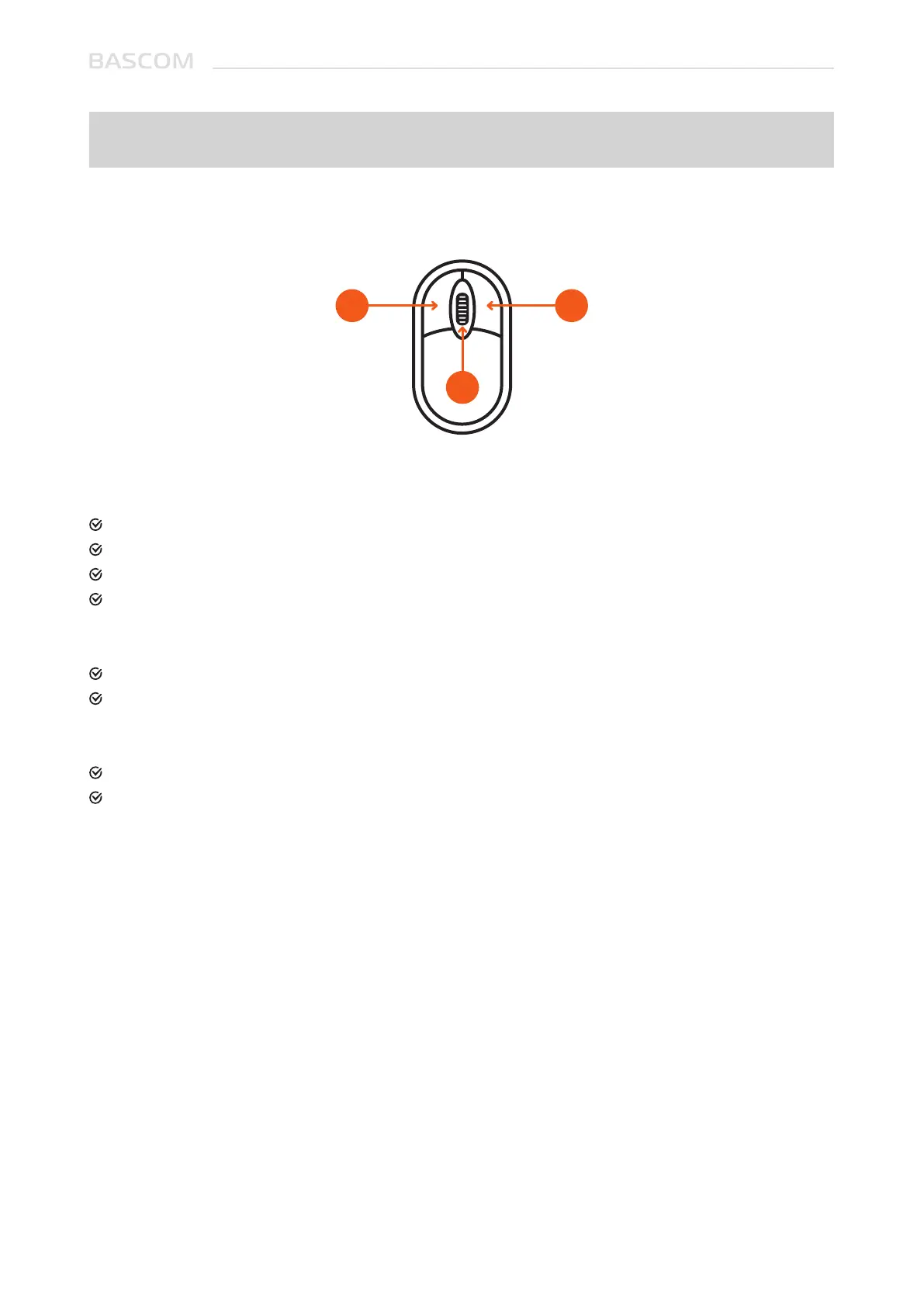
1. Left Button:
Click to select menu options.
During live viewing in split-screen view, double-click on a channel to view it in full-screen.
Double-click the channel again to return to split-screen viewing.
Click and hold to drag sliders in the split-screen view.
2. Right Button:
Click once to open the Taskbar on the Live Viewing screen.
In menus, click to go back / close menus.
3. Scroll Wheel:
In menus, scroll to move up / down through the menu content.
In full screen live view, scroll up to zoom in, scroll down to zoom out.
Chapter 1: Operating The System
1.1 USING THE MOUSE
21
3



 To Next Page