User Manual
38
3.6.2 Monitor Settings
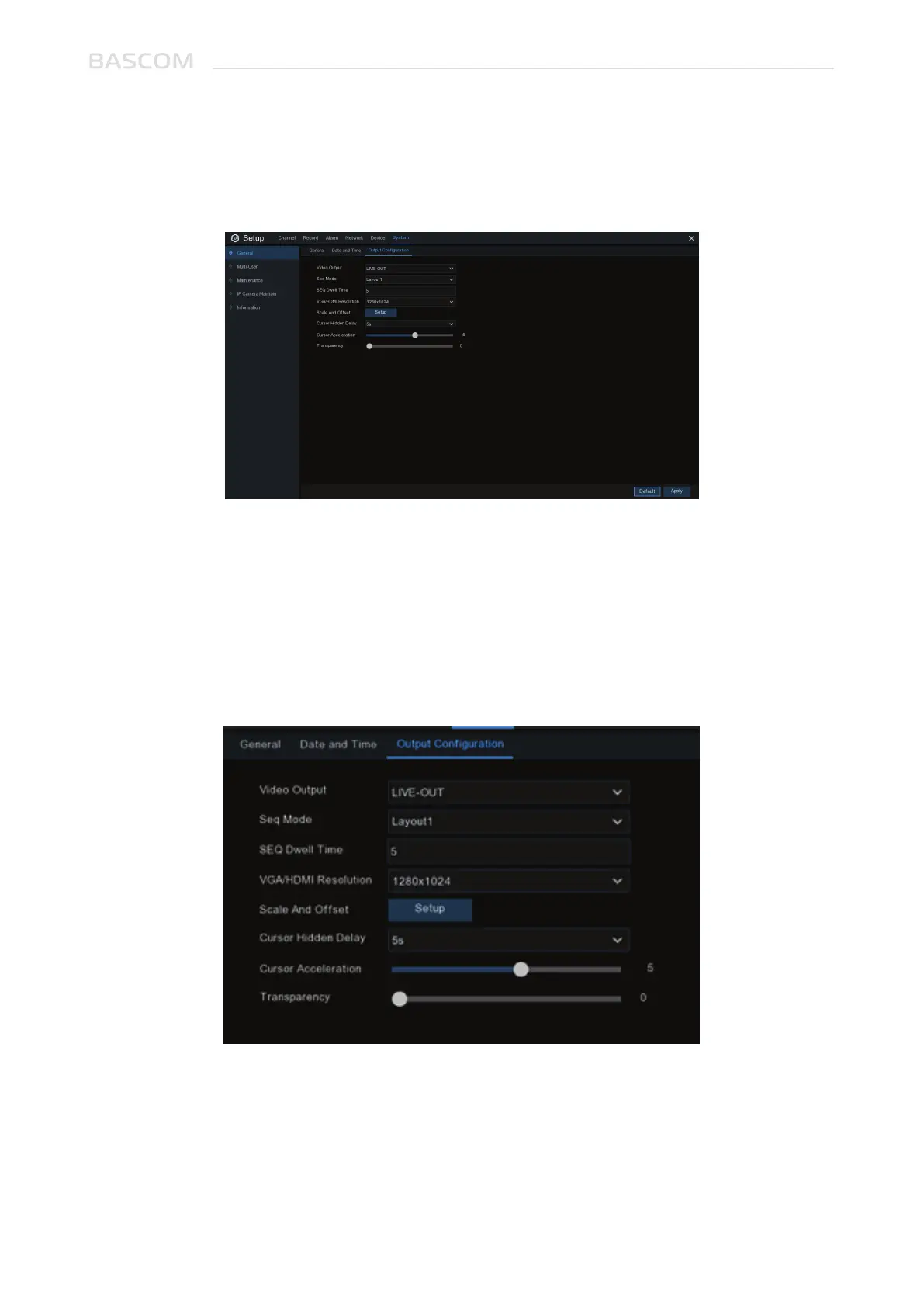
This menu allows you to configure video output settings.
Video Output: To choose the output options:
LIVE-OUT is used to configure the main output parameters.
Choose LIVE-OUT from the Video Output drop-down menu.
SEQ Mode: Select how many video channels you would like to display when your system is in sequence
mode.
SEQ Dwell Time: Enter in seconds the maximum length of time you would like to display a video
channel in sequence mode before displaying the next video channel (300 seconds is the maximum).
3.6.2.1 LIVE-OUT



 To Next Page