User Manual
51
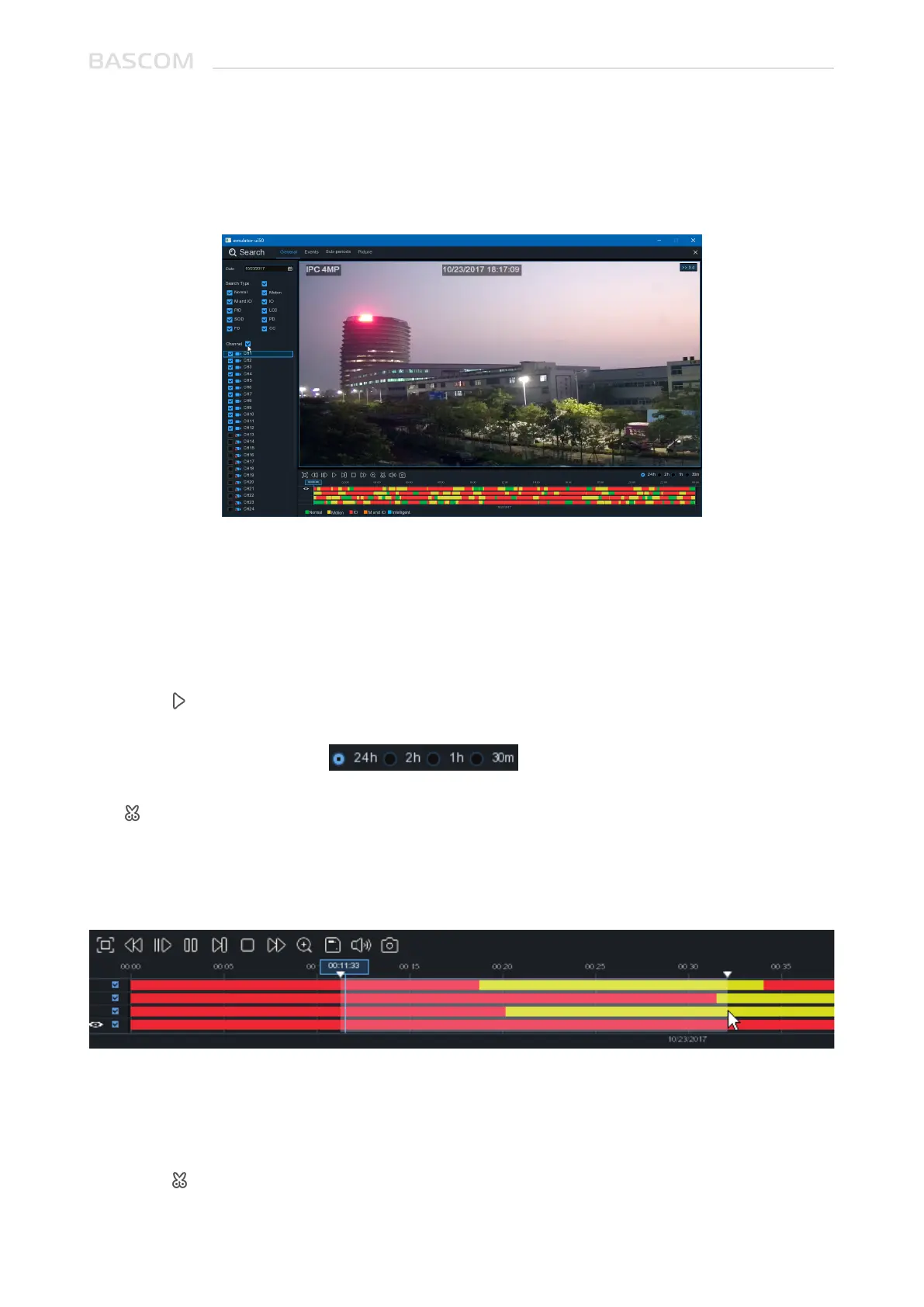
1. Select a date to search for video recording from the calendar.
2. Choose a search type.
3. Check channels you would like to search, or check Cameras to search all connected channels.
4. The search result will display on the timeline from 00:00 to 24:00.
5. Click button to start playback.
6. Control the playback with buttons on Video Playback Controls.
7. Use the timeframe options ( ) to view a smaller or larger time period.
8. If you want to quickly save a section of video during playing back to a USB flash drive, use the
Video Clip backup function.
1. Insert your USB flash drive.
2. Start a video recording playback.
3. Click icon.
4. Check the channel(s) you want to make a video clip backup.
5. Move the mouse cursor to the timeline where you want to start the video clip.
4.1.1.1 Video Clip Backup
4.1.1 Search & Play Video in General
This menu gives an option to search & play recording for a selected date.



 To Next Page