User Manual
5
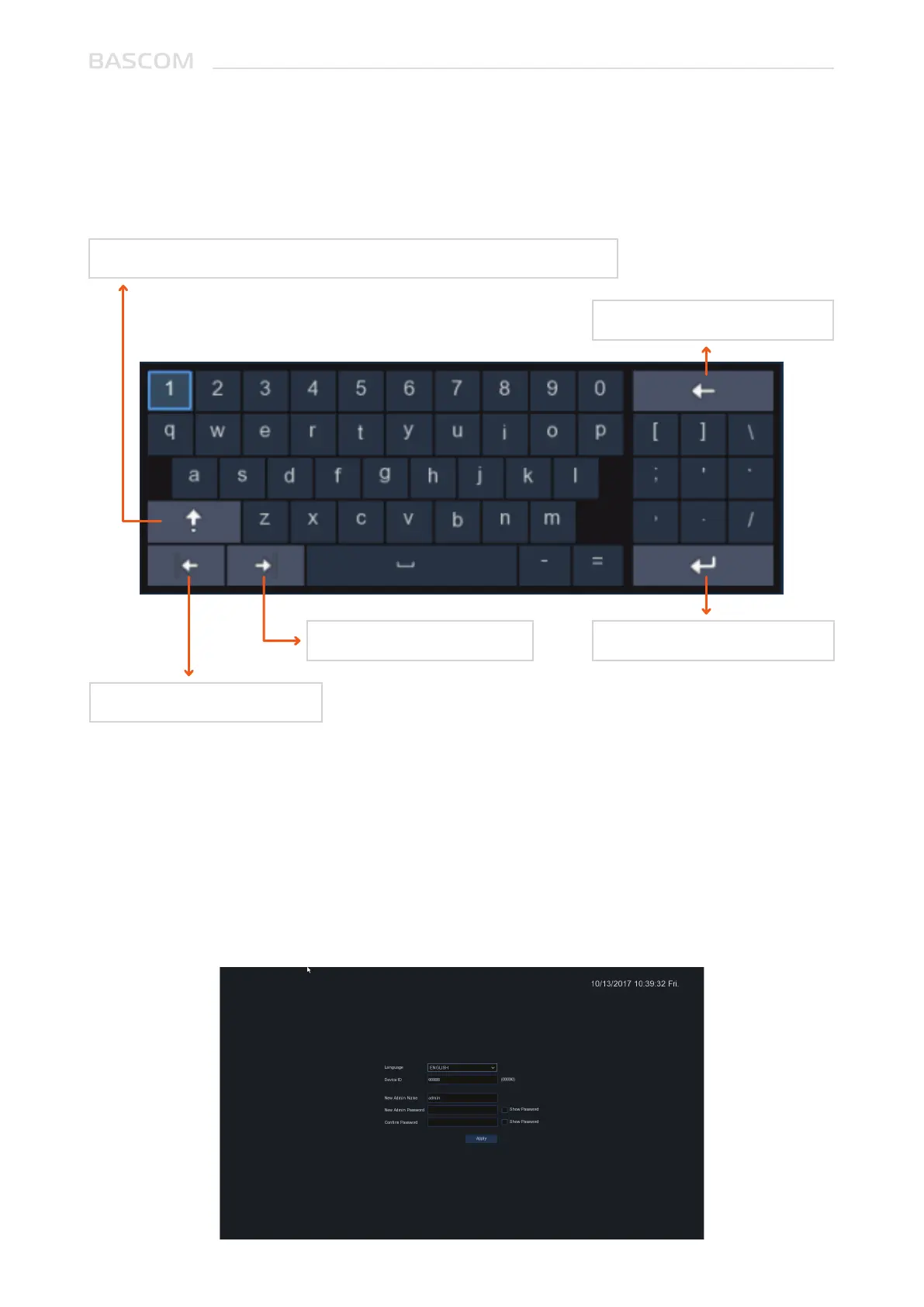
1.2 USING THE VIRTUAL KEYBOARD
You will see the virtual keyboard automatically on the screen when you need to enter data
Click to toggle the keyboard to upper case and more punctuation
Move the cursor to right
Move the cursor to left
Click to delete a character
Click to complete the enter
1.3 PASSWORD
The first time you start the system, you must set your own password. Please make sure to write down
your username and password and save them in a secure place.



 To Next Page