17
7.2 VCXU
7.2.1 USB 3.0 Interface
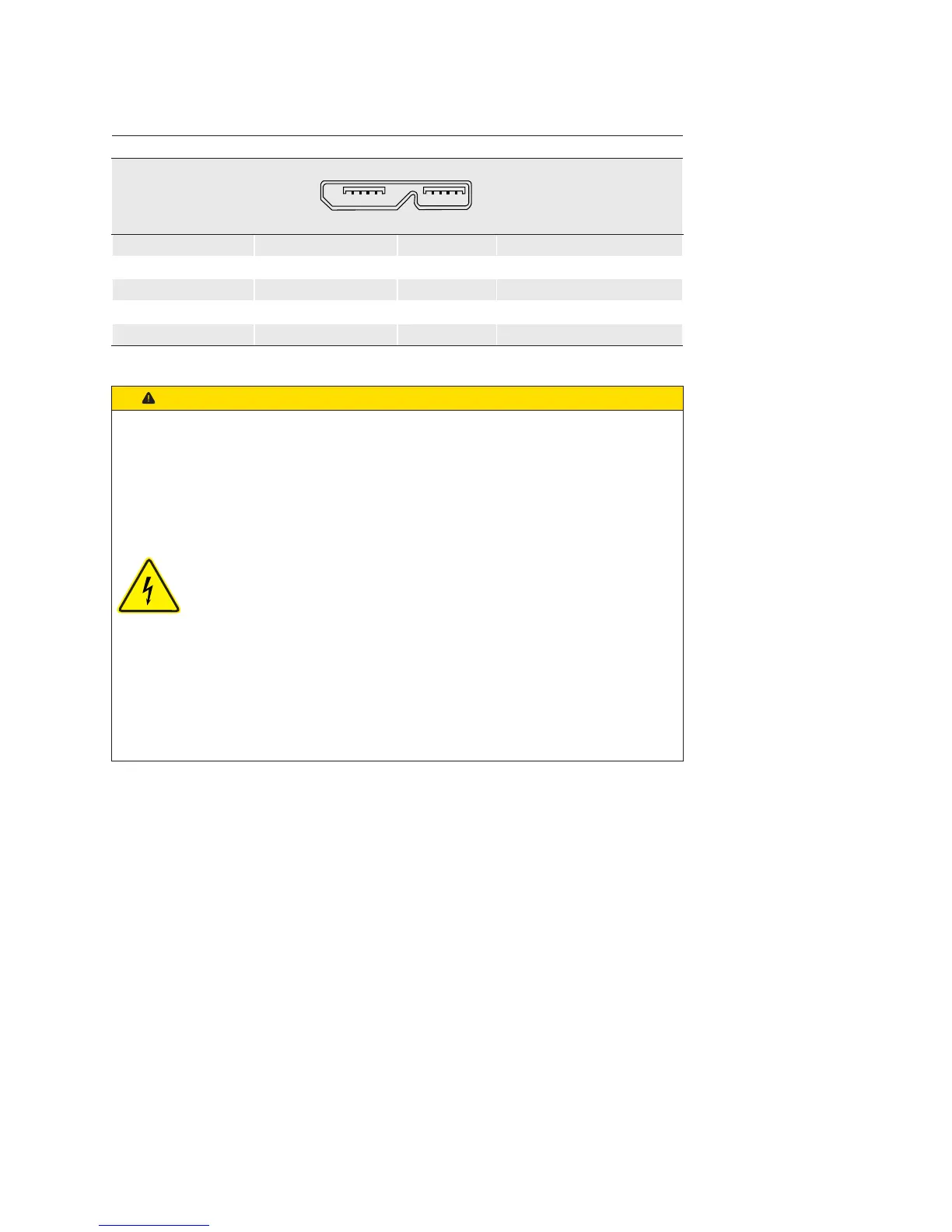
USB 3.0 Micro B
12345 678910
1 VBUS 6 MicB_SSTX-
2 D- 7 MicB_SSTX+
3 D+ 8 GND_DRAIN
4 ID 9 MicB_SSRX-
5 GND 10 MicB_SSRX+
Caution
If the camera is connected to an USB2.0 port image transmission is
disabled by default. The camera consumes more than 2.5W which is the
maximum allowed by the USB2.0 specication. But there is a possibility to
activate the image transmission at your own risk!
This activation could damage your computer´s hardware!
Procedure
1. Open the camera in the Camera Explorer.
2. Select the Prole GenICam Guru.
3. Activate the Feature USB2 Support Enable in the category
Device Control.
4. Disconnect the data connection of the camera to the USB 2.0 port.
5. Connect the data connection of the camera to the USB 2.0 port.
→ Images will be transmitted via the USB 2.0 port.



 To Next Page