45
9.2 Color Processing
The color cameras are balanced to a color temperature of 6500 K. With the feature Color
Transformation Factory List the color temperature can be switched between 6500 K and
3000 K.
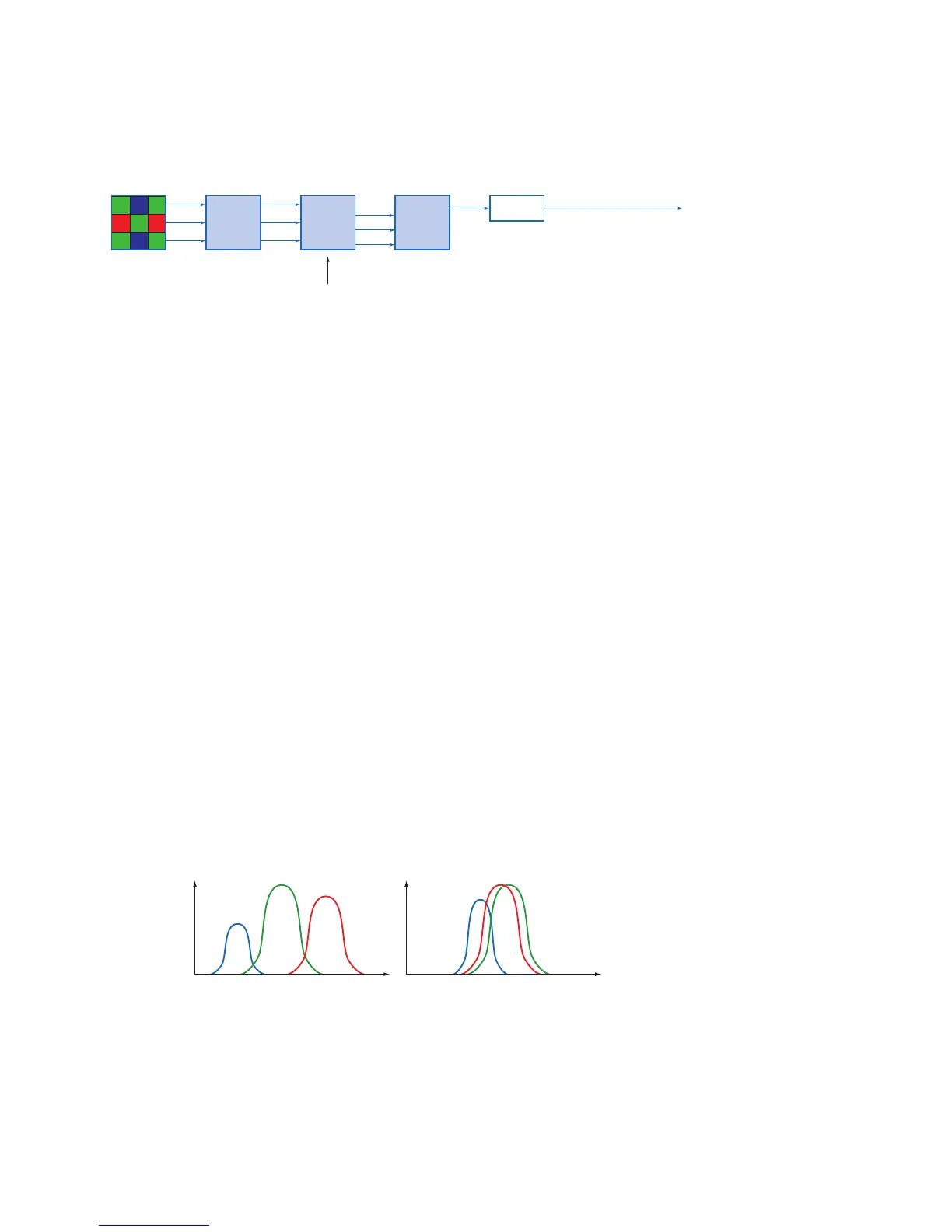
Oversimplied, color processing is realized by 4 modules.
Camera
Module
Bayer
Processor
Color-
Transfor-
mation
RGB
r
g
b
r'
g'
b'
r''
b''
g''
White balance
The color signals r (red), g (green) and b (blue) of the sensor are amplied in total and
digitized within the camera module.
Within the Bayer processor, the raw signals r', g' and b' are amplied by using of indepen-
dent factors for each color channel. Then the missing color values are interpolated, which
results in new color values (r'', g'', b''). The luminance signal Y is also generated.
The next step is the color transformation. Here the previously generated color signals r'',
g'' and b'' are converted to optimized RGB (Color adjustment as physical balance of the
spectral sensitivities).
9.3 Color Adjustment – White Balance
This feature is available on all color cameras of the Baumer VCX series and takes place
within the Bayer processor.
White balance means independent adjustment of the three color channels, red, green and
blue by employing of a correction factor for each channel.
9.3.1 User-specicColor Adjustment
The user-specic color adjustment in Baumer color cameras facilitates adjustment of the
correction factors for each color gain. This way, the user is able to adjust the amplica-
tion of each color channel exactly to his needs. The correction factors for the color gains
range from 1 to 4.



 To Next Page