4 Primary Infusions
4-28 COLLEAGUE CXE VOLUMETRIC INFUSION PUMP OPERATOR’S MANUAL 071960491
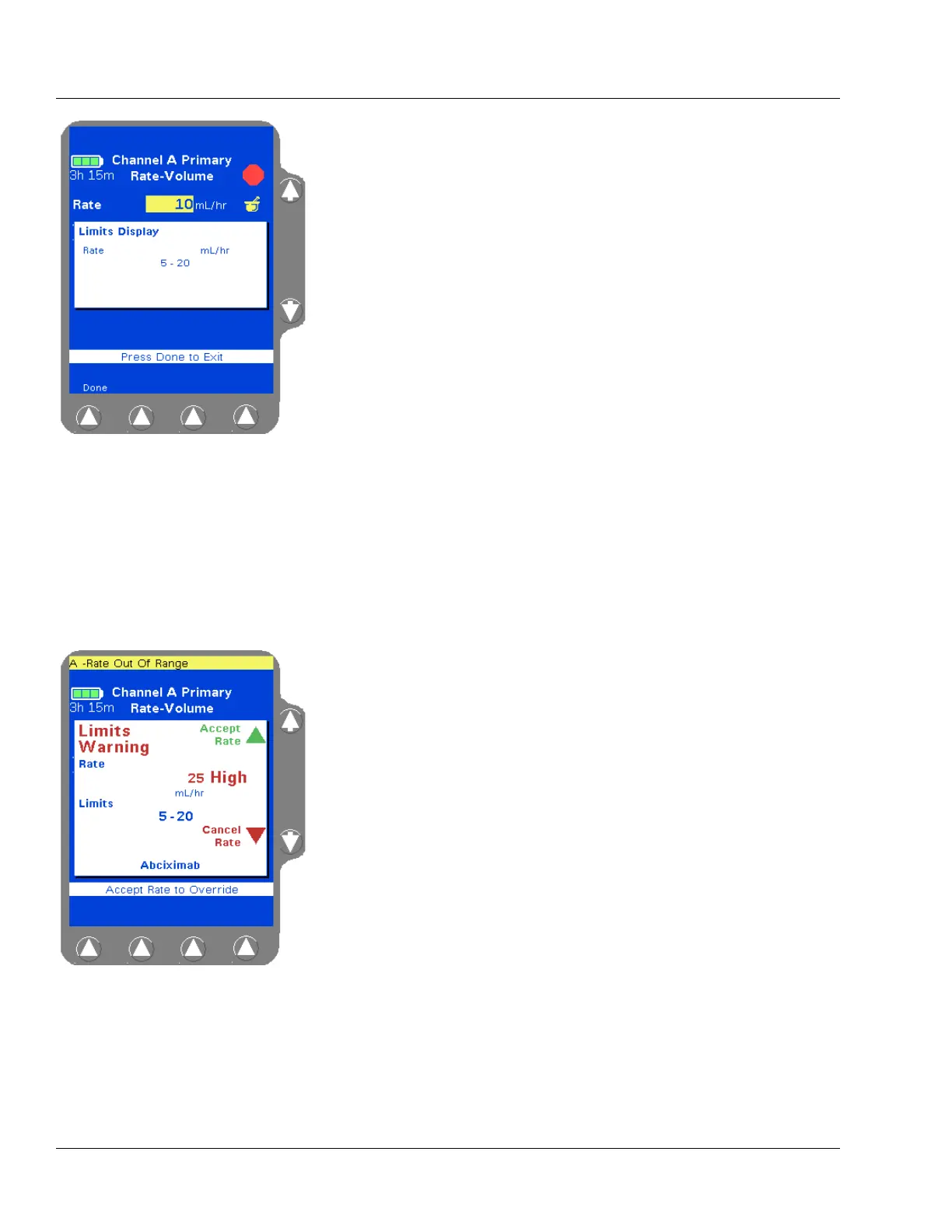
4. (Optional) To view a pop-up window (Figure 4-35) showing the
limits programmed for the label, highlight the Rate field, then press
the
View Limits soft key. Press the Done soft key to close the pop-up
and continue.
5. (Optional) To modify the rate if clinically appropriate, use the × key
to highlight the Rate field, then use the numeric keypad to enter a
different rate.
6. Use the Ø key to highlight the The Volume To Be Infused field.
7. Enter the desired volume using the numeric keypad.
8. Verify that the values are appropriate and:
that pump programming matches the label on the source
container and the physician’s order
that the loaded administration set is connected to the correct
source container and administration route for the programmed
infusion
9. Then press the Confirm Primary soft key.
If the values entered result in a dose that is outside the
COLLEAGUE GUARDIAN rate limits, a Limits Warning pop-up is
displayed, showing the flow rate entered and the defined rate limits
(Figure 4-36). If this occurs, do one of the following:
Press Cancel Rate (Ø key) to cancel the rate and return to the
programming screen, then enter a rate that is within the rate
limits.
If the clinical decision is to proceed with the override of the
COLLEAGUE GUARDIAN limits, press
Accept Rate (× key)
to accept the out-of limits flow rate and continue with the
infusion as programmed.
Figure 4-35 COLLEAGUE
GUARDIAN Limits Display Pop-up
Note:
Rate Outside
Limits
If a rate is entered that is outside the rate limits of the
pump or the current PERSONALITY feature set,
High
or
Low is displayed in the Rate field. Reprogram so
that the rate is within the limits.
Figure 4-36 Limits Warning Pop-up



 To Next Page