BOOSTbutton
Presstobassboosting.
BROWSERbutton
Presstoturnon/offthebrowserfunction.
JOGDIALwheel
Functionsaresetmanually.Default
function:ZOOM.
SETUPbutton
Presstoswitchtosetupmode.
Button
Presstocaptureandbookmarkimagefor
thewallpaper.
Buttons
Presstostartreverseorforwardscanning.
SKIP/PRESET+/-
Presstoswitchbetweenfilesondisc/tuned
radiostations.
A-Bbuttons
Presstorepeattheselectedportion.
REPEATbutton
Presstorepeatplayback.
CH+/CH-button
Presstochangetheacousticchannel.
MUTEbutton
Presstoturnon/offthesound.
VOLUME+/-button
Presstoadjustthevolume.
SLOWbutton
Presstoswitchtoslowdowntheplayback.
PLAY/PAUSEbutton
PresstoPlay/pausetheplayback.
STOPbutton
Presstostoptheplayback.
Button
Presstoturnon/offthecirtualcontrolpanel.
CANCELbutton
Presstogoonelevelback/cancelcurrent
operation.
OKbutton
PressOKforconfirmationoruseitlike
joystickduringnavigatinginMENU.
MENUbutton
DVD-discmenu/PBCfunction.
GOTObutton
Presstoplaybackfromthetargetplace.
10
11
12
13
15
14
16
17
18
19
20
21
22
23
24
26
28
38
29
30
31
39
40
41
27
37
35
34
33
32
36
25
15
Numericbuttons
ST/5.1button
PresstoswitchbetweenSTEREO/5.1CH.
TREBLE+/-button
Presstoadjustthetone.
ECHObutton
Presstoadjusttheechofunctionofthe
microphone.
MEMbutton
Presstomemorizethepointwhere
playbackwasstopped/playbackfromthe
previouslymemorizedpoint.
HDMIbutton
SwitchHDMIoutputresolution.
SUBTbutton
Presstochangethesubtitleslanguage.
ANGLEbutton
Presstochangethecameraangel.
RADIObutton
Presstoswitchtoradiomode.
KARAOKEbutton
Presstosetthekaraokefunctions.
USBbutton
PresstoswitchtoUSBmode.
Button
Presstoswitchthedeviceon/intostandby.
-7-
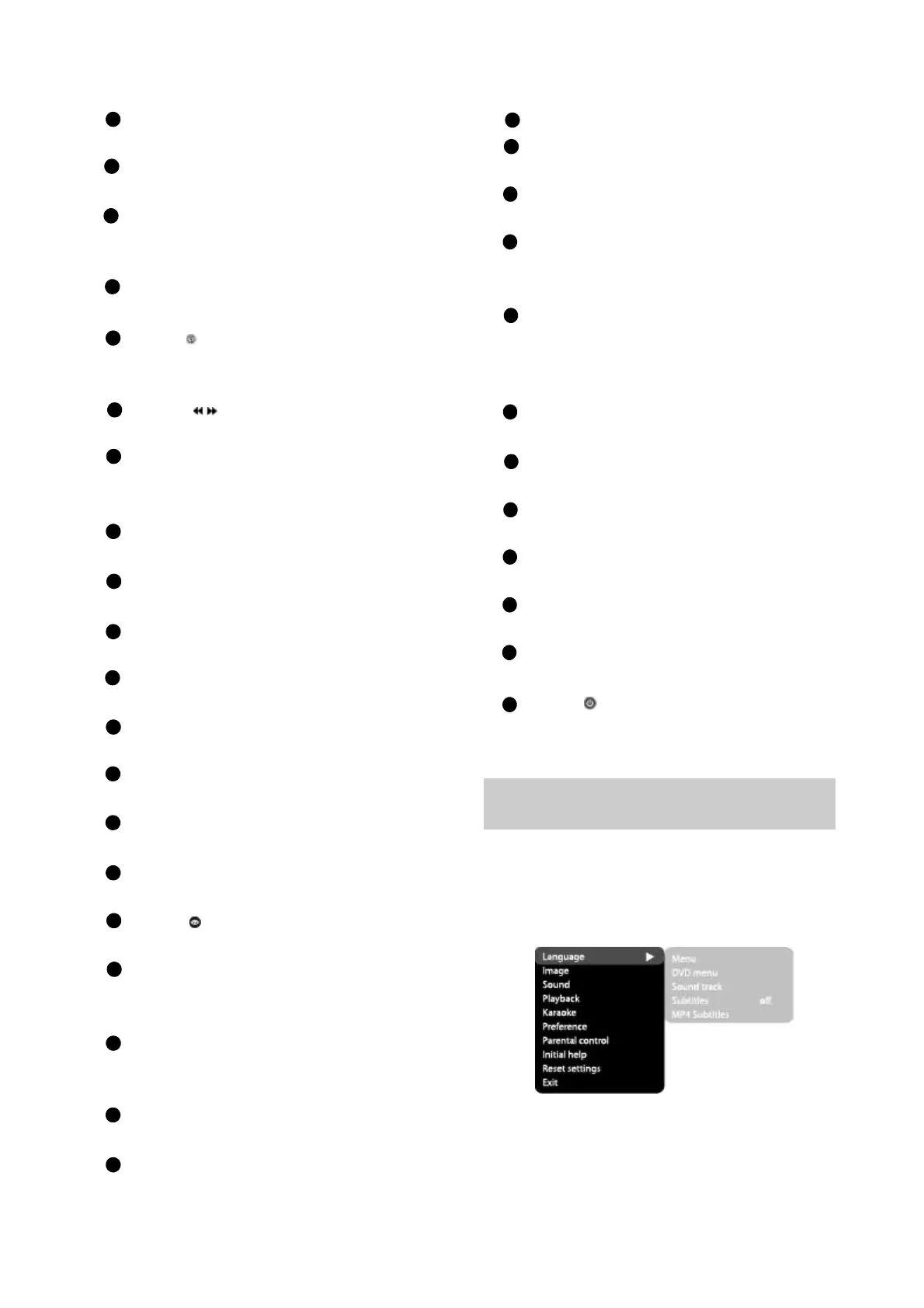
2.3.1Functionselectionand
change
2.3FUNCTIONSETTINGS
PresstheSetupkeytoshowthesetup
menu.Youwillseethefollowingimageonthe
screen,asshownonthefigure:
SelectthedesiredmenuitemusingtheJog
Dial;pressOKforconfirmation.
1.Forexample,ifyouwishtochangetheimage
settings,youhavetoselecttheImageitem
andpresstheOKorRIGHTkeyofthecursor
joystick.


 To Next Page