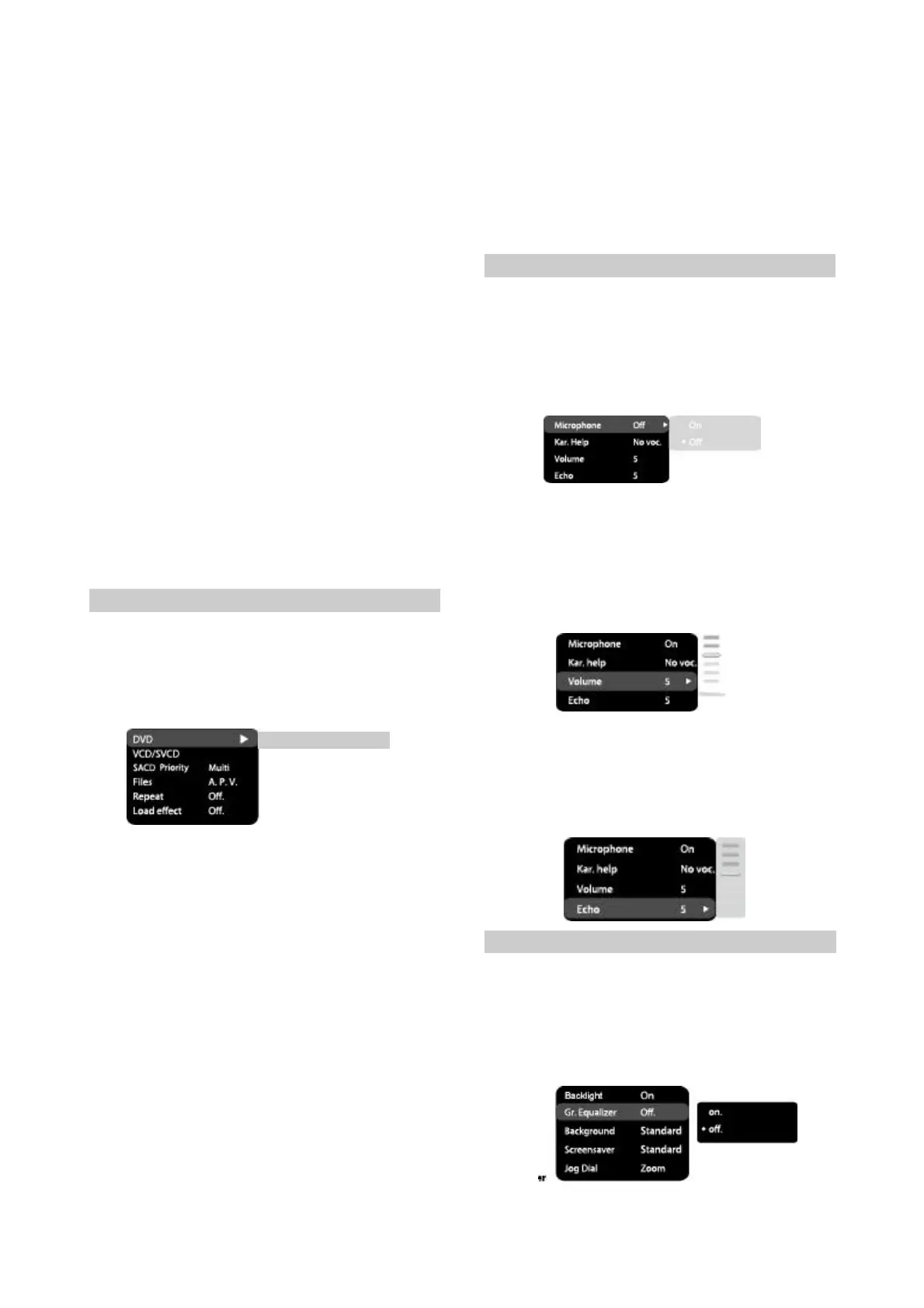
2.VCD/SVCD
PBSmenu:PBCmenuon/off
#Options:On,Off.
#Defaultoption:On.
#Ifonoptionisset,whilereproducingdiscs,a
menuwillappear,inwhichyoucanselectthe
orderofplayingthedisccontent.Iftheoff
optionisset,thereproducingofcontentis
performedintheorder,inwhichitisrecorded
onthedisc.
3.SACDPriority:SettingSACDmode
#Options:Multi-channel,2-channel,CDmode.
#Defaultoption:Multi-channel.
4.Files:selectionforeproducedfilesonthedisc.
#Options:Audio,Pictures,Video,Alltypes.
#Defaultoption:Alltypes
5.Repeat:filerepeatmode
#Options:Off,Single,All.
#Defaultoption:Off.
6.Loadeffect:typeoftransitionfromoneJPEG
filetoanother
#Options:Off,fromtop,frombottom
#Defaultoption:Off.
2.3.6Karaokesettingsmenu
1.Microphone:microphoneon/off
#Options:Off,On.
#Defaultoption:Off.
2.Kar.Help:karaokediscplaybackmode
#Options:LChannel,RChannel,Noast,Novoc.
#Defaultoption:Novocalmode.
#Defaultoption:48kHz16bit.
3.Soundcorrection
A)equalizer:equalizermodes
#Options:Rock,Pop,Live,Dance,Techno,
Classic,Soft.
#Defaultoption:Off.
B)Echo:echoeffects
#Options:Off,Concert,Livingroom,Hall,
Bathroom,Cave,Arena,Church.
#Defaultoption:Off.
C)Tonebalance:adjustmentoftonebalance
level.
#AdjustthetonebalancelevelusingtheJogDial.
#PresstheLEFTkeyofthecursorjoystickto
returntosoundcorrectionsetupmenu.
4.HDMIAudio:Toselectdigitalaudiooutput
fromtheHDMIport.Theoptionsare:
#Options:LPCM,AUTO,OFF
#Defaultoption:OFF.
5.SACDOutput:TOselectaudiooutputformat
forSACD
#Options:PCM,DSD
#Defaultoptions:PCM.
2.3.5Playbacksettings
1.DVD
Advertisementskip:skiptheunskippableblock
whileplayingaDVDdisc
#Options:Yes,NO
Defaultoption:NO
-10-
Advertisement
No
3.Volume:
Microphone:microphonesoundvolumelevel
#UsingtheJogDialadjustthemicrophone
volumelevel.
#PressLEFTkeyofthecursorjoysticktoreturn
tokaraokesettingsmenu.
4.Echo:echolevelwhileplayingthekaraoke-
disc
#AdjusttheecholevelUsingtheJogDial.
#PressLEFTkeyofthecursorjoysticktoreturn
tokaraokesettingsmenu.
2.3.7Preferencesettings
1.Backlight:SelectionofVolumeadjusterLED
#Options:On,Off.
#Defaultoption:On.
2.Gr.Equalizer:spectrumanalyzer
#Options:On,Off.
#Defaultoption:Off.


 To Next Page