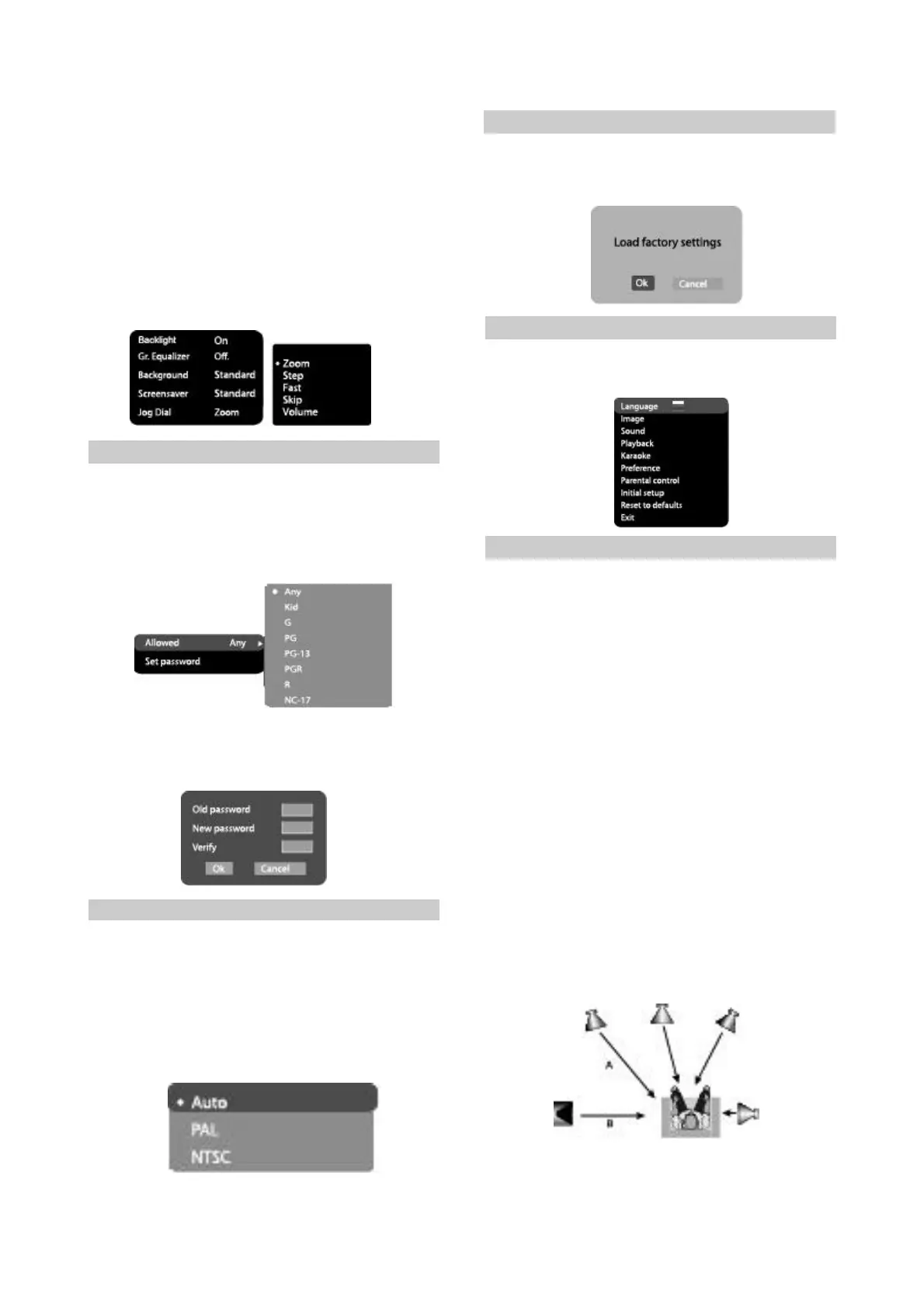
2.3.8ParentalControl
1.Category:setupofagerestrictionstoprevent
childrenfromseeingundesirablediscs.
#Options:Any,Kid,G,PG,PG-13,PGR,R,NC-
17.
#Defaultoption:Any.
2.Setpassword:setupofafour-digitpasswordto
changethelevelofagerestrictions.
#Defaultoption:7890.
3.Background:selectionofandimageasTV
screenwallpaper
#Options:Standard,Saved
#Defaultoption:Standard.
4.Screensaver:screensaveron/off
#Options:On,Off.
#Defaultoption:On.
5.JogDial
#Options:Zoom,Step,Fast,Skip,Volume.
#Default:Zoom.
2.3.9Initialsetupmenu
#PresstheRIGHTkeyofthecursorjoystickto
entertheinitialsetupmenu,thenselectthe
desireditemusingtheJogDialandpressOK
keyforconfirmation.
#Whilebeinginthismenusection,youcannot
returntothepreviouslevelbypressingthe
LEFTkeyofthecursorjoystick.
2.3.10Resettodefaults
#Resettingallsettingsandrestoringdefault
options,exceptagerestrictionsleveland
password.
2.3.11Exitsettingsmenu
#SelecttheexititemusingtheJogDialandpress
theOKtoexitthemenu.
2.3.12Channeldelayset-up
Set-upoftimedelayinthesurroundchannel
Usually,timedelayintheDolbyDigital
decodingsystemispresettoensurebesteffect
whileinstallingtheHomeTheater.However,in
caseyouwishtoadjustyoursystemmore
precisely,pleaseconsultinstructionsgivenin
thismanual.Setupoftimedelayforthisdevice
ispossibleinbothDolbyDigitalandDolbyPro
Logicmodes.
Tosetthedesireddelayyouhavetoknow
thedistancefromtheplacewhereyouare,tothe
frontspeakersandSurroundspeakersasshown
inFig.1.ConsultFig.2(DolbyProLogicmode)
and3(DolbyDigitalmode)inordertodetermine
thedistancetoSurroundspeakers(axisYinthe
figure)andthedistancetothefront
speakers(axisXinthefigure).Crossingpointof
thosetwolinesonthechartwillgivethe
recommendeddelayvalue.
-11-
Fig.1.TakeintoaccounttheA-Bdistance;useboth
figuresforsettingthedesiredtimedelay.


 To Next Page