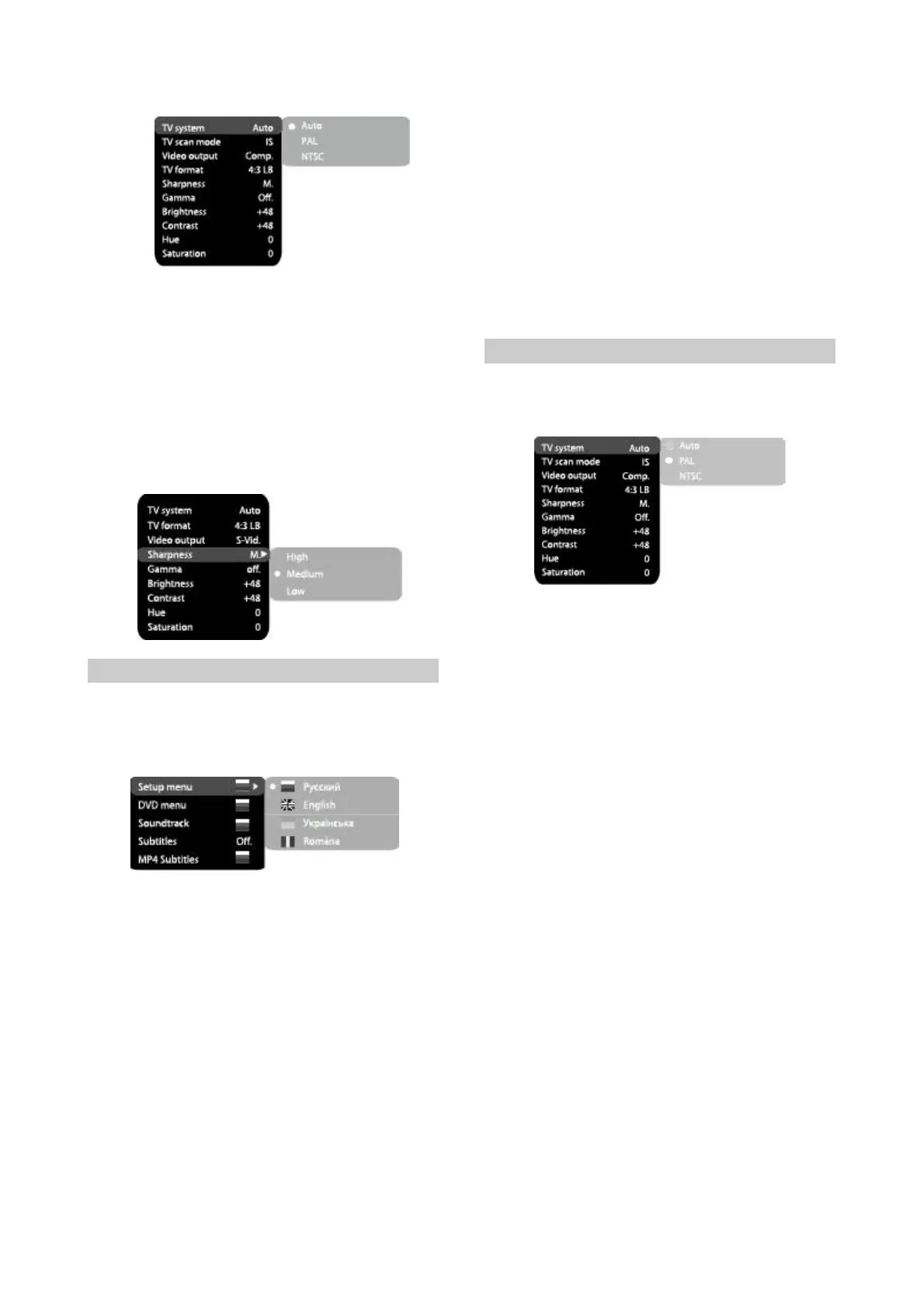
2.UsingtheJogDial,selectthedesireditem
andpressOKorRIGHTkeyofthecursor
joystick.Forexample,selecttheSharpness
item.Settingswillappearonthescreen.Then
selectthedesiredsharpnesslevelandpress
OKforconfirmation.
3.PressLEFTkeyofthecursorjoystickforexit
topreviousmenulevel.
4.PressSETUPtoexitsetupmenu.
2.3.2Languagesettings
1.Menu:interfacelanguagesetup
#Options:Russian,English,Ukrainian,
Romanian.
#Defaultoption:Russian.
#Options:Off,Russian,
#Defaultoption:Off.
#Selectionofotherlanguages:selectthe
OTHERSitemusingtheJogDialandpress
OK.Enterthelanguagecodeusingnumeric
buttonsandpressOK.
#Ifthelanguageyouselectedisnotrecordedon
theDVD/MP4disc,anotheravailable
languagewillbedisplayed.
2.3.3Imagesettingsmenu
1.TVsystem:TVsystemselection
#Options:Auto,PAL,NTSC.
#Defaultoption:PAL
English,Estonian,
Latvian,Kazakh,Romanian,Belarusian,
UkrainianandChinese.
2.DVDmenu:selectionofdiscmenulanguage
3.Soundtrack:selectionoftranslationlanguage
4.5.DVD/MP4Subtitles:selectionofsubtitles
language
#Options:Russian,English,Estonian,Latvian,
Kazakh,Romanian,Belarusian,Ukrainian,
Chinese.
#Default:English.
#Selectionofotherlanguages:selectthe
OTHERSitemusingtheJopDialandpress
OK.Enterthelanguagecodeusingthe
numericbuttonsandpressOK.
#Ifthelanguageyouselectedisnotrecordedon
theDVDdisc,anotheravailablelanguagewill
beused.
-8-
2.TVFormat:imageratiosettings
#Options:4:3pan&scan,4:3letterbox,16:9TV
andWide/SQZ.
#Defaultoption:16:9TV.
#Somediscsarerecordedwithsupportofonly
oneratio.Theselectedratiomustcomplywith
theTVscreen.
3.Videooutput:selectionofvideosignal
#Options:Comp,SCART.
#Defaultoption:Comp.
4.Sharpness:imagesharpnessadjustment
#Options:High,Medium,Low.
#Defaultoption:Medium.
5.Gamma:adjustmentofimagecolor
temperature
#Options:High,Medium,Low,Off.
#Defaultoption:Off.
6.Brightness:adjustmentofimagebrightness.
7.Contrast:adjustmentofimagecontrast
8.Hues:adjustmentofimagehues.
9.Saturation:adjustmentofimagesaturation
Adjustmentofimagebrightness,contrast,hues
andsaturation:
#Selectthedesireditemoftheimageadjustment
sectionusingtheJogDial.PressOKorRIGHT
keytostartadjustingtherelevantoption.
#ChangetheoptionvalueusingtheJogDial.
#UponcompletionpresstheLEFTkeyofthe
cursorjoysticktoreturntoimagesetupmenu.


 To Next Page