BEC MX-210NP User Manual
Certificate Management
This feature is used for OpenVPN and HTTS Server authentication of the device using certificate. If
the imported certificate doesn't match the authorized certificate with the Server then no access is
allowed.
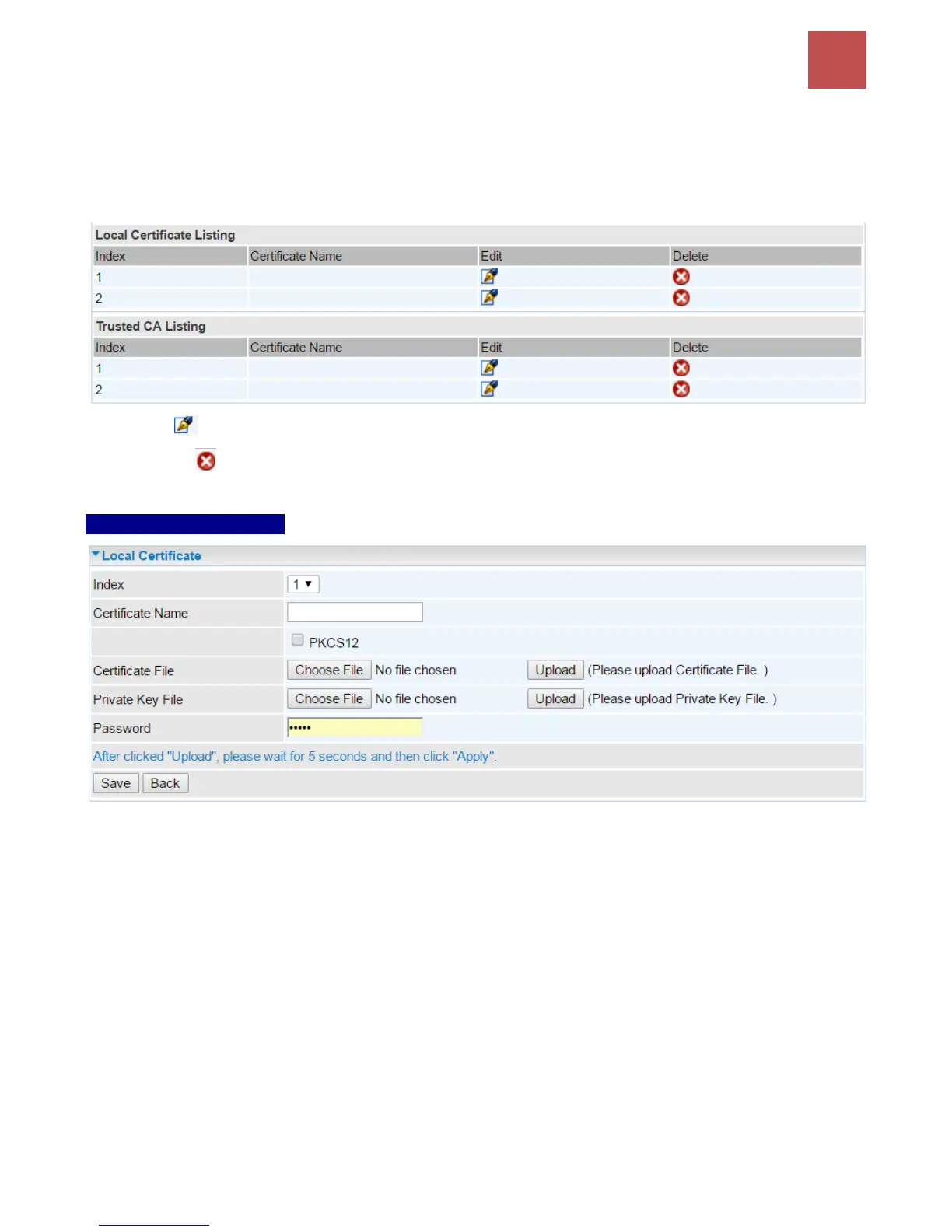
Edit: Click (Edit) to import a certificate.
Delete: Click (Delete) to remove the certificate from the list.
Local Certificate Listing
Index #: The numeric account indicator. The maximum entry is up to 2.
Certificate Name: Description of the certificate.
PKCS12: Every certificate is accompanied by a private key. Upload both files if PKCS is disabled.
Enable PKCS12 to put Certificate & Private Key in the same file, like *.p12, *.pfx.
Certificate File: Browse to locate the target certificate file on PC before uploading it.
Private Key File: Browse to locate the target file on PC before uploading it. If PKCS enabled, please
ignore this setting.
Password: Enter the password if any, which is used to protect the private key. Otherwise, leave it
empty.
Click Apply to save settings.



 To Next Page