BEC MX-210NP User Manual
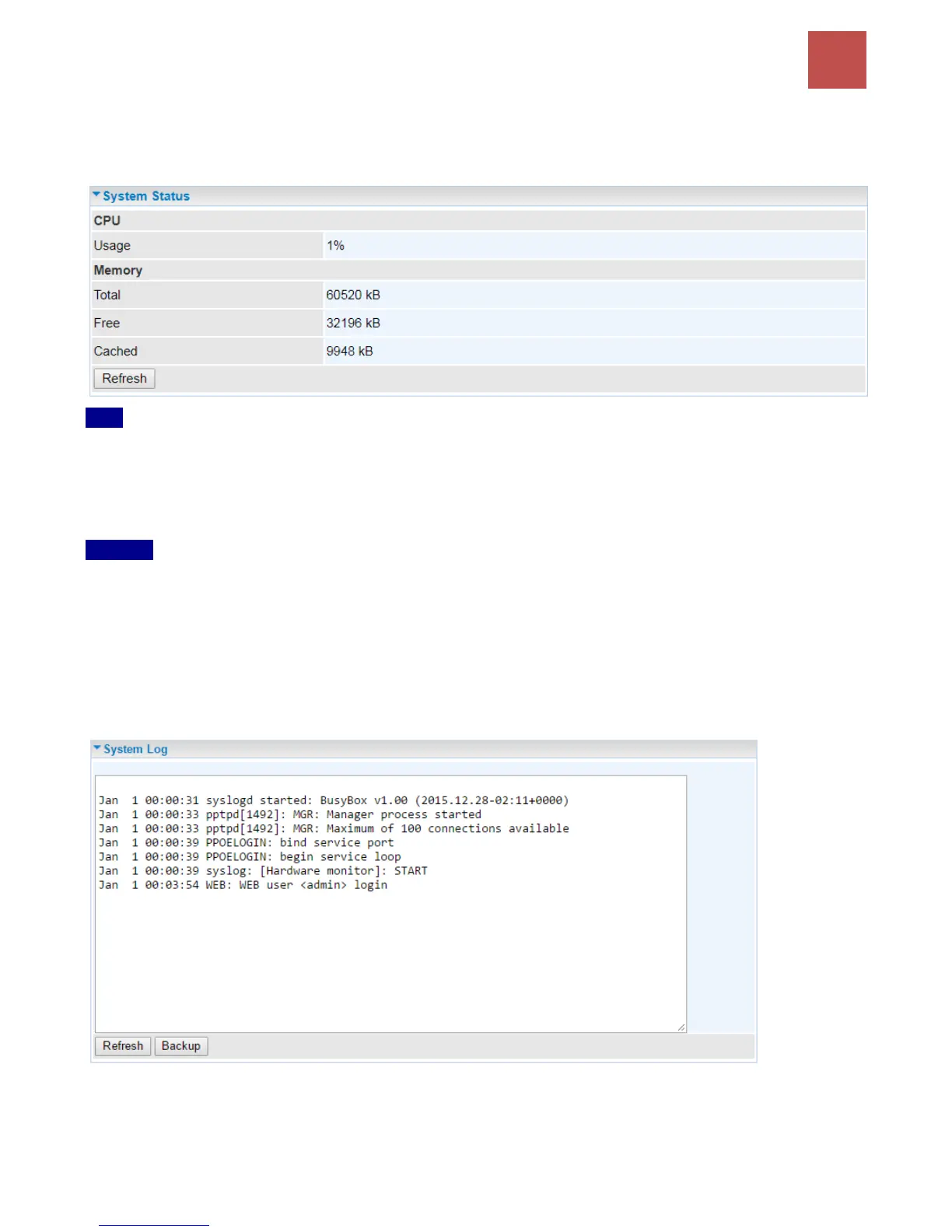
System Status
Display device CPU and memory usage information
CPU
Usage: Display the amount of CPU’s processing capacity is being used in percentage (%). Higher
the % rate may result in slow Internet loading, experiencing video lags, etc. To reduce high CPU
consumption by resetting the device, power off and on, an easiest way to regain the service.
Memory
Total / Free / Cached (in Kbyte): Display the memory consumptions in kilobytes (kB).
System Log
In system log, you can check the operations status and any glitches to the router.
Refresh: Press this button to refresh the statistics.
Backup: Press to save the System log, log.cfg, to your computer / notebook.



 To Next Page