BEC MX-210NP User Manual
Quick Start
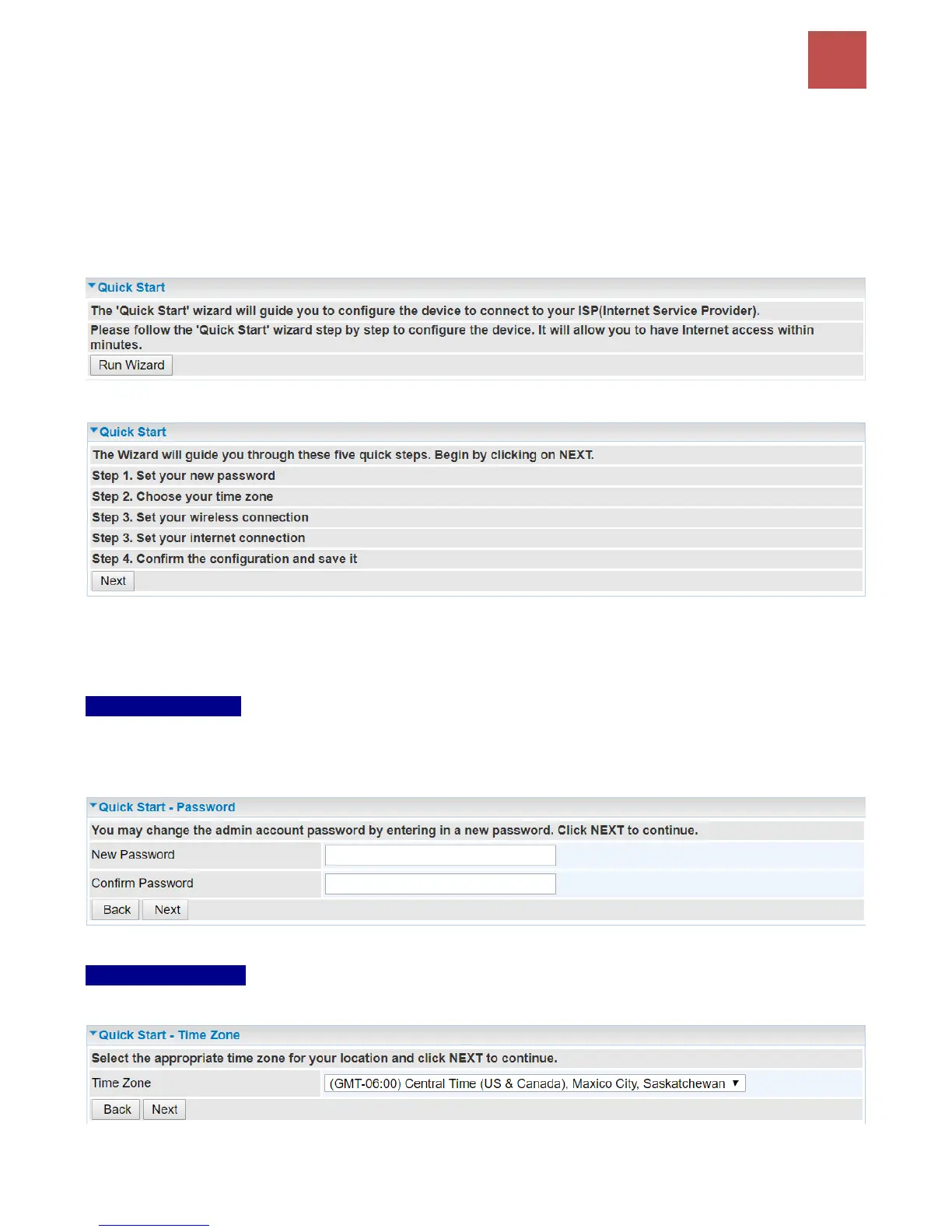
This is a useful and easy utility to help you to setup the router quickly and to connect to your ISP
(Internet Service Provider) with only a few steps. It will guide you step by step to setup password, time
zone, and WAN settings of your device. The Quick Start Wizard is a helpful guide for the first-time
users to the device.
For detailed instructions on configuring WAN settings, see refer to the Interface Setup section.
Click NEXT to move on to Step 1.
Step 1 – Password
Set new password of the “admin” account to access for router management. The default is “admin”.
Once changed, please use this new password next time when accessing to the router. Click NEXT to
continue.
Step 2 – Time Zone
Choose your time zone. Click NEXT to continue.



 To Next Page