BEC MX-210NP User Manual
SNMP
Simple Network Management Protocol (SNMP) is a protocol used for exchanging management
information between network devices. The MX-210NP serves as a SNMP agent that allows a manager
station to manage and monitor the router through the network.
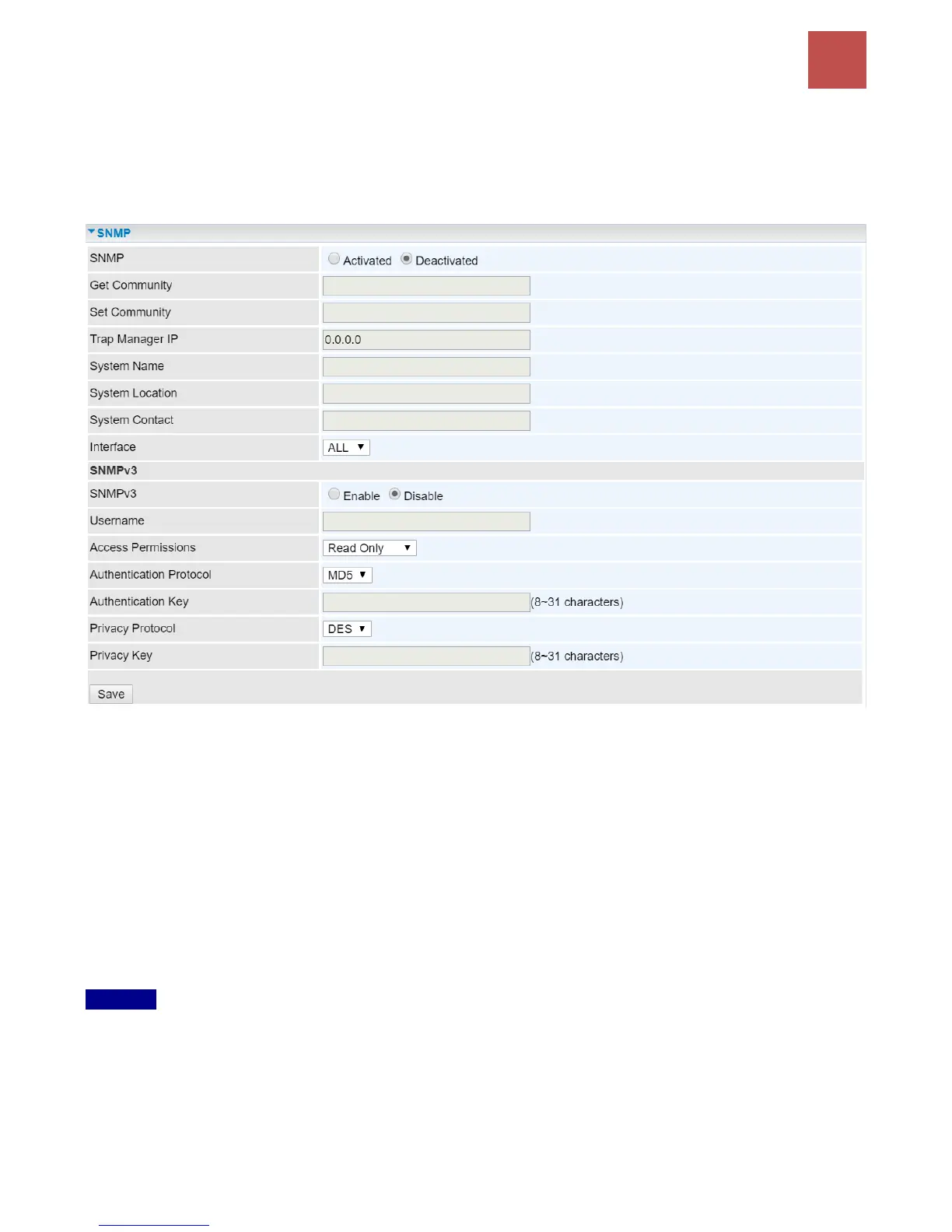
SNMP: Activate to enable SNMP.
Get Community: Type the Get Community, which is the password for the incoming Get-and-GetNext
requests from the management station.
Set Community: Type the Set Community, which is the password for incoming Set requests from the
management station.
Trap Manager IP: Enter the IP of the server receiving the trap message (when some exception occurs)
sent by this SNMP agent.
System Name / Location / Contact: String descriptions of the SNMP agent.
Interface: Select the access interface. Choices are LAN or ALL (Both LAN and WAN).
SNMPv3
SNMPv3: Enable to activate the SNMPv3.
User Name: Enter the name allowed to access the SNMP agent.
Access Permissions: Set the access permissions for the user; RO--read only and RW--read and
writer.
Authentication Protocol: Select the authentication protocol, MD5 and SHA. SNMP agent can



 To Next Page