BEC MX-210NP User Manual
Statistics
❖ 4G/LTE
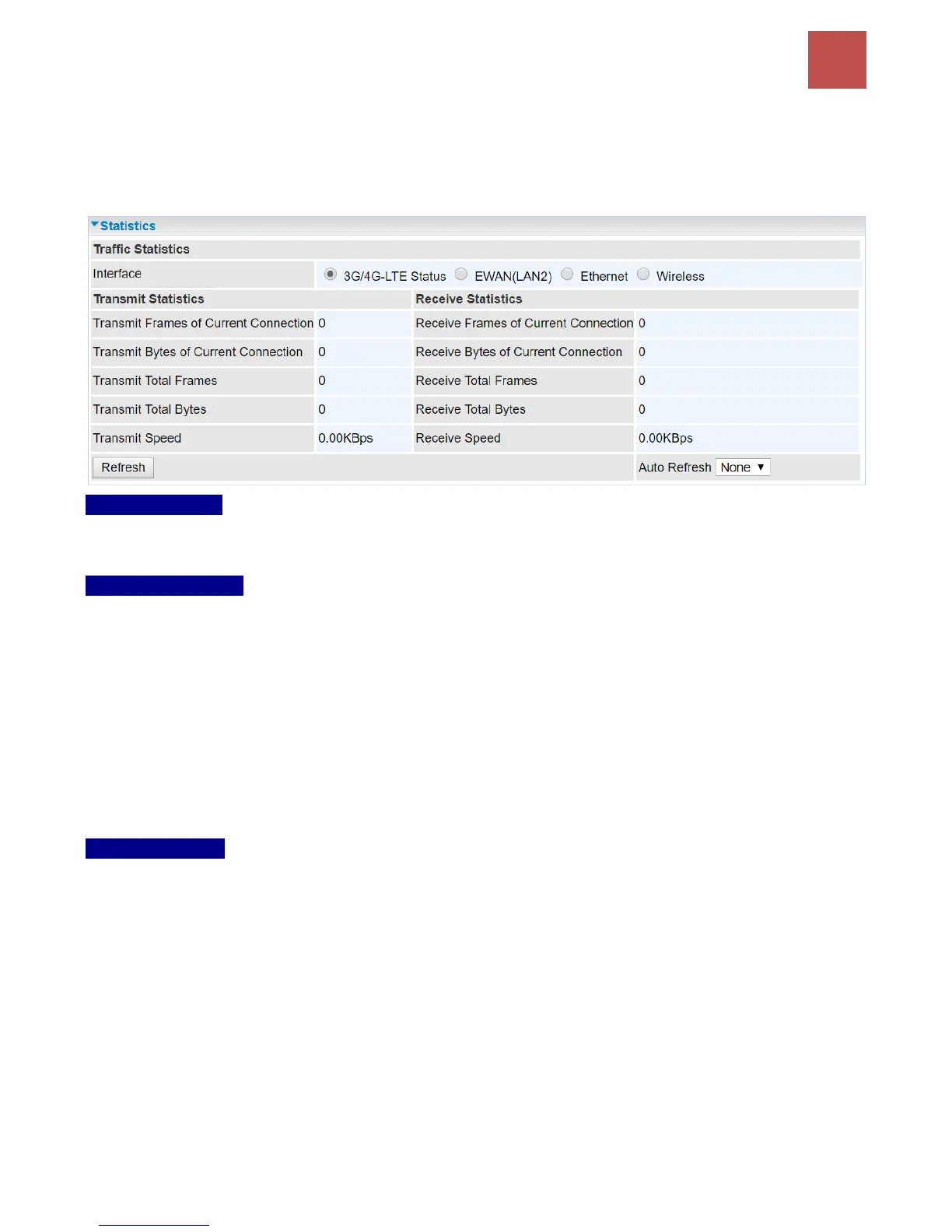
Take 4G/LTE as an example to describe the following connection transmission information.
Traffic Statistics
Interface: List all available network interfaces in the router. You are currently checking on the physical
status of 3G or 4G/LTE interface.
Transmit Statistics
Transmit Frames of Current Connection: Display the total number of 3G/4G/LTE frames transmitted
until the latest second for the current connection.
Transmit Bytes of Current Connection: Display the total bytes transmitted till the latest second for
the current connection for the current connection.
Transmit Total Frames: Display the total number of frames transmitted till the latest second since
system is up.
Transmit Total Bytes: Display the total number of bytes transmitted until the latest second since
system is up.
Transmit Speed: Display the data rate can be transferred to the server, the mobile Internet.
Receive Statistics
Receive Frames of Current Connection: Display the number of frames received until the latest
second for the current connection.
Receive Bytes of Current Connection: Display the total bytes received till the latest second for the
current connection.
Receive Total Frames: Display the total number of frames received until the latest second since
system is up.
Receive Total Bytes: Display the total frames received till the latest second since system is up.
Receive Speed: Display the data rate receives from the mobile Internet.
Refresh: Click to manually refresh the data.
Auto Reresh: Select a time interval to refresh the data automatically or none to disable the feature.



 To Next Page