BEC MX-210NP User Manual
Packet Filter
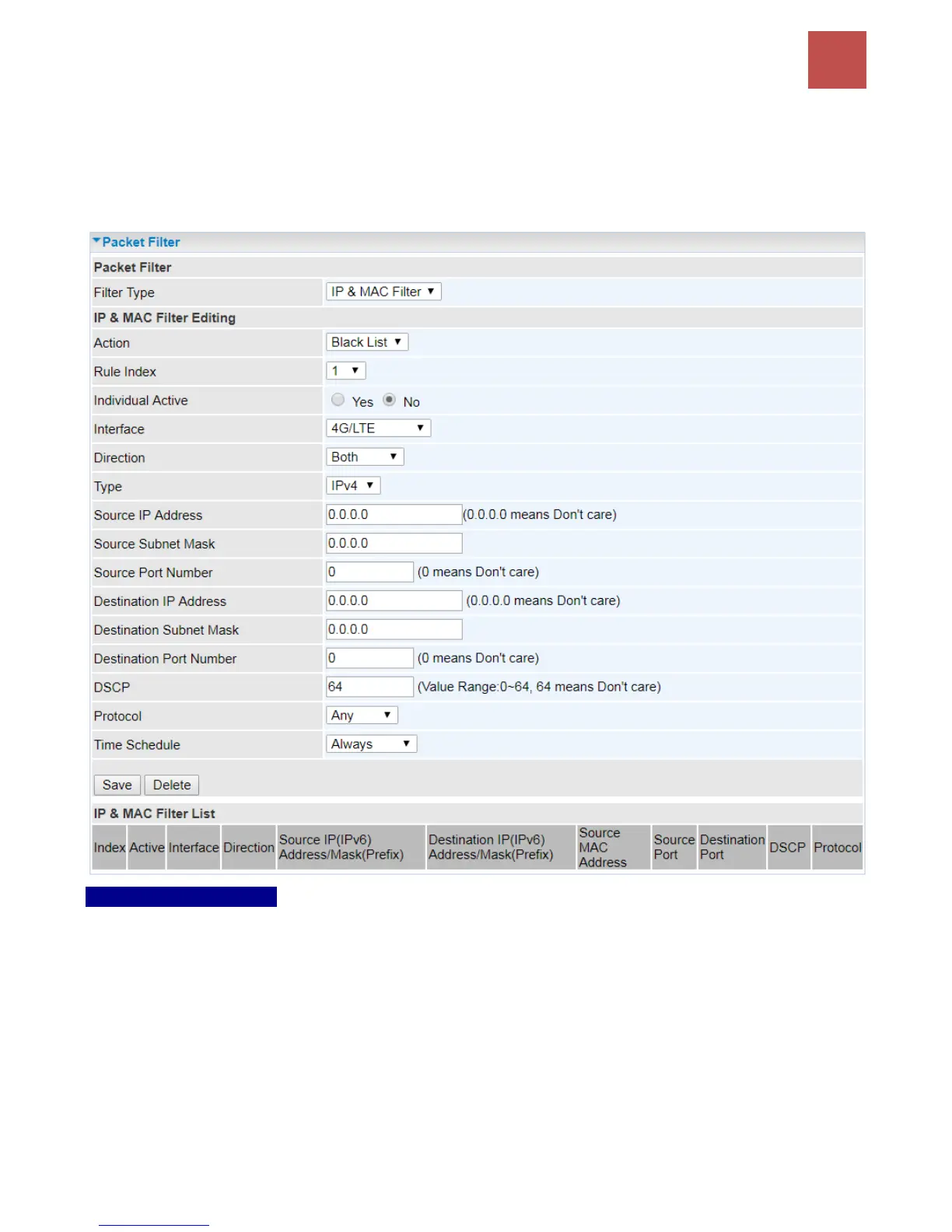
You can filter the packages by MAC address, IP address, Protocol, Port number and Application or
URL.
❖ Filter Type - IP & MAC Filter
IP & MAC Filter Editing
Rule Index: The numeric rule indicator.
Individual Active: Yes to enable the rule.
Action: This is how to deal with the packets matching the rule. Allow please select White List or Black
selecting Black List.
Interface: Select to determine which interface the rule will be applied to.
Direction: Select to determine whether the rule applies to outgoing packets, incoming packets or
packets of both directions.
Type: Choose type of field you want to specify to monitor. Select “IPv4” for IPv4 address, port number
and protocol. Select “IPv6” for IPv6 address, port number and protocol. Select “MAC” for MAC address.



 To Next Page