BEC MX-210NP User Manual
Status
Device Info
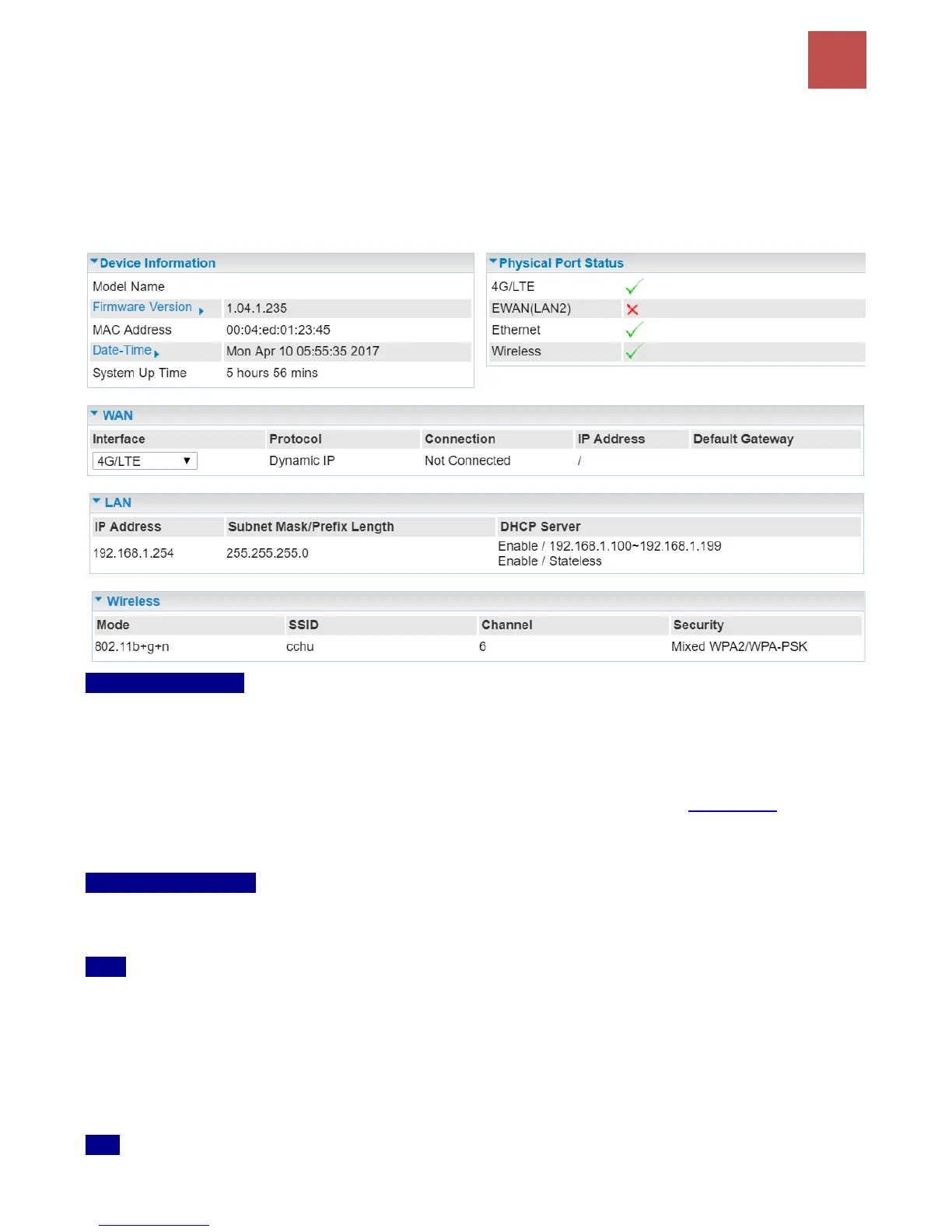
It provides brief status summary of the device.
Device Information
Model Name: Name of the router for identification purpose.
Firmware Version: Software version currently loaded in the router
MAC Address: A unique number that identifies the router
Data Time: Setup correct time on the MX-210NP with your PC. Check on Time Zone section for
more configuration information.
System Uptime: Display how long the MX-210NP has been powered on.
Physical Port Status
Physical Port Status:Display available connection interfaces, WAN (3G/4G-LTE, EWAN) and LAN
(Ethernet) are supported in the MX-210NP.
WAN
Interface: List current available WAN connections.
Protocol: Display selected WAN connection protocol
Connection: The current connection status.
IP Address: WAN port IP address.
Default Gateway: The IP address of the default gateway.
LAN



 To Next Page