BEC MX-210NP User Manual
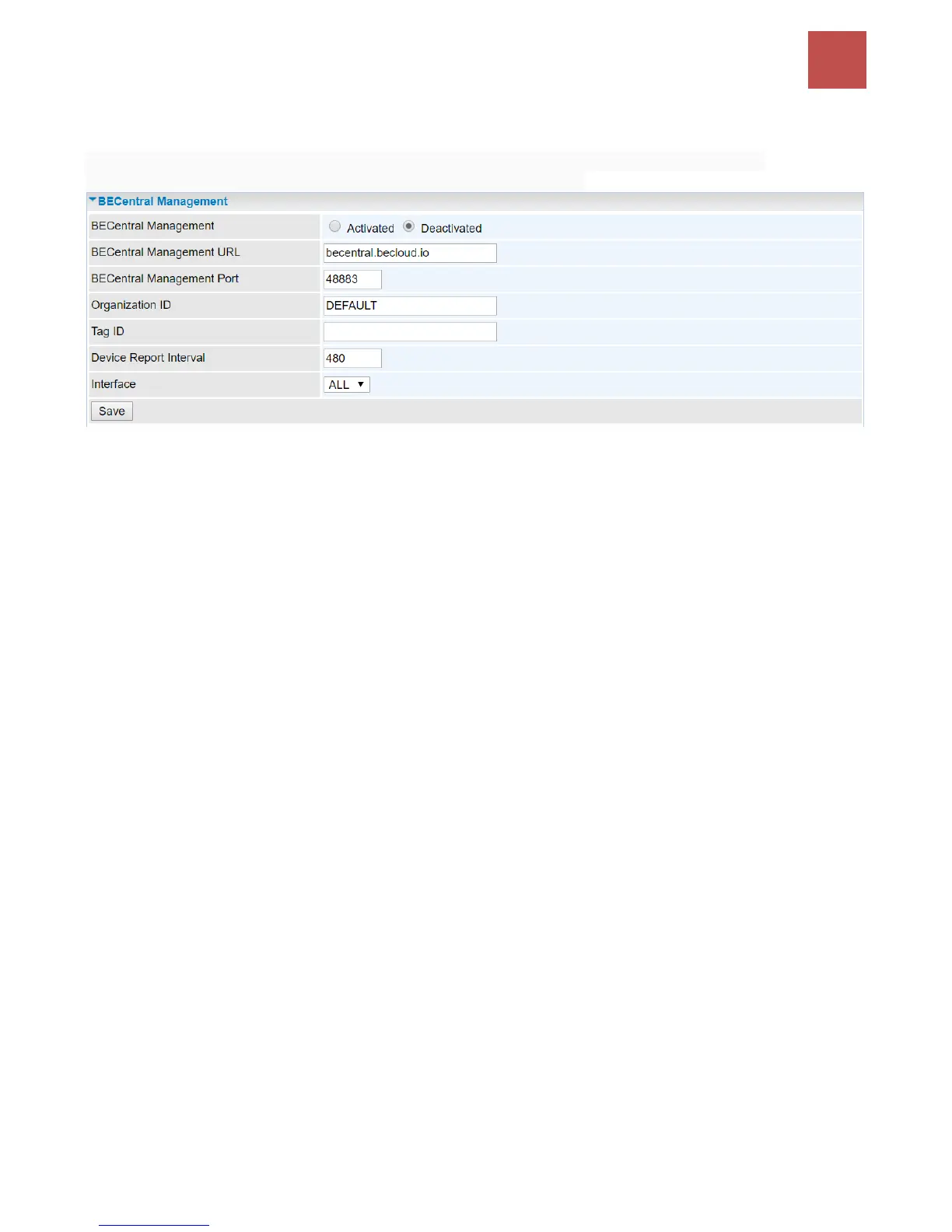
BECentral Management
BECentral is a cloud-based device management platform that provides operators with a
comprehensive suite of services to manage devices in real-time.
BECentral Management: Activate to enable the feature.
BECentral Management URL: Access path to the BECentral.
BECentral Management Port: Port listened by the BECentral.
Organization ID: Customer ID (By BE C administrator only)
Tag ID: By BEC administrator only.
Device Report Interval: Enter the interval time in seconds to send inform message periodically to
the BECentral.
Interface: Specify any available or a single WAN interface to handle BECentral requests.



 To Next Page