BEC MX-210NP User Manual
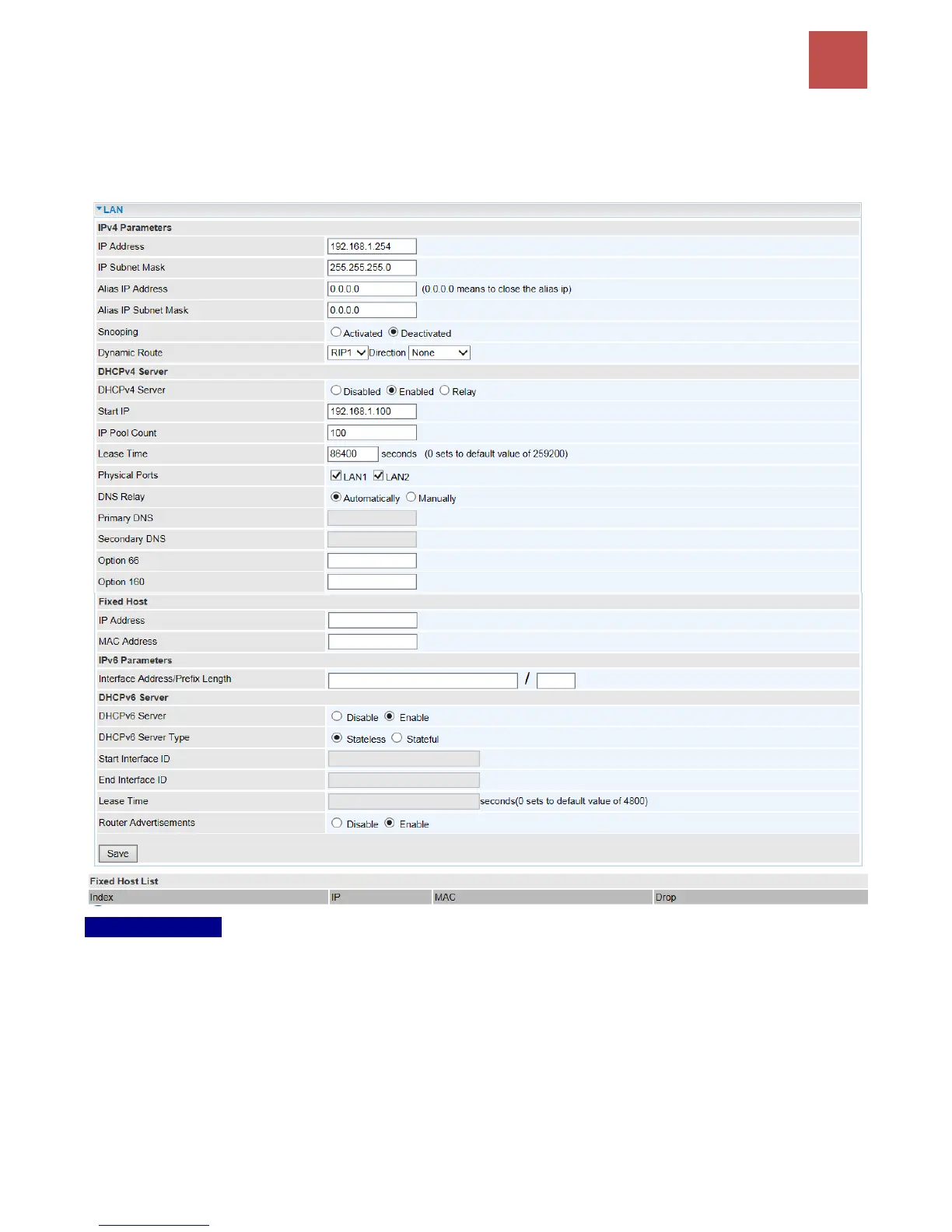
LAN
A Local Area Network (LAN) is a shared communication system to which many computers are attached
and is limited to the immediate area, usually the same building or floor of a building.
IPv4 Parameters
IP Address: Enter the IP address of Router in dotted decimal notation, for example, 192.168.1.254
(factory default).
IP Subnet Mask: The default is 255.255.255.0. User can change it to other such as 255.255.255.128.
Alias IP Address: This is for local networks virtual IP interface. Specify an IP address on this virtual
interface.
Alias IP Subnet Mask: Specify a subnet mask on this virtual interface.
IGMP Snooping: Select Activated to enable IGMP Snooping function. Without the IGMP snooping,
multicast traffic is treated in the same manner as broadcast traffic to be forwarded to all ports. With



 To Next Page