EasyManua.ls Logo

BEC MX-210NP - Page 19

BEC MX-210NP
114 pages
Print Icon
To Next Page IconTo Next Page
To Previous Page IconTo Previous Page
Loading...
Basic Installation
Windows 7/8 (IPv4)
14
BEC MX-210NP User Manual
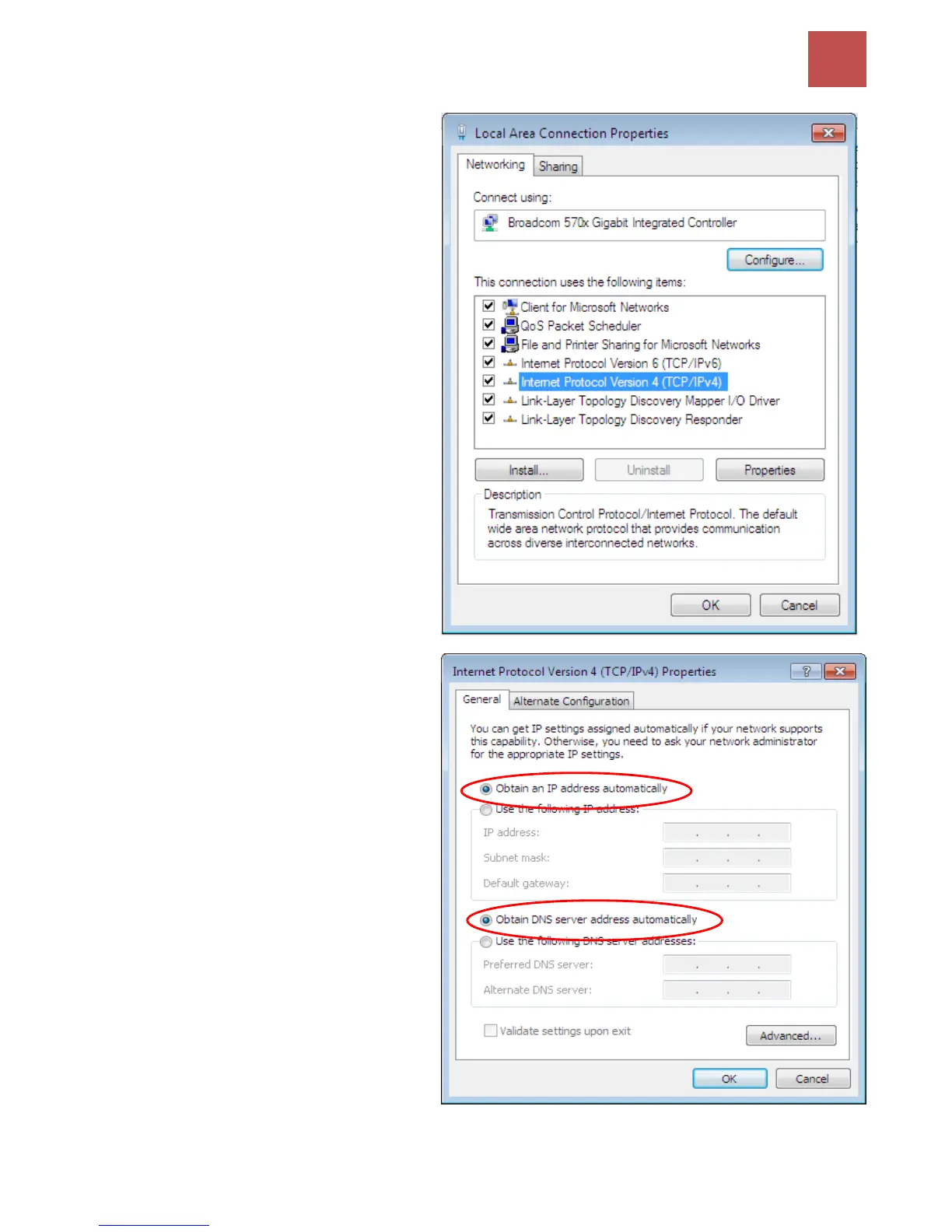
5. Select Internet Protocol Version 4
(TCP/IPv4) then click Properties.
6. In the TCP/IPv4 properties window,
select the Obtain an IP address
automatically and Obtain DNS
Server address automatically radio
buttons. Then click OK to exit the
setting.
7. Click OK again in the Local Area
Connection Properties window to
apply the new configuration.


Table of Contents

Other manuals for BEC MX-210NP

Related product manuals