BEC MX-210NP User Manual
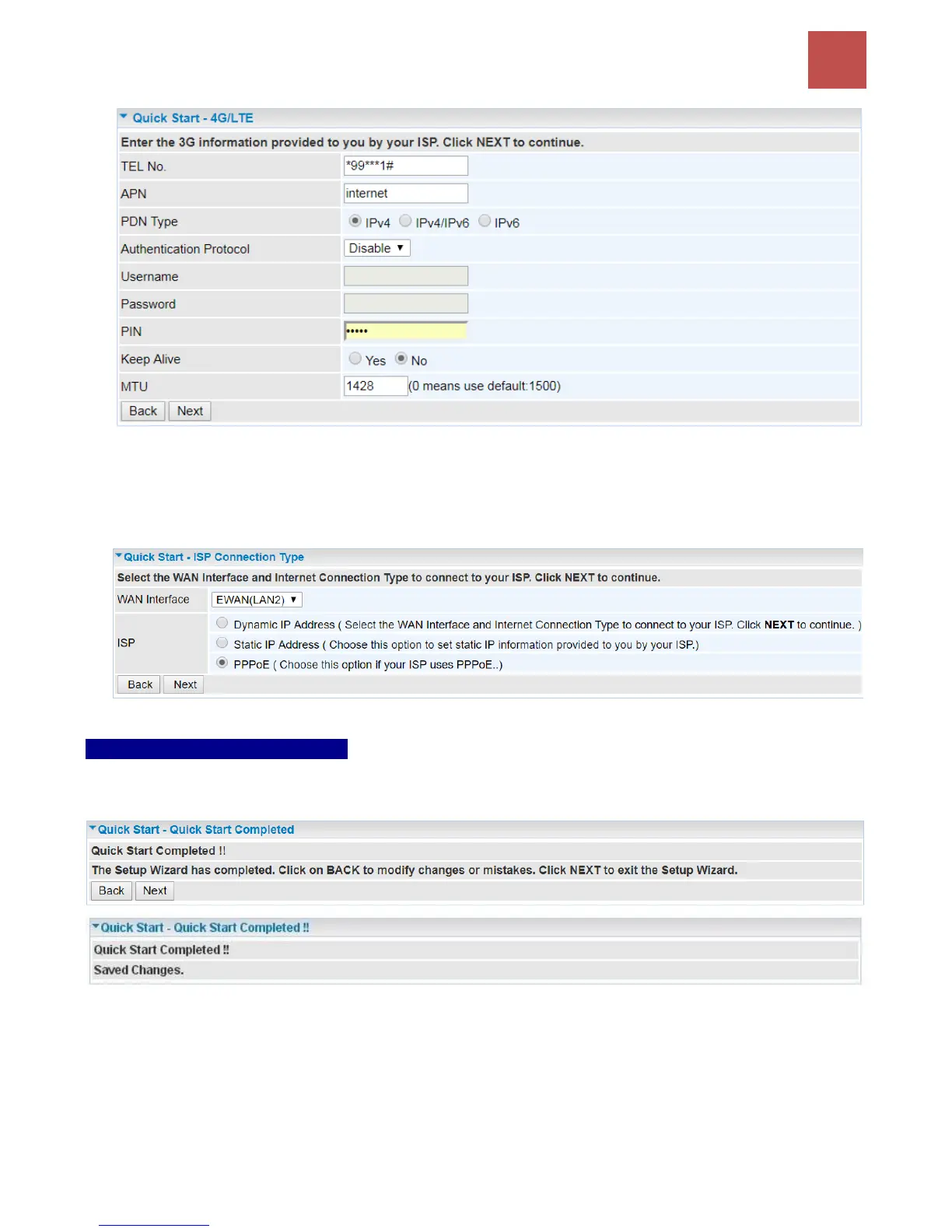
>> If selected EWAN (LAN2) / Static IP or PPPoE, enter the static IP address or PPPoE account
information provided by your ISP.
Click NEXT to continue.
Step 4 – Quick Start Completed
The Setup Wizard has completed. Click on BACK to make changes or correct mistakes. Click NEXT
to save the current settings and complete the Quick Start setups.
Go back to the Status > Device Info to view the status.



 To Next Page