BEC MX-210NP User Manual
❖ Load Balance
Load balance aggregates the bandwidth of the two WAN links to optimize traffic distribution.
When primary link, WAN1, goes down, all traffic will be redirected to the backup, WAN2, to ensure
service continuity.
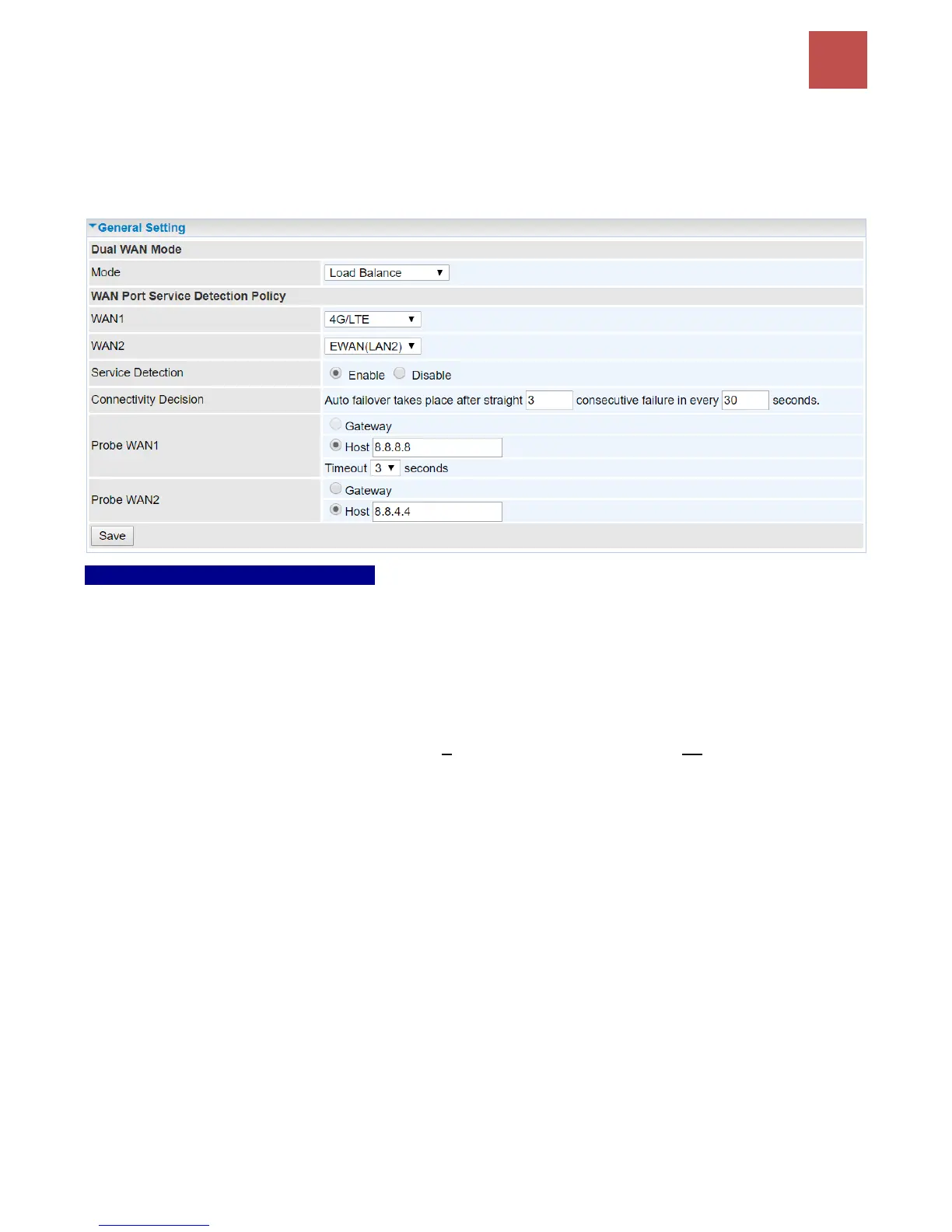
WAN Port Service Detection Policy
WAN1 (Primary): Choose a desired WAN as the primary WAN Link from the list.
WAN2 (Backup): Choose a desired WAN as the backup WAN Link from the list.
Service Detection: Enable to detect WAN connectivity automatically.
Connectivity Decision: Set a number of times and time in seconds to determine when to turn-off the
Load Balancing service.
Example, Disable Load Balance after straight 3 consecutive failures in every 30 seconds meaning all
traffic will hand over to backup link (WAN2) after primary link fails to response in total of 90 seconds,
30 seconds for 3 consecutive failures.
Probe Ping on WAN 1 / WAN2: Enable Ping to the gateway or an IP address
Gateway: Internal system will wait for responses to the pings from the gateway of the WAN.
Host: Internal system will wait for responses to the pings from a fixed IP address.
Click Save to apply settings



 To Next Page