BEC MX-210NP User Manual
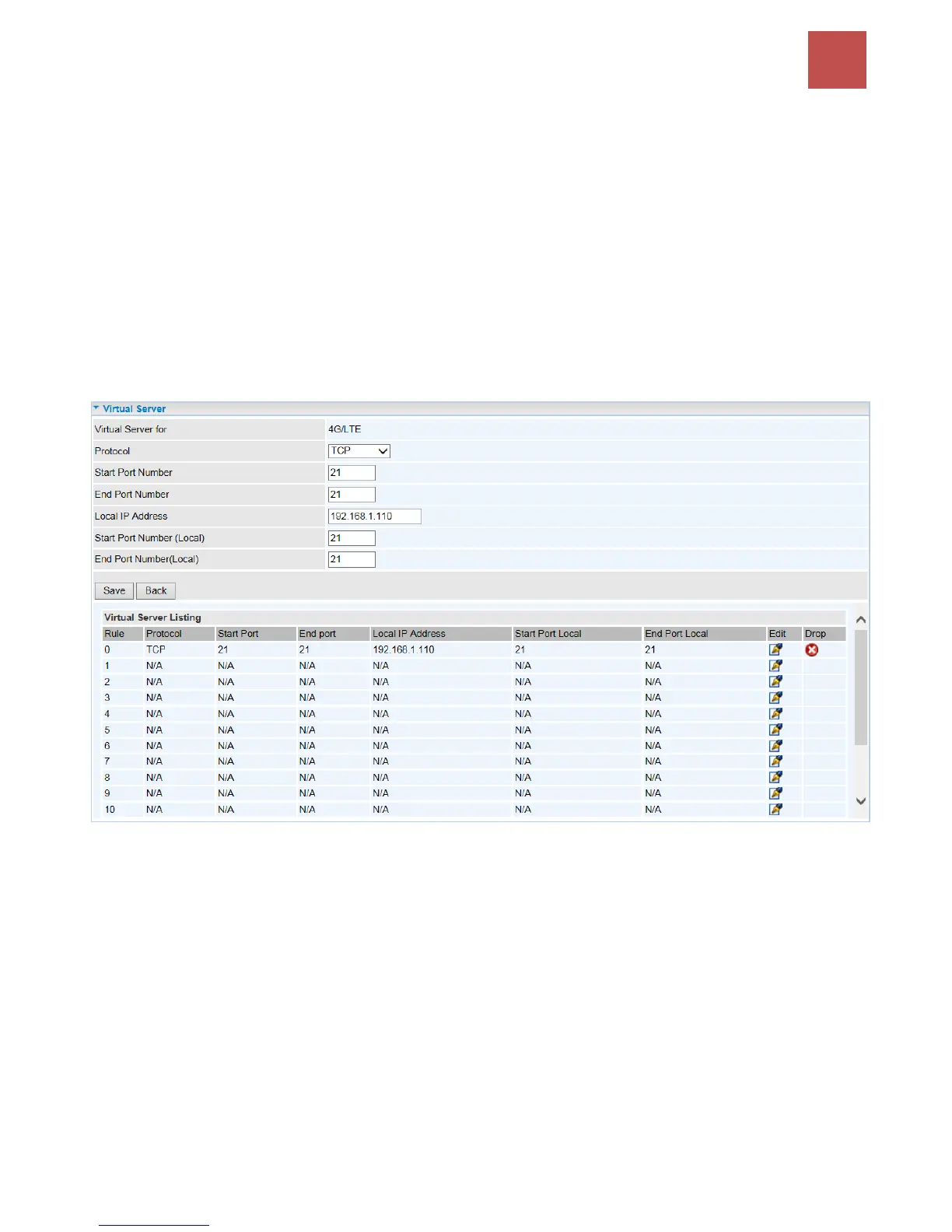
Example: How to setup Port Forwarding for port 21 (FTP server)
If you have a FTP server in your LAN network and want others to access it through WAN.
Step 1: Assign a static IP to your local computer that is hosting the FTP server.
Step 2: Login to the Gateway and go to Configuration / Advanced Setup / NAT / Virtual Server.
FTP server uses TCP protocol with port 21.
Enter "21” to Start and End Port Number. The MX-210NP will accept port 21 requests from WAN side.
Enter the static IP assigned to the local PC that is hosting the FTP server. Ex: 192.168.1.102
Enter "21” to Local Start and End Port number. The MX-210NP will forward port 21 request from WAN
to the specific LAN PC (Example: 192.168.1.102) in the network.
Step 3: Click Save to save settings.



 To Next Page