BEC MX-210NP User Manual
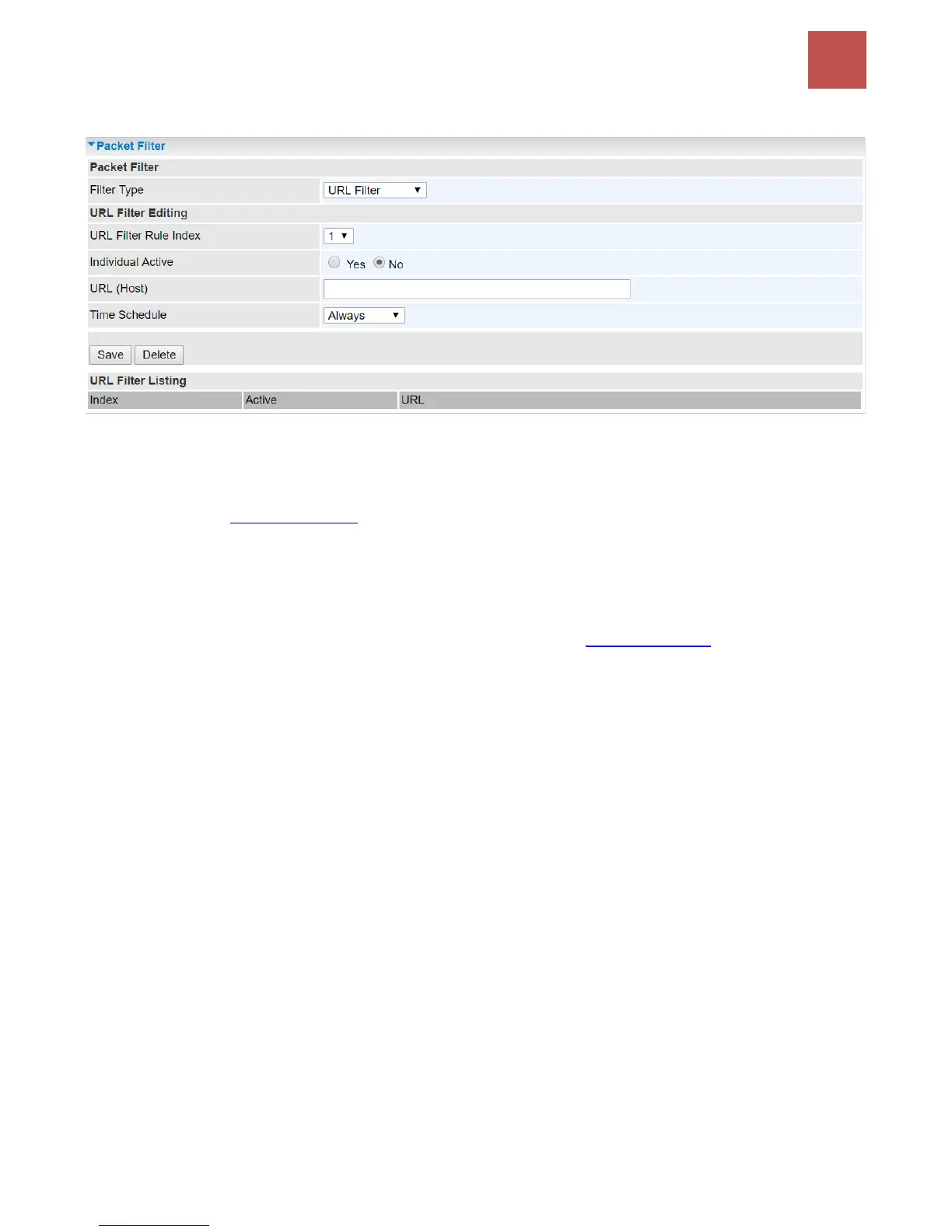
❖ Filter Type- URL Filter
URL Filter: Select Activated to enable URL Filter.
URL Filter Rule Index: The numeric rule indicator.
Individual Active: To give control to the specific URL access individually, for example, you want to
prohibit access to www.yahoo.com, please first press Activated in “URL Filter” field, and also Yes in
“Individual Active” field; if some time you want to allow access to this URL, you simply select No in
individual active field. In a word, the command serves as a switch to the access of some specific URL
with the filter on.
URL (Host): Specified URL which is prohibited from accessing.
Time Schedule: Select a TimeSlot to activate the rule. Go to Time Schedule to configure a time
control first.
Click Save to apply settings.



 To Next Page