Page 17
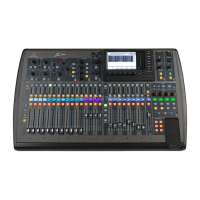
Figure 21 - BAND button active with default channels showing
To configure the band channels (1 to 14), you should plug in all the microphones, instruments and
monitors on the stage – and record the configuration on the supplied worksheet (see Section 2 on
stage setup). Once this is complete, you can then use the worksheet to configure the sound board.
Make sure that you are on the BAND series of channels, and referencing your worksheet select the
first channel that you want to configure by pressing the SELECT button for that channel.
Figure 22 - Channel SELECT button depressed





 To Next Page