GN-9371_2_3 User Manual
Page 30 of (110)
G-series GN-9371_2_3 PIO Rev. 1.02.docx
6.5 Setup IP Address
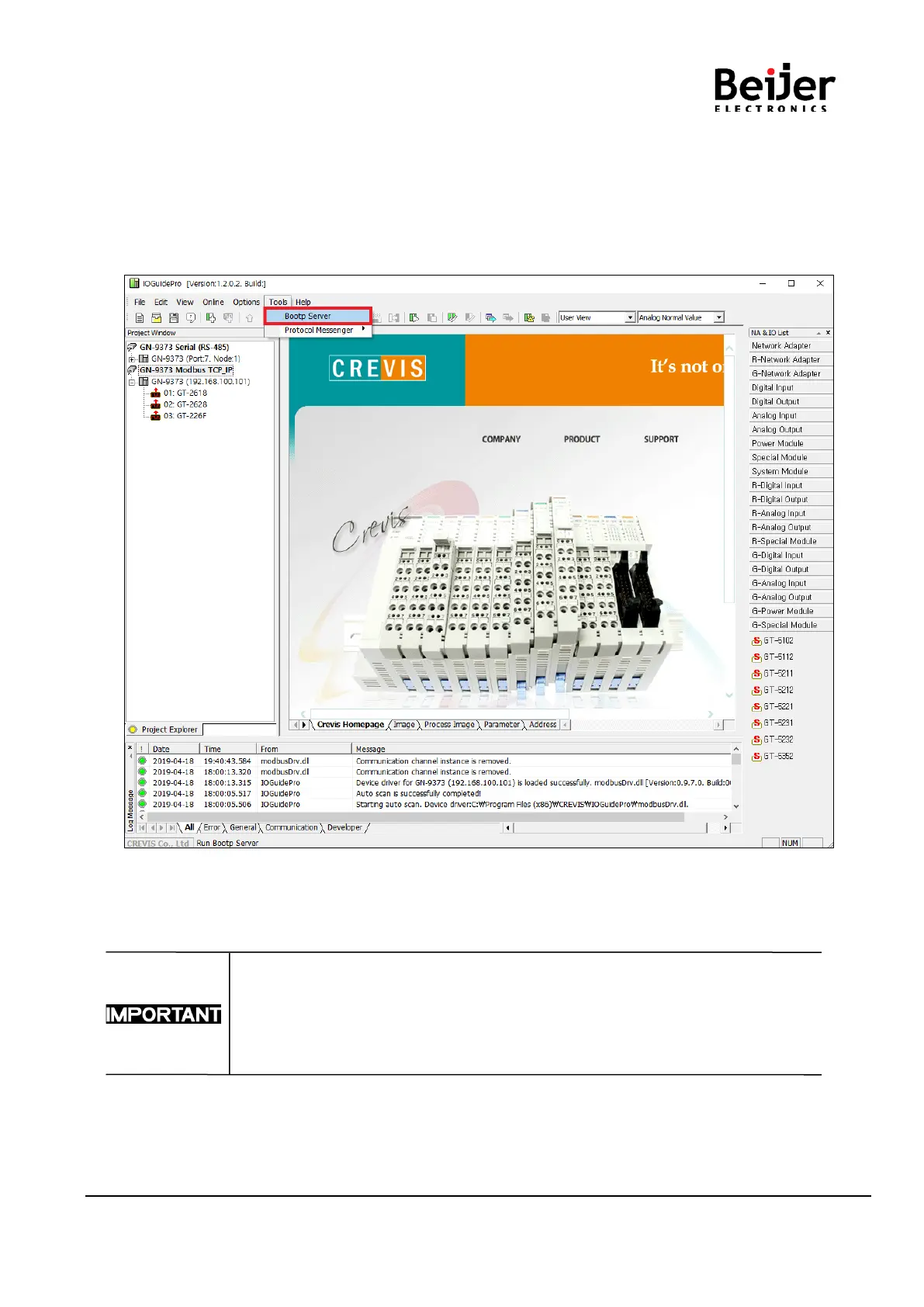
User can assign the IP Address manually via the CREVIS Bootp Server in IO Guide Pro.
Default IP Address is 192.168.1.50
(1) Run ‘[Crevis] [IOGuidePro] [Bootp Server]’
GN-9371/2/3 can support DHCP or Bootp.
If DHCP server is working on the same network, Bootp is not available.
In this case, IP set-up is only available from the DHCP server.


 To Next Page