GN-9371_2_3 User Manual
Page 43 of (110)
G-series GN-9371_2_3 PIO Rev. 1.02.docx
7.2.3 CODESYS User Interface
7.2.4 Setup I/O
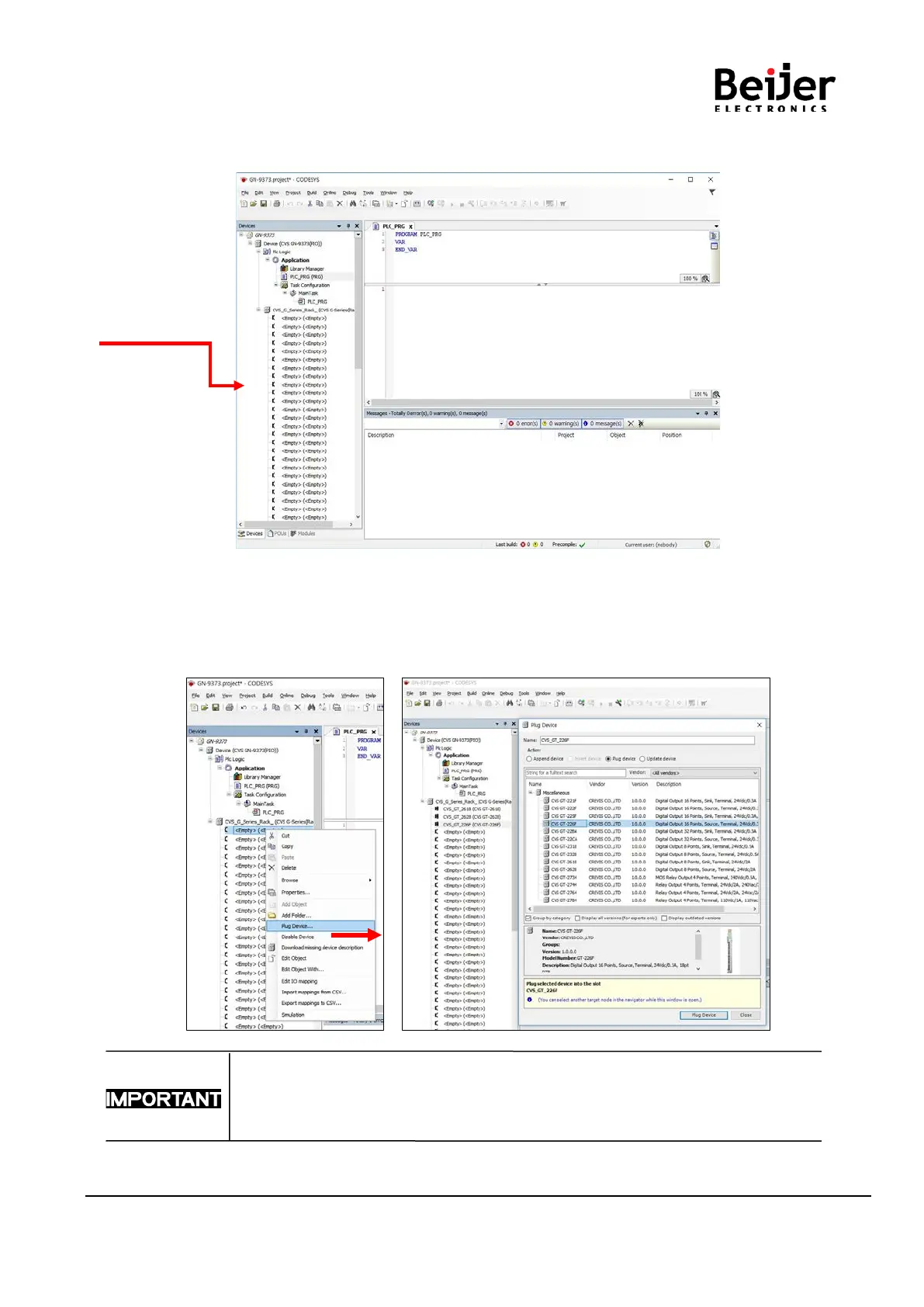
(1) Additional Device
Click on the model you want to use, and click ‘Plug Device’.
For the normal operation, you must select the module image in order through the
CODESYS like the user configuration.
Auto Scan is not supported.


 To Next Page