GN-9371_2_3 User Manual
Page 76 of (110)
G-series GN-9371_2_3 PIO Rev. 1.02.docx
15 User DB (ID / PW, GN-9372/GN-9373 only)
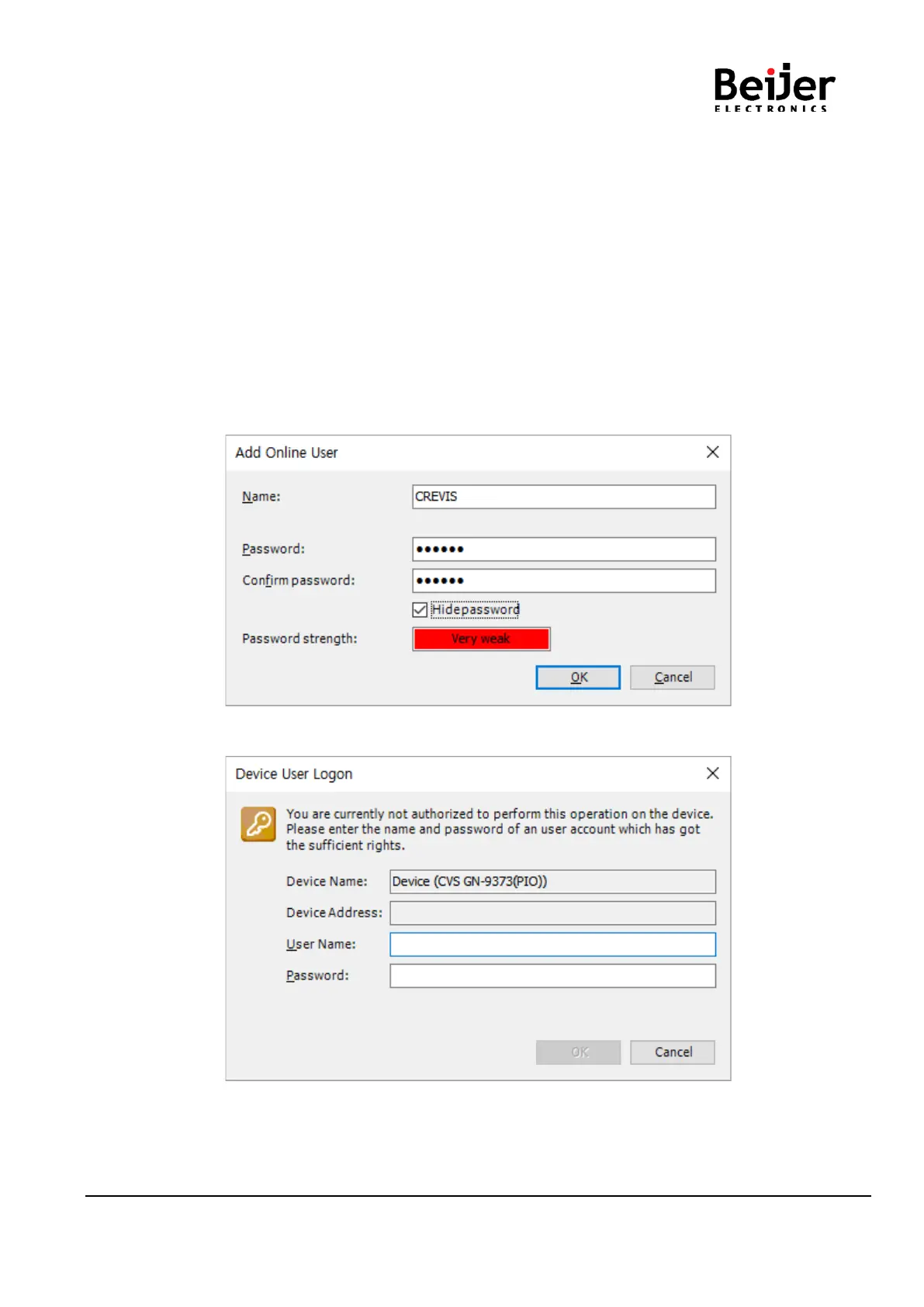
This command configures a new online user and adds this user to the administrator group.
The application is in online mode, and the target system supports online user management.
This command opens the Add Online User dialog box where you define the login data of the new user.
Please use a strong password as follows:
• Password length >= 8 characters (best >= 12)
• Use uppercase and lowercase
• Include numbers
• Use special characters
• Do not use existing names or sequence of characters that are easy to guess
(for example, “123”, “abc”, “qwerty”)
(1) Route: Online → Security → Add Online User
(2) The first time you run the project, you have to log in.


 To Next Page