GN-9371_2_3 User Manual
Page 48 of (110)
G-series GN-9371_2_3 PIO Rev. 1.02.docx
7.3.2 TCP Slave Setting
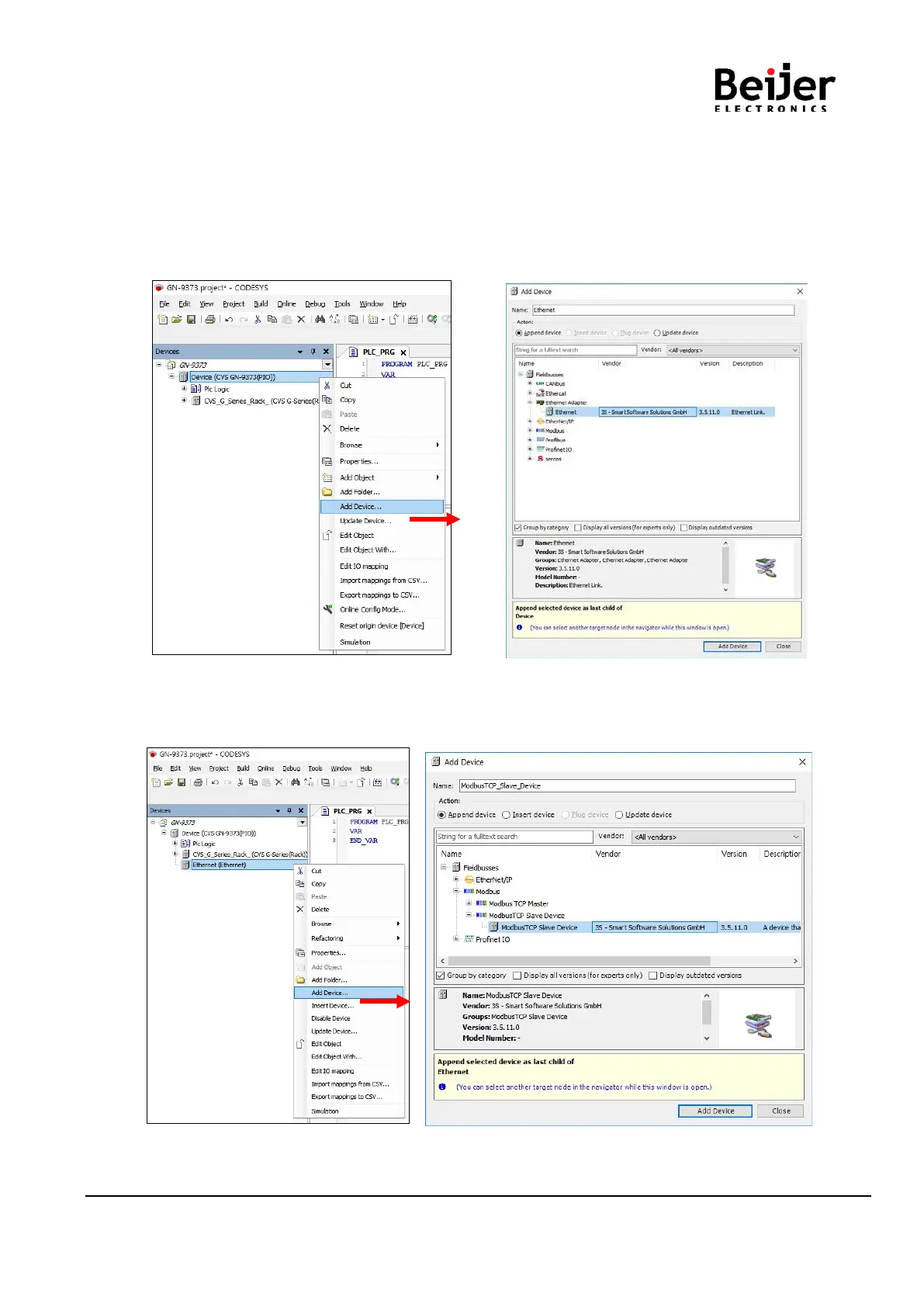
(1) Add Device
Click Device(GN-9371/2/3) right click Click ‘Add Device…’.
(2) Add Ethernet Adapter
Click ‘Fieldbus’ ‘Ethernet Adapter’ ‘Ethernet’ and ‘Add Device’ Click.
(3) Add Device Modbus TCP Slave
Click Ethernet right click Click ‘Add Device’
Click ‘Fieldbuses’ ‘Modbus’ ‘Modbus TCP Slave’ ‘Modbus TCP Slave’ and ‘Add Device’ Click.


 To Next Page