GN-9371_2_3 User Manual
Page 50 of (110)
G-series GN-9371_2_3 PIO Rev. 1.02.docx
7.4 Network Variable
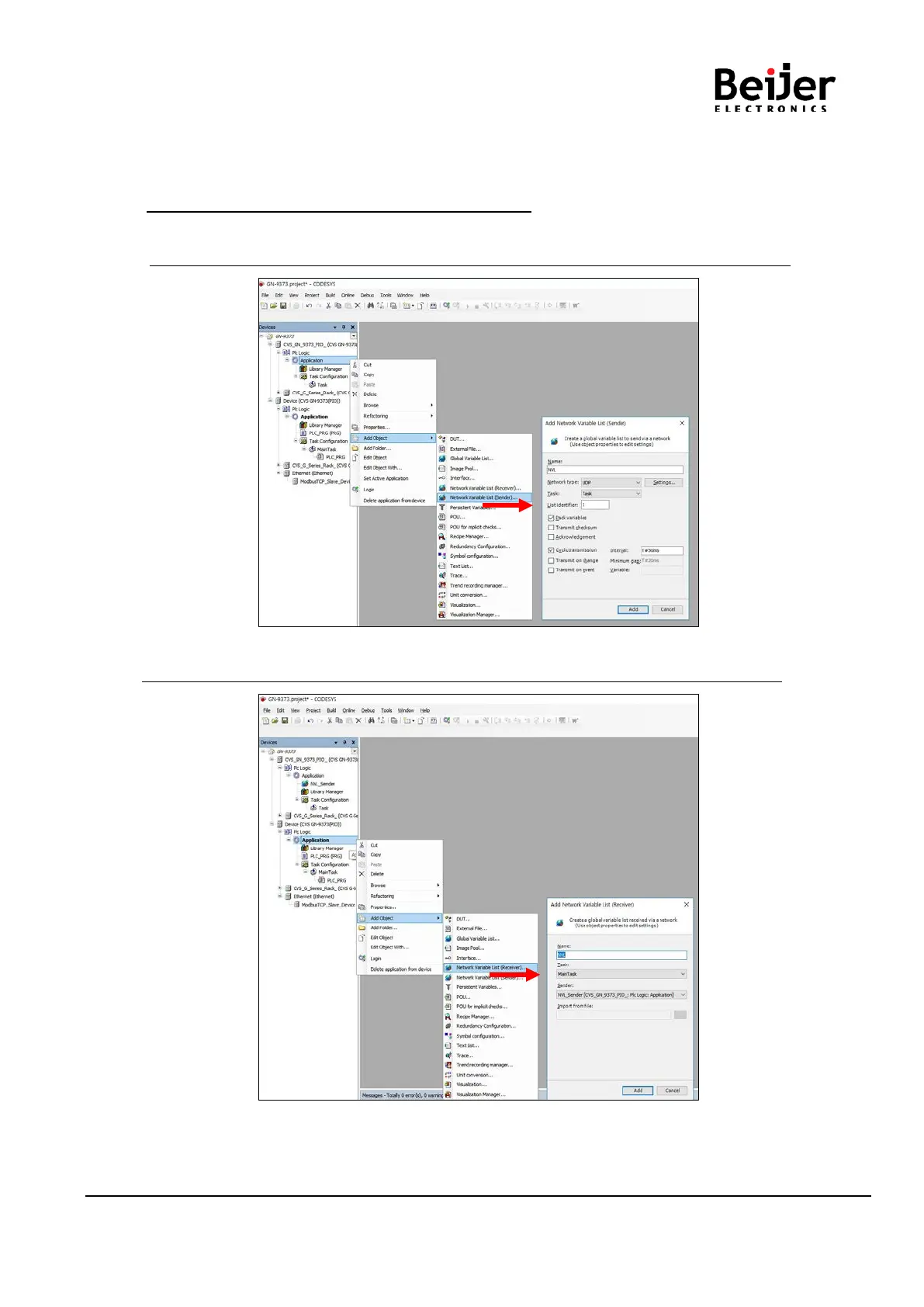
(1) Click ‘Application’ Right click and click ‘Add Object’ Click ‘Network Variable List (Sender)’.
* You have to add one more devices in the devices tree.
(2) Define the network properties of the sender GVL
* You have to select UDP as network type. / * List identifier and Node ID is the same concept.
(3) Add a Global Network Variable List in the Receiver
* You find a selection list of all GVLs with network properties currently available in the project.


 To Next Page