GN-9371_2_3 User Manual
Page 79 of (110)
G-series GN-9371_2_3 PIO Rev. 1.02.docx
17 Trouble Shooting
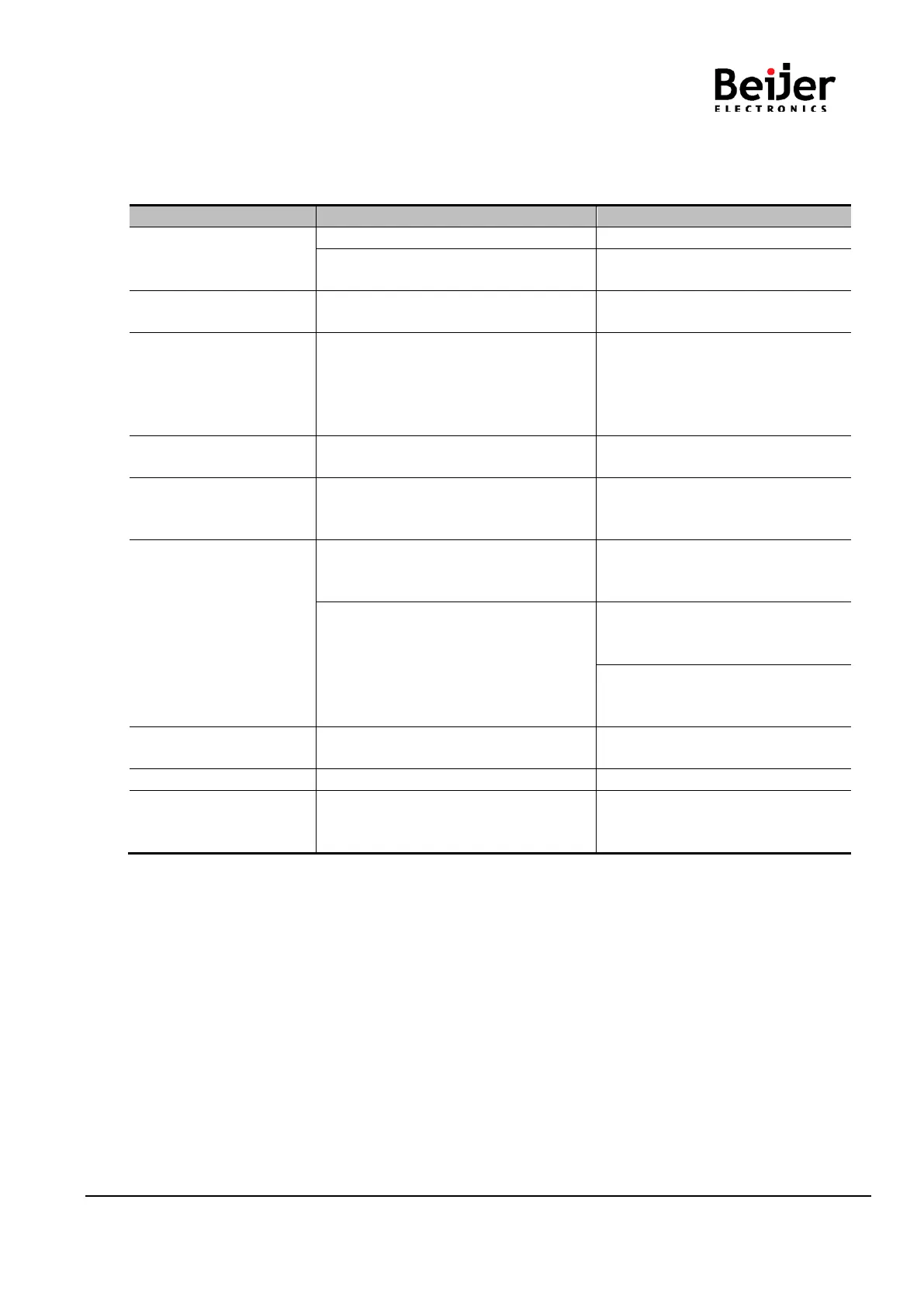
17.1 How to diagnose by LED indicator
All LED turns off
- System power is not supplied.
- Contact Sales team and send
module for repair.
MOD LED flashes green
- Failure of initialization EEPROM
parameter.
- Contact Sales team and send
module for repair.
MOD LED flashes red
- Excess of expansion slot
- Excess of IO size
- Wrong IO composition
- Occurrence of EEPROM checksum
error
- Use expansion slot up to 63.
- Compose that IO total size is not
excess.
- Check composition I/O Module
MOD LED is red
- Occurrence critical error in firmware
- Contact Sales team and send
module for repair.
I/O LED turns off
- Failure of realization expansion
Module
- None expansion Module
- Check connector status both NA
series and expansion module.
I/O LED flashes red
-Failure of configuration baud rate
- Check communication cable with
Master
- Check power for master.
-Failure of initialization I/O
- Use expansion slot up to 63.
- Compose that IO total size is not
NA series notice unidentified
expansion module ID. Check
status of expansion module.
I/O LED is red -Failure of exchanging I/O data
Check status of expansion IO
connection.
Check the toggle switch is up.
RUN LED flashed red -Failure of Module Configuration
Check the module hardware and
software configurations are the
same.


 To Next Page