GN-9371_2_3 User Manual
Page 33 of (110)
G-series GN-9371_2_3 PIO Rev. 1.02.docx
6.6 Serial Communication Settings
Setting according to the each communication state is possible Because GN-9371/2/3 is available the
RS232 and RS485 Serial Communications.
• Station Setting
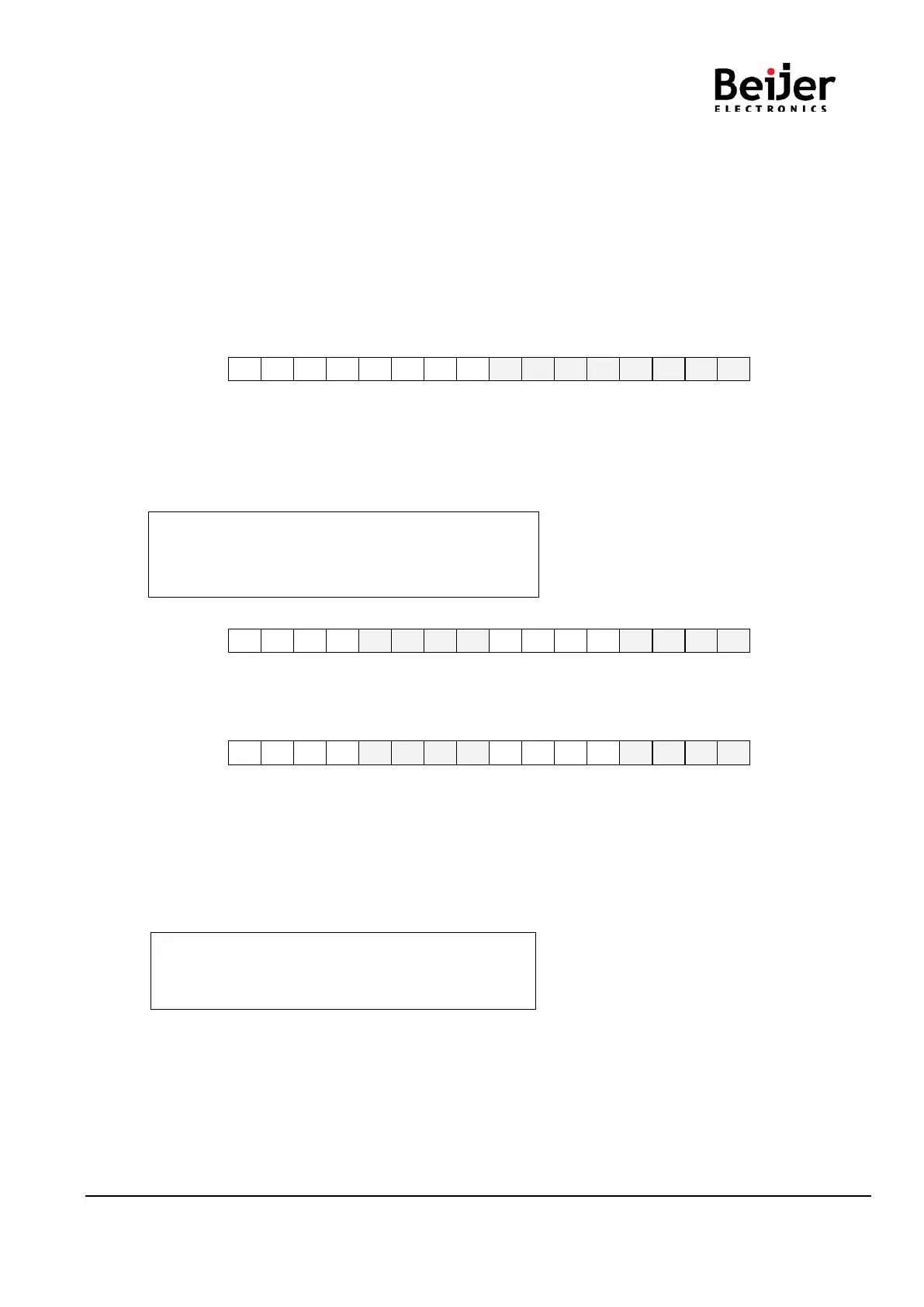
The following illustration is an area of Register 0x160A address that can be used to set the code of Serial
communication. High 1byte is the area of rs232, and Low 1byte is the area of rs485.
It is possible to set a maximum of 247 for each area. (default : 1)
MSB LSB
0x160A 15 14 13 12 11 10 9 8 7 6 5 4 3 2 1 0
RS232C Modbus station RS485 Modbus station
• RS232/ RS485 Communication setting
The options for the communication can be selected.
RS232 can be selected from the register address, “0x1606”.
RS485 can be selected from the register address, “0x1608”.
- 1 nibble : Data bit(0 : 8bit(default), 1 : 9bit)
- 2 nibble : Stop bit(0 : 1bit(default), 1 : 2bit)
- 3 nibble : Parity bit(0 : none(default), 1: even, 2 : odd)
- 4 nibble : Reserve
MSB LSB
0x1607 15 14 13 12 11 10 9 8 7 6 5 4 3 2 1 0
Data bit Stop bit Parity bit Reserve
RS232
MSB LSB
0x1609 15 14 13 12 11 10 9 8 7 6 5 4 3 2 1 0
Data bit Stop bit Parity bit Reserve
RS485
• Baud rate setting
The baud rate from 2400bps to 115200bps is supported.
RS232 can be selected from the register address, “0x1606”.
RS485 can be selected from the register address, “0x1608”.
0 : 115200(Default) 1 : 2400 2 : 4800 3 : 9600
4 : 19200 5 : 38400 6 : 57600 7 : 115200


 To Next Page