GN-9371_2_3 User Manual
Page 52 of (110)
G-series GN-9371_2_3 PIO Rev. 1.02.docx
7.5 Download and Monitoring
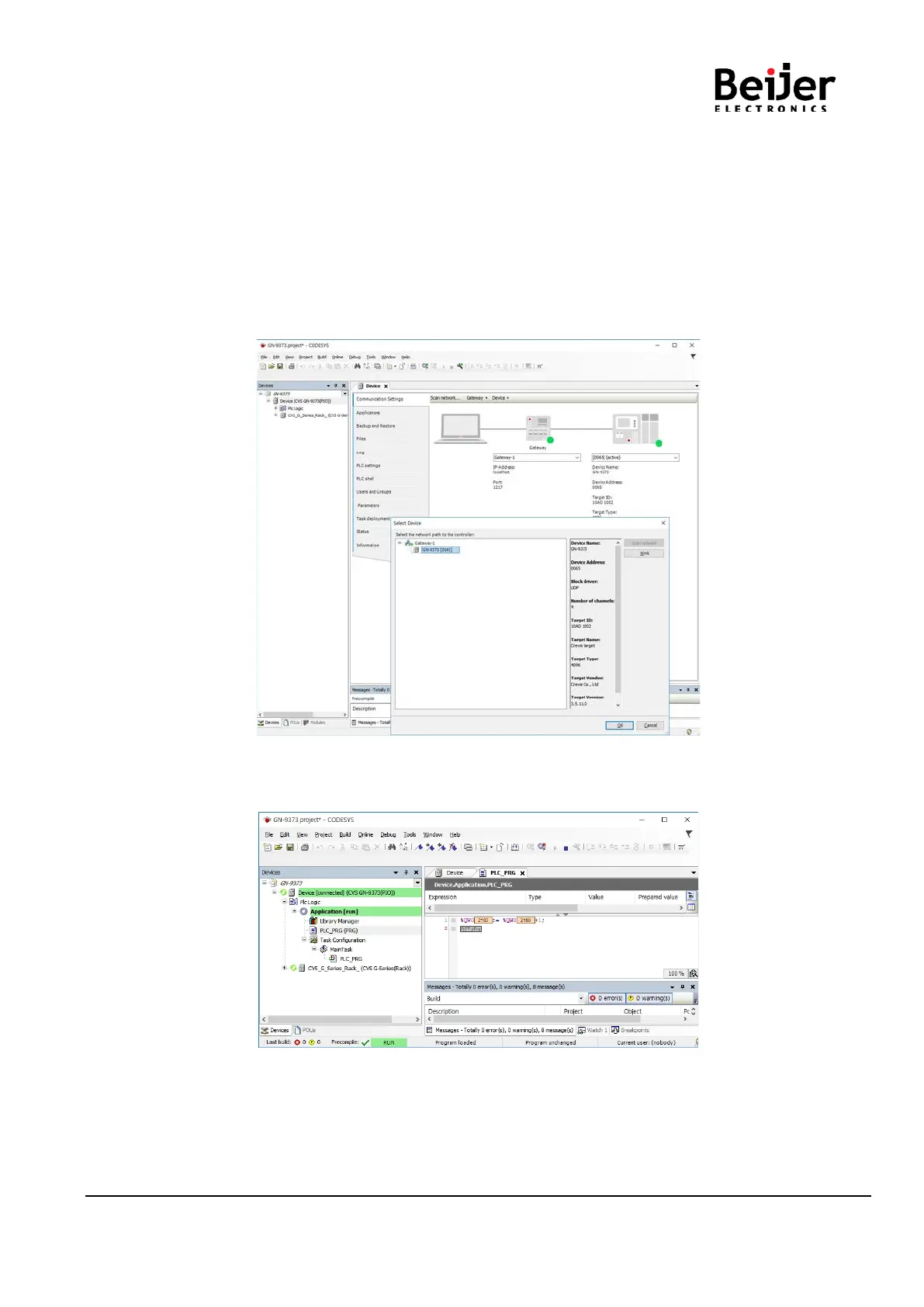
(1) Communication Settings
• Scan network(UDP)
[Device] [Communication Settings], click ‘Scan network’.
After completing the search, double click the Gateway icon to make it activated.
• Add device(TCP)
[Device] [Communication Settings], click ‘Add device’.
After write the IP address and click ‘OK’ , double click the Gateway icon to make it activated.
(2) Login
[Online] [Login] Download to Application Entry into Monitoring Mode [Debug] [RUN]


 To Next Page