GN-9371_2_3 User Manual
Page 44 of (110)
G-series GN-9371_2_3 PIO Rev. 1.02.docx
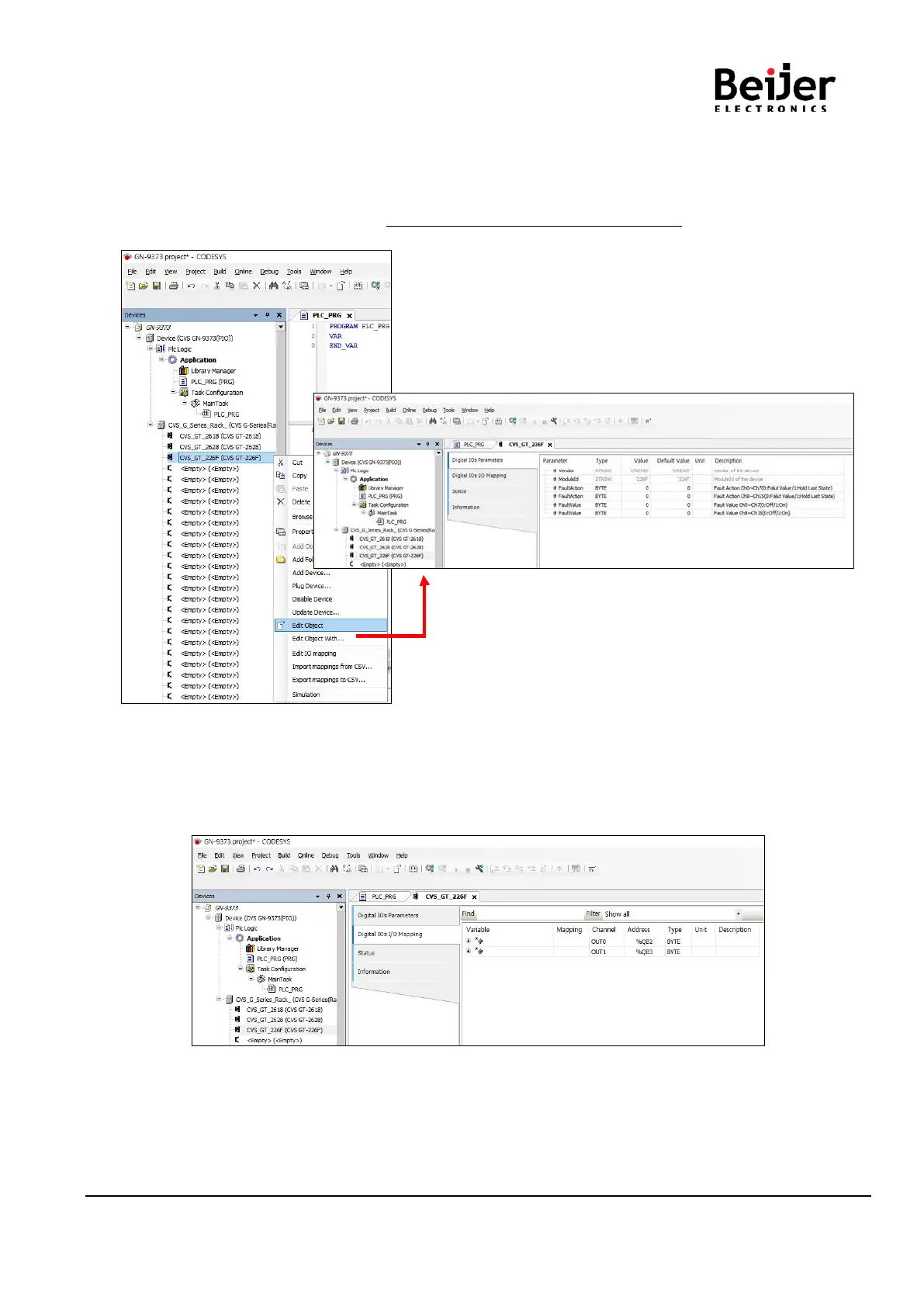
(2) Setting Device Parameter and IO Mapping
Click IO Right click Click ‘Edit object’.
• Parameter setting
Click ‘Digital IOs Configuration’ * The setting unit of the parameter is bytes.
• IO Mapping
Click ‘Digital IOs I/O Mapping’
If there are no set values in the red square, you can program the variable area set by the address.
If you use the variable set by the POU or GVL, you can use the variable area after deleting the variable
in the address.


 To Next Page