56
Threshold function
7. Connection of the balance to the optional alphanumeric keyboard
To connect the optional external alphanumeric keyboard to the balance, it must be
used the same connector that is used to link the balance to PC. In this case the
connection to PC or to printer must be effected through the connector placed on the
optional alphanumeric keyboard.
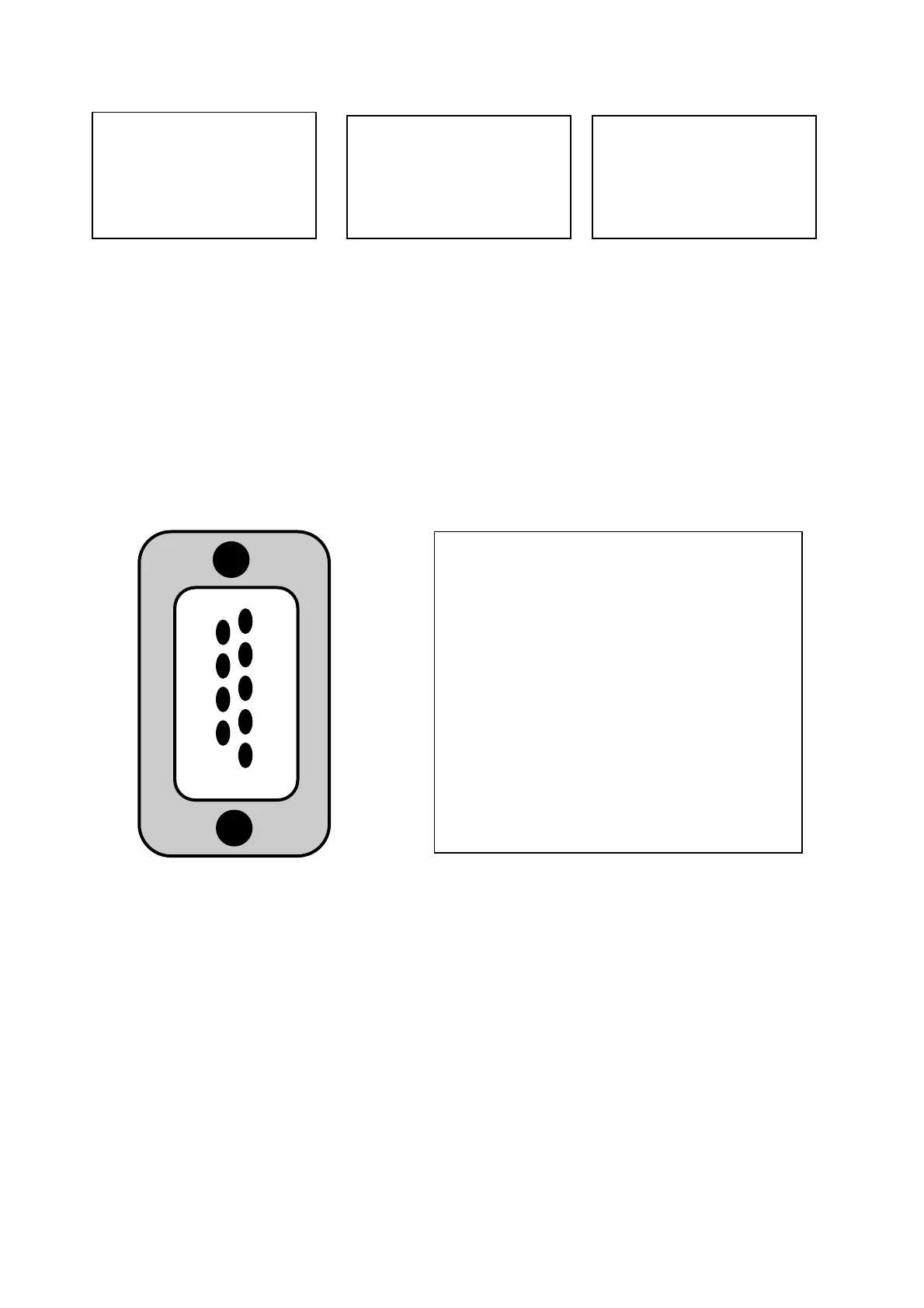
8. Map of RS232 interface Connector (n.2 fig.2 par.5)
9
8
7
6
5
4
3
2
1
CONNECTOR 1: CONNECTION FOR
KEYPAD, PC AND PRINTER
pin 1 = Power +5V for keyboard
pin 2 = Tx signal
pin 3 = Rx signal
pin 4 = busy signal
pin 5 = Gnd
pin 4-6 = connected to each other for
connection to PC
12-02-2013 12:00
Weight: 0.00g
-LOW-
12-02-2012 12:00
Weight: 49.20g
- OK -
12-02-2011 12:00
Weight : 249.42g
-HIGH-


 To Next Page