Bennett 3000 Spec 300 Series Instruction Manual Product Introduction
8
POWER SWITCH
A power switch is located on the 719 CPU Board that is used to turn the dispenser on and off. When the switch is in the off position, main
power is removed from the electronic circuit board.
THE POWER FAILURE MESSAGE
The Power Fail message occurs whenever the power has been interrupted or turned off to the dispenser. If the power is turned off and
the AC OFF message does not appear, the charge is low on the 12-volt battery. Allow 24 hours to charge the battery after powering up
the dispenser for the first time.
EXTERNAL +12 VDC BATTERY
An external +12 VDC lead acid backup battery is used to recall data during power outage or when pump power is off. When the main
power is on the battery, the charging circuit provides +13.8 VDC to charge the battery. When the battery is “on” the battery supplies 12.6
VDC for the system. Note: The battery MUST BE connected before powering up the dispenser.
BATTERY KILL BUTTON
A push button is used to kill the battery backup if necessary. This button can be used to override the 30-second battery if primary power
is lost at the dispenser, or if incoming power drops below 74 volts AC. This button stays in the up position by a spring. To “kill” power to
the dispenser press down quickly and release. Once the switch is closed, and the display goes blank, release the switch.
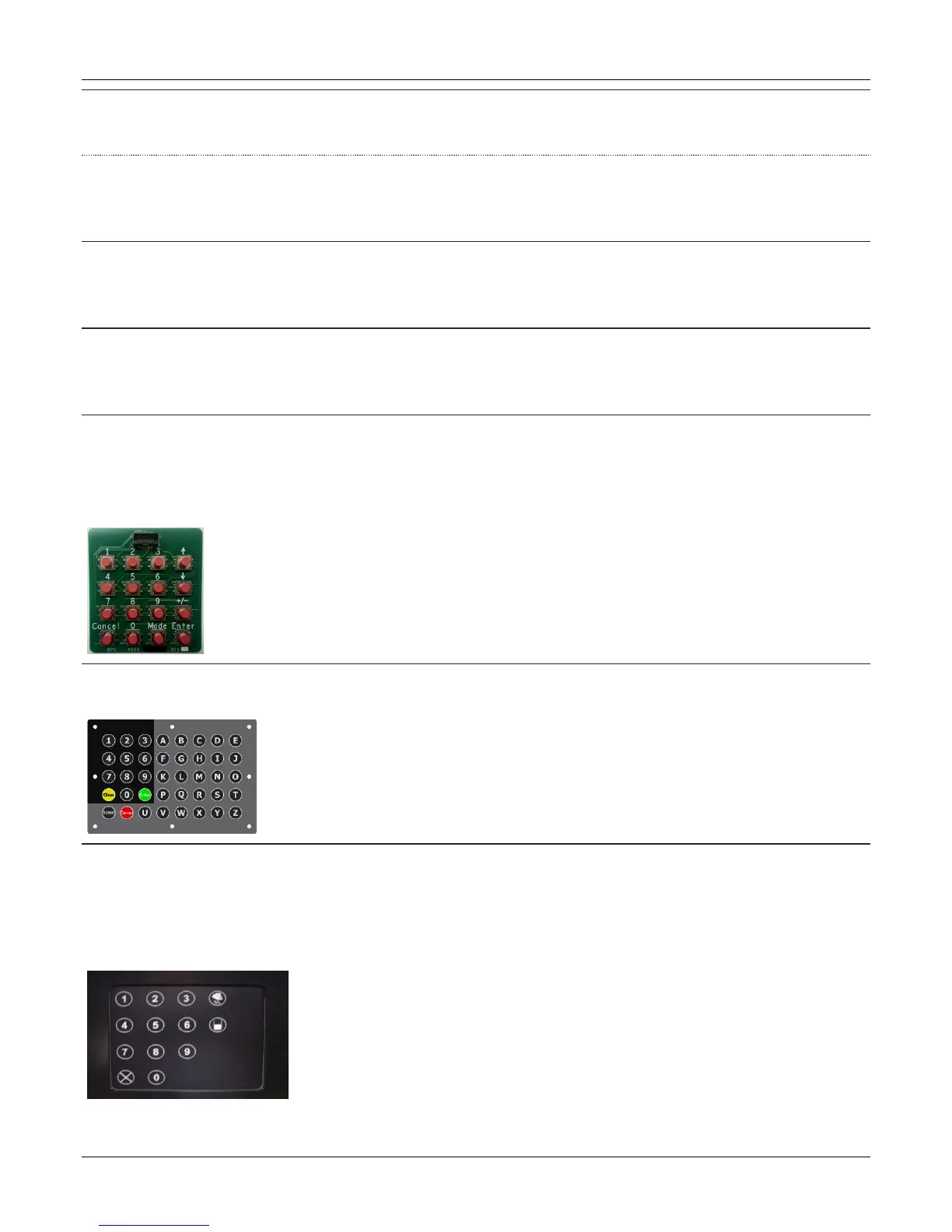
MANAGER’S KEYPAD
The Manager’s Keypad allows the customer or operator the ability to access dispenser totals, pricing information, diagnostic information,
and programming. One Manager’s Keypad is shipped with each dispenser. It is located in the electronics head, and is normally
disconnected from the system during normal use. Refer to the operation section for a complete description of the keypad functions for
programming the dispenser and the service & troubleshooting section for complete instructions for using the keypad to read error codes.
ALPHA-NUMERIC KEYPAD (OPTIONAL)
The alpha numeric keypad option allows the customer or operator the ability to enter information
LOCAL PRESET (OPTIONAL)
The Local Preset option allows the customer or operator the ability to select volume or currency and preset the amount of fuel to be
purchased. When the preselected amount (volume or currency) is reached, the dispenser will automatically stop. A fill up feature is also
present.
This keypad is also used to access dispenser totals, pricing information, diagnostic information, and programming. Note: The Mode,
Enter, +/- (Plus Minus) buttons are not shown on the overlay, but you will be able to feel them.





 To Next Page