Bennett 3000 Spec 300 Series Instruction Manual Service & Troubleshooting
66
TROUBLESHOOTING
This section of the manual was designed to break down individual problems with the most common symptoms and corrective actions.
This information comes directly from the Help Desk at Bennett from problems that have been seen in the field.
IMPORTANT The “Possible Causes” section of the table is not listed by what should be checked first or is most common
in all cases. But rather, a technician should try to locate their particular problem in the table and then
examine ALL of the possible problems and corrective actions and ask themselves “What makes the most
sense in this case”?
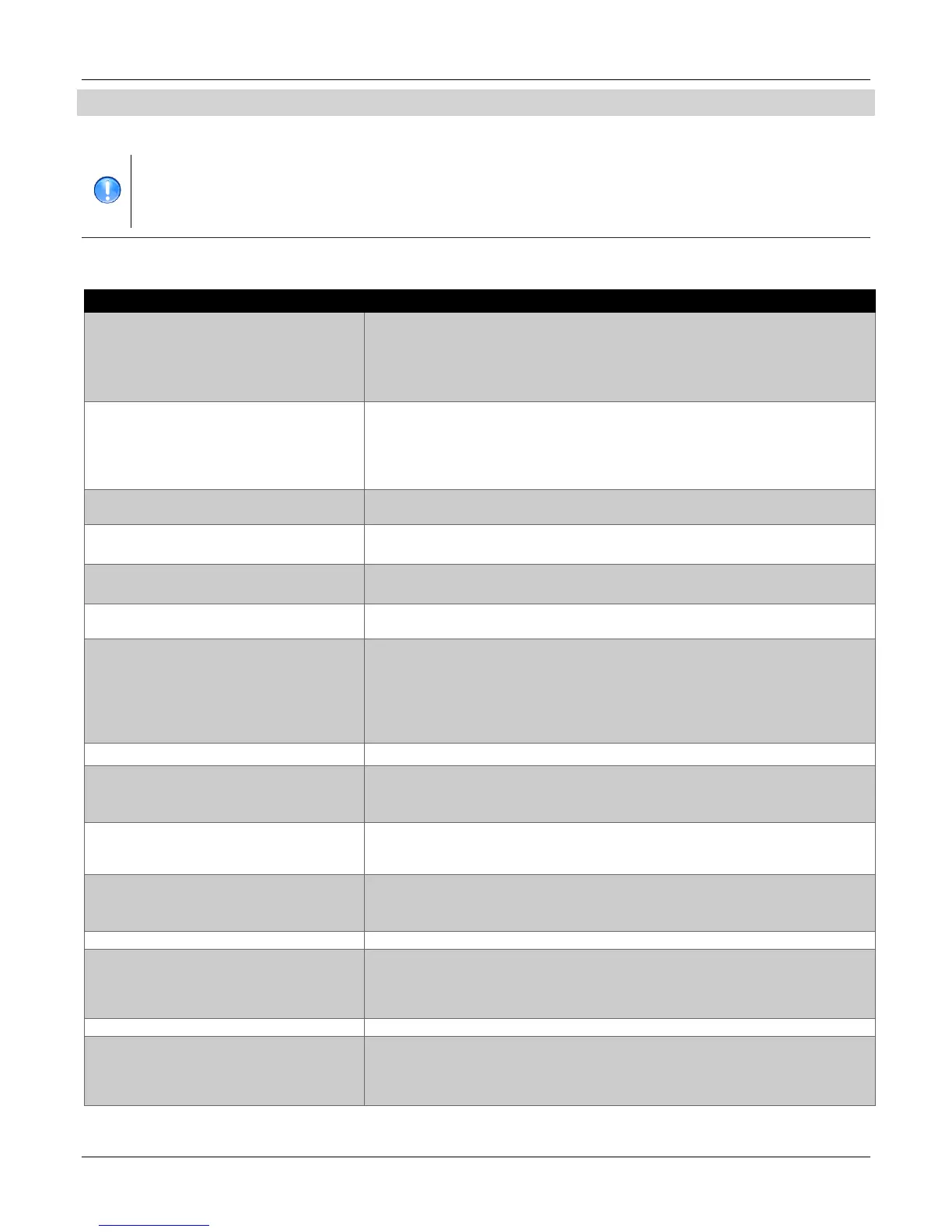
PROBLEM 1: NO FUEL IS COMING OUT OF THE HOSE
Refer to the table below for a description of various causes of the problem and the solution.
Turn on submerged pump breaker or relay box and retest.
Light on the submerged pump relay is on but pump power is turned off. Turn on
submerged pump power at breaker panel.
Make sure the dispenser is sending 120VAC signal to the relay.
Correct connections if needed.
Submerged pump has power but fails to operate. Trouble shoot the submerged
pump or check for closed valve in the product pipe line
If the submerged pump is tied to an electronic leak detector, maybe the
electronic leak detector has the submerged pump disabled due to an alarm
condition.
Check the shear (impact) valve under the dispenser on the product line that you are
testing. Open valve and retest.
Many times a new site will have a lot of debris caught in a new filter. Replace the filter
and retest.
Isolation valve in the piping system is closed
There may be an isolation valve in the submerged pump manhole, or in the under
dispenser piping sump. Open the valve and retest.
Is the hose in the correct nozzle boot? Sometimes the hose is hung up in the wrong
nozzle.
Is the CPU addressed correctly if there is a pulse output board installed? Refer to
the Operators portion of this manual for proper programming. Check mode 21.
Is the valve properly connected to the CPU? If this is a Master / Satellite site, has
the valve connection been moved to the Satellite board for the Master? If not,
move the valve from the CPU connection J4 and connect it on the satellite board
J2 (make sure power is off to the dispenser before you do this!)
Store Manager needs to order fuel
It is possible that the valve is bad, but, before you replace it, make sure the cable from
the valve is properly connected to the CPU (or satellite board as previously discussed)
and that you run a voltage test as described in the “valve trouble shooting “section.
Has the dispenser reset? If the dispenser has not reset, make sure the handle is
working. Run diagnostics mode 5 to make sure the handle switch is functioning. The
valve won’t open unless the dispenser has reset (all 888’s at the beginning of the sale)
If you have done all of the above and still the dispenser won’t reset check the cable
going to or the barrier circuit itself. Either of these could be interrupting the handle
signal to the CPU.
The check valve can be stuck shut. Replace the check valve and retest.
If the dispenser will not reset, you have checked to make sure you are getting
authorization from the console or Fleet System OR the pump is in Stand Alone and you
know the handle is working (you have run diagnostic mode 5 and it passed) then you
may have a bad CPU.
Bad nozzle or breakaway. Replace as necessary
Hose hung up in wrong nozzle boot
Some people see the external filter closest to the front of the dispenser on the low
hose and think that that is the hose for that product. In reality, that hose goes to the
other side of the dispenser. Put hoses in the proper boots and retest. This happens
more than people like to admit.
Continued on the next page..





 To Next Page