Bennett 3000 Spec 300 Series Instruction Manual Dispenser Operation
37
HOW TO RUN A SALE
The following instructions are for general payment terminal operation. Note: The Local Preset option and the SSP option are mutually
exclusive. A dispenser may have either option, but cannot have both.
SIMPLY SECURE PAYMENT (SSP) OPTION
The SSP (Simply Secure Payment) option allows the customer to pay for fuel with a credit card or debit card and receive a receipt. The
dispenser is connected to a financial network through a third-party POS system to allow approval of the cards at the time they are
inserted into the dispenser.
1. When prompted, insert your card with the magnetic stripe facing down and to the right.
2. Push the card all the way in until it stops and remove. You will be prompted to remove the card.
3. Follow the instructions on the payment terminal or on the large display.
NFC PAYMENT OPTION
The NFC (Near Field Communication) option allows the customer to pay for fuel using a contactless enabled card and/or mobile device.
Note: The NFC option is not compatible with the Local Preset option.
1. When prompted, tap your contactless enabled card and/or mobile device near the contactless symbol. The four light indicators
will illuminate indicating a transaction process.
2. Follow the instructions on the payment terminal or on the large display.
LOCAL PRESET OPTION
The Local Preset option allows the customer or operator the ability to select volume or currency and preset the amount of fuel to be
purchased. When the preselected amount (volume or currency) is reached, the dispenser will automatically stop. A fill up feature is also
present.
1. Press the Money button to change to Money preset or the Volume button to change to Volume preset.
2. Enter an amount using the 0-9 buttons on the preset keypad. If an error is made, press the Cancel button and start over.
Note: If fueling does not begin within 60-seconds of starting the sale then the preset will reset to Full Tank.
HOW TO READ THE ELECTRO-MECHANICAL TOTALIZER
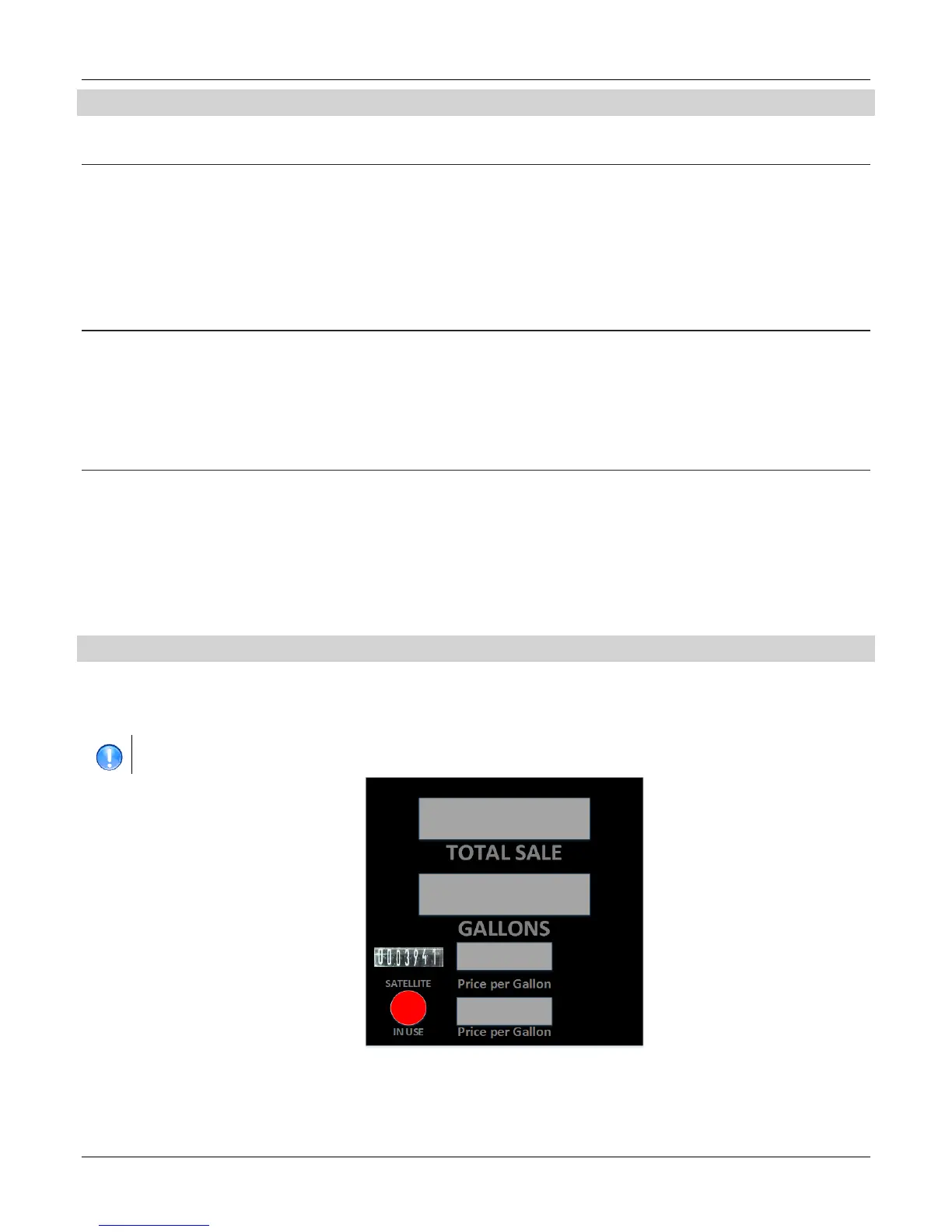
The dispenser is equipped with a Electro-mechanical totalizer for each hose which records the volume dispensed for each sale. The
volume recorded is an accumulative total that cannot be reset. The electromechanical totalizers are located at the top of the main display
aligned above each individual Price Per Volume Display… The total is cumulative and reads in whole unit (gallon or liter) increments as
shown in the figure below.
Because of rounding methods used and the nature of electronic totals versus an analog device such as an electro-mechanical
totalizer, electronic totals and electro-mechanical totals will rarely match exactly.





 To Next Page