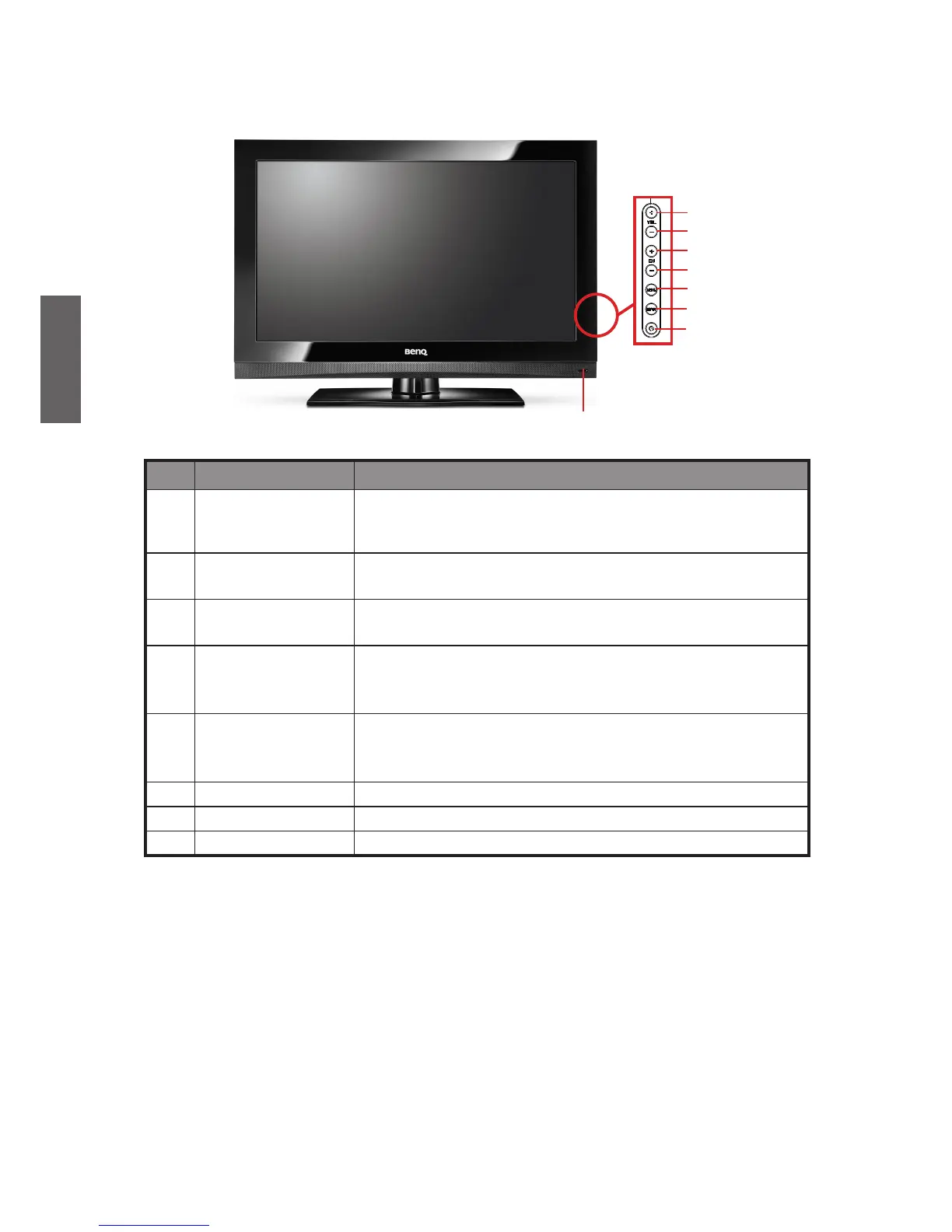
No. Name Fuction
1 Power indicator/
Remote control
receiver
• The power indicator will light in green when the TV is
turned on and light in orange when in the off mode.
• Receive the remote control signal.
2 VOL+
Volume Up Button
Increase the volume of the speaker, or adjust the value of an
item highlighted in OSD menu.
3 VOL- Volume Down
Button
Decrease the volume of the speaker, or adjust the value of an
item highlighted in OSD menu.
4 CH+ Next Channel
Button
Increase the channel number by one when the source is
TV input
, or select a control item in the OSD menu. Search
available signal inputs circularly.
5 CH- Previous
Channel Button
Decrease the channel number by one when the source is
TV input, or select a control item in the OSD menu. Search
available signal inputs circularly.
6 MENU Button
Open or exit the OSD menu.
7 INPUT Button
Press to select an input source.
8 POWER Button
Power on or put the TV into off mode.



 To Next Page