EasyManua.ls Logo

BenQ SC3211 - Connect to a Stereo Audio Output

BenQ SC3211
45 pages
Print Icon
To Next Page IconTo Next Page
To Previous Page IconTo Previous Page
Loading...
21
ENGLISH
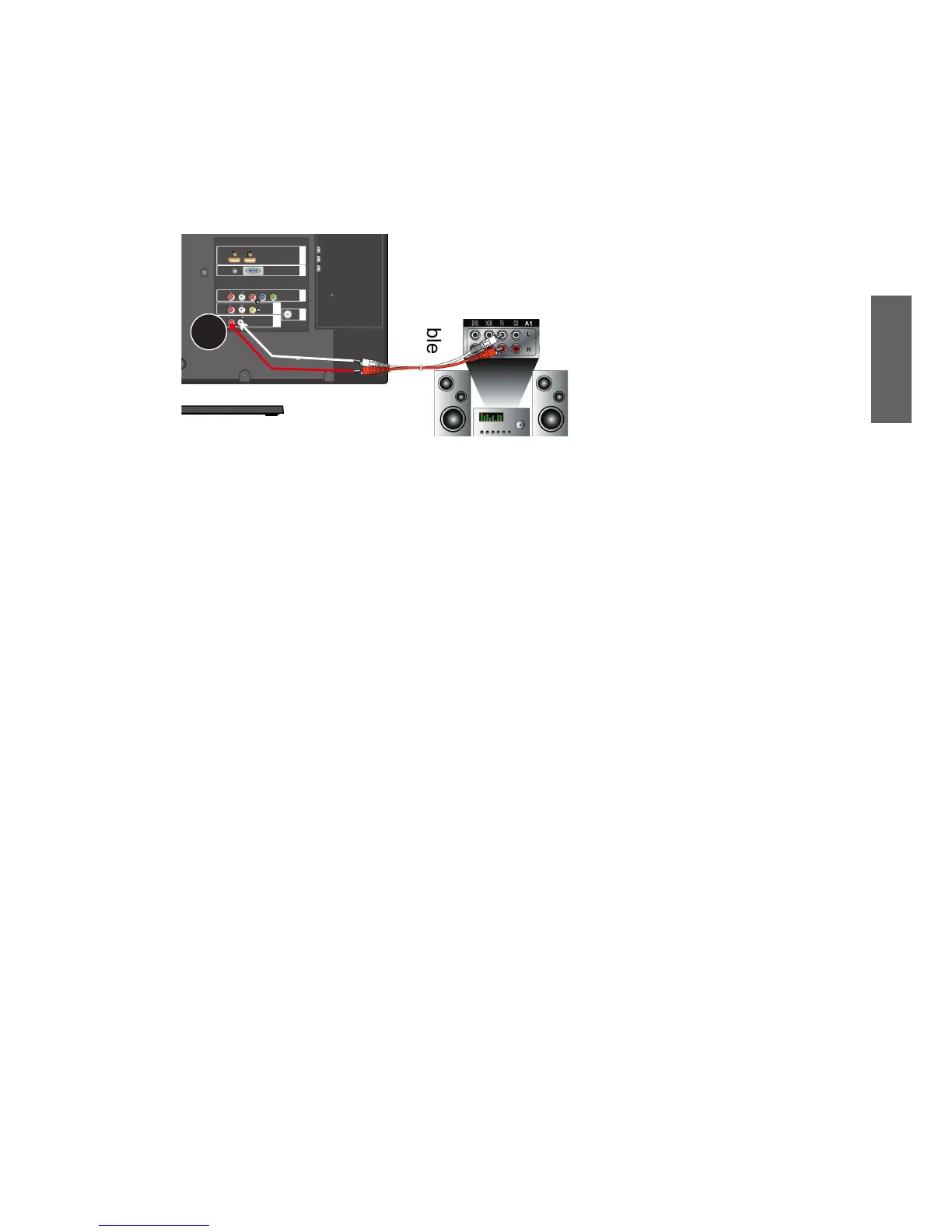
Connect to a Stereo audio Output
Your TV comes with a set of stereo audio output jacks, allowing you output audio to
external audio devices. In this case, connect the audio input jacks to the AUDIO OUT L/
R output jacks on your TV using a audio cable.
Please note that the outputted audio is xed in its level and cannot be adjusted with the
volume controls on your TV and remote control.

HDMI IN 1 2PC IN
AUDIO
OUT
S/AV
IN 1
RF IN
COMPO-
NENT IN
AUDIO INR
L
VIDEO IN
Pr
Pb
Y
HDMI 1 (DVI) INHDMI 2 (DVI) IN
RGB PC IN
PC
AUDIO IN
AUDIO INR
L
AUDIO OUTR
L
AUDIO
OUT
L
R
Audio cable
Audio
device

Table of Contents

Related product manuals