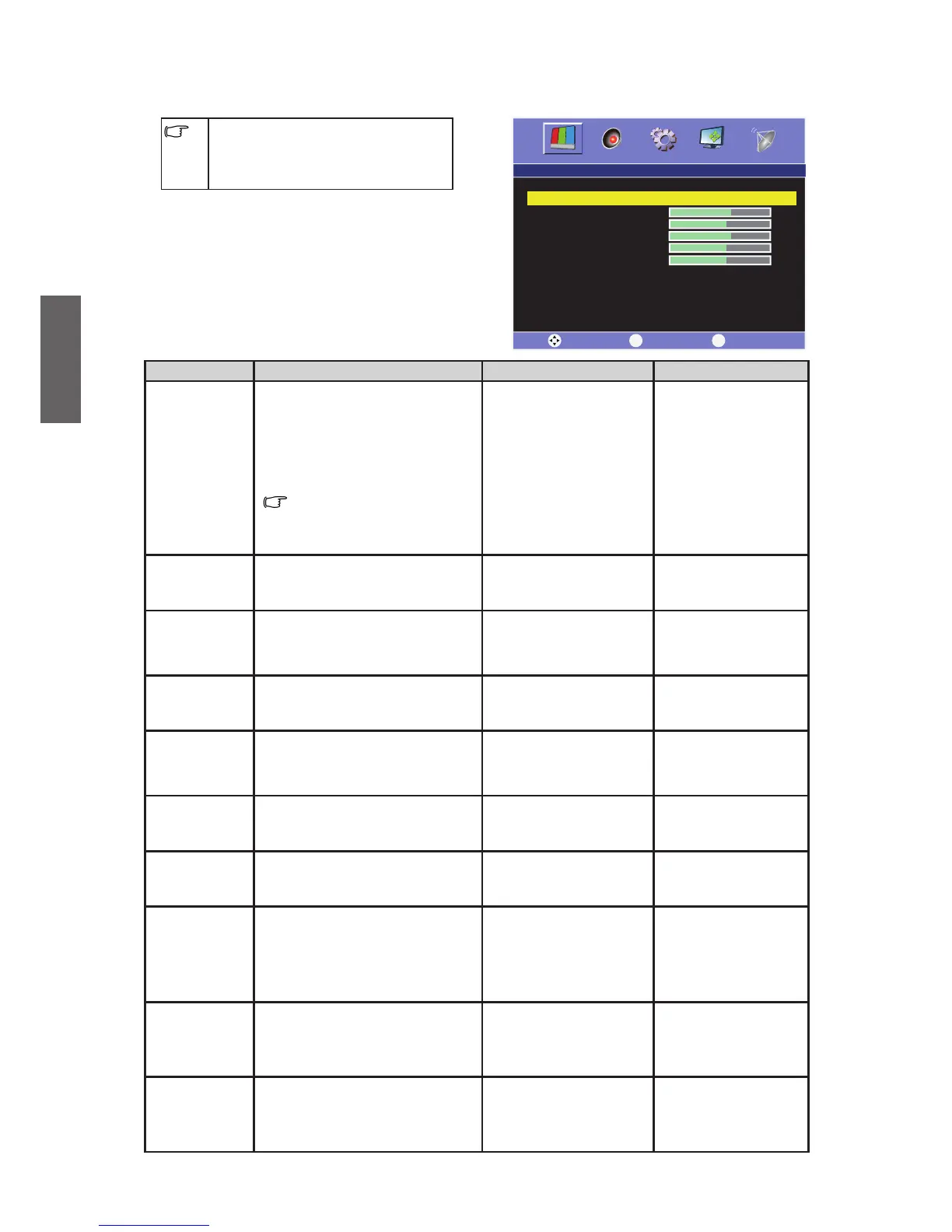
Picture menu
The available menu items are
dependent on the input source
being selected. The illustration is for
reference only.
Item Function Operation Range
Picture Mode
Allow you to select the preset
picture modes or to customize
your own picture mode. When
you select "User", you can
adjust the contrast, brightness,
Tint, color and sharpness to your
preference.
To press Picture Mode
button allows you to toggle
among the preset modes
directly.
Press or to select
the picture mode of
your TV.
User•
Standard•
Cinema•
Dynamic•
Contrast
When "User" is selected, this
item is for adjusting the contrast
of your TV image.
Press to increase the
contrast, or press to
decrease the contrast.
0~100
Brightness
When "User is selected, this item
is for adjusting the brightness of
your TV image.
Press to increase
the contrast, or press
to decrease the
brightness.
0~100
Sharpness
When "User" is selected, this
item is for adjust the sharpness
level of your TV image.
Press to sharpen the
image, or press to
blur the image.
0~10
Hue
It can only be adjusted in Color
System NTSC mode.
Press to enhance
green and weaken red,
and press to weaken
green and enhance red.
0~100
Saturation
When "Pers
onal" is selected,
this item is for adjusting the tint
level of your TV image.
Press to enhance the
color, and press to
soft en the color.
0~100
Color Temp.
To adjust the color temperature
of the image.
Press or to select
the color temperature.
Standard•
Warm •
Cool•
Aspect Ratio
Aspect ratio adjustment.
TV, AV, S-Video, YPbPr, HDMI
SD: 16:9, 4:3, Panorama, ZOOM
VGA, DVI: 16:9,4:3
HDMI HD: 16:9, 4:3, ZOOM, FULL
YPbPr HD: 16:9, 4:3, ZOOM
Press or to select
the Aspect Ratio.
1 6:9•
Panorama•
Zoom•
4 :3•
Full•
3D NR
Image Noise Reduction Function
will help reduce noises of video.
It is suitable for disturbance belt
and poor signal reception areas.
Press or to select.
OFF•
Low•
Medium•
High•
ACE
To enhance the image contrast:
the colors will all deepen.
Press or to select.
OFF•
Low•
Medium•
High•



 To Next Page