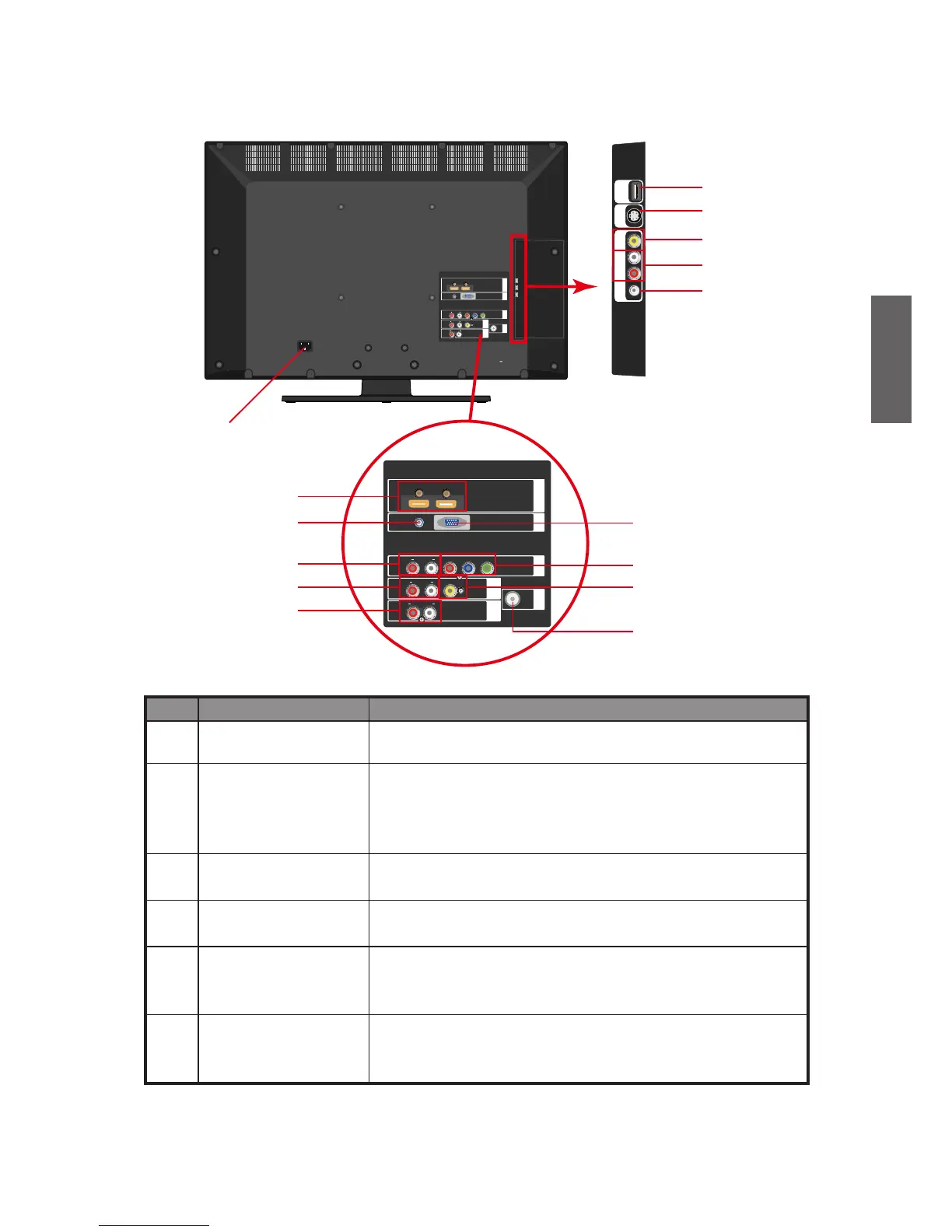
No. Name Fuction
1 AC POWER IN
Connect to a AC power source. See "5. Connect the power
cable" on page 4.
2 HDMI 1 (DVI) IN 1 /
HDMI 2 (DVI) IN 1
Connect to the HDMI digital audio/video output or DVI
digital video output on digital video devices. See "Connect
to a HDMI input" on page 19 or "Connect to a DVI input"
(PC/ VIDEO) on page 20.
3 PC AUDIO IN
Connect to the audio output of PC. See "Connect to a PC
Input" on page 20.
4 RGB PC IN
Connect to the RGB video (D-sub) output of PCs. See
"C
onnect to a PC Input" on page 20.
5 YPbPr AUDIO IN L/R
Connect to the left /right audio channel output (for
component video output) of video devices . See "Connect
to a component video input" on page 18.
6 YPbPr
Connect to Component video (YPbPr) output of the video
device. See "Connect to a component video input" on page
18.



 To Next Page