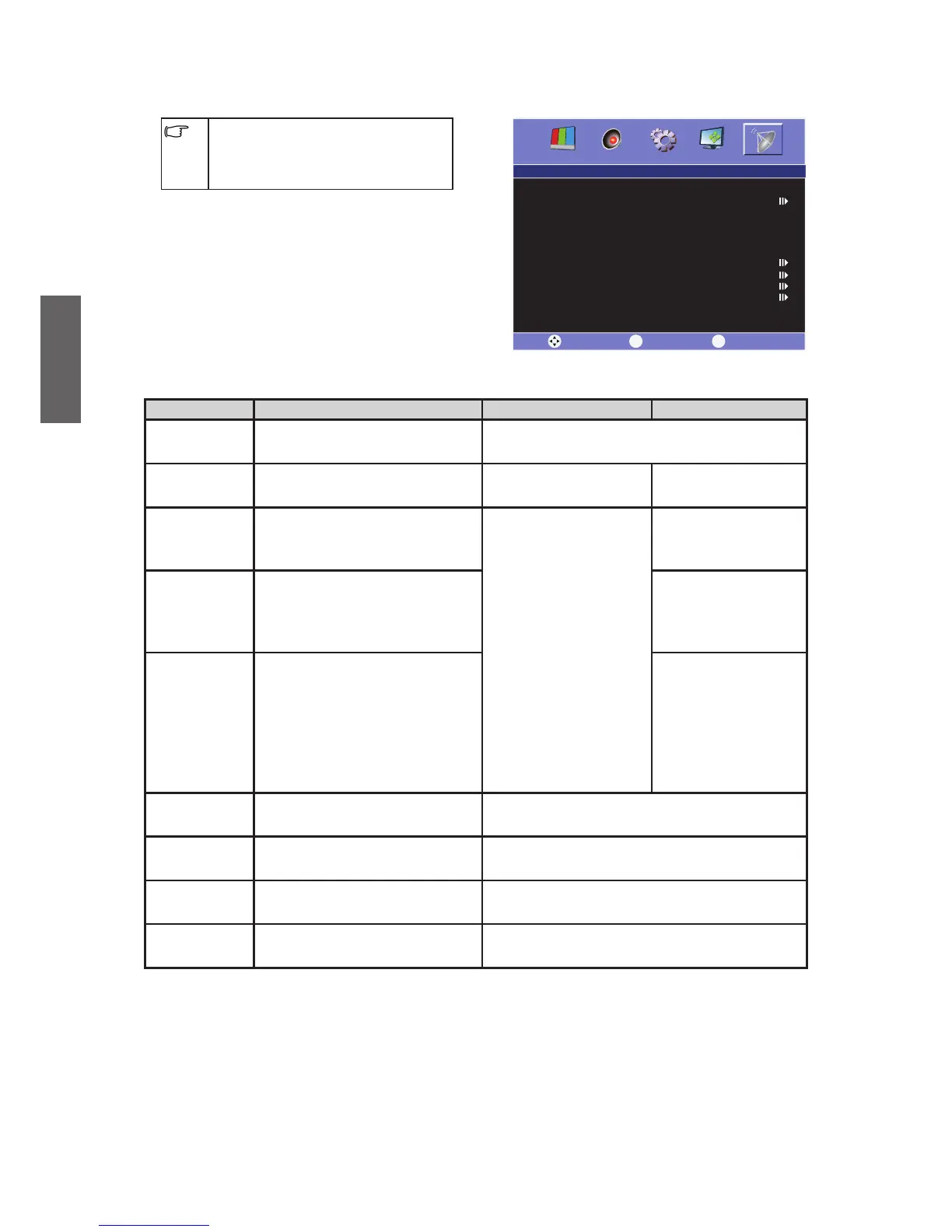
Channel menu
The available menu items are
dependent on the input source
being selected. The illustration is for
reference only.
Item Function Operation Range
Auto Scan
Tune in all the available
channels.
Press to Auto Search.
Channel No. Select the Channel number.
Press or to
select.
1 ~ 99
Color
System
Select the signal input
system.
Press or to
select.
PAL•
NTSC•
SECAM•
TV System Select the Sound system.
I•
D/K•
M•
BG•
AFT
The nonstandard signal
frequency (left-sided or right-
sided) from the TV station will
result in poor image or noise.
Through this function
, we
can automatically adjust the
frequency to its best.
ON•
OFF•
Manual
Scan
To manually preset, adjust,
skip and tune in the channel.
Press to Manual Scan.
Fine Tune
To adjust the image
frequency.
Delete
To manually delete the
channel.
Press to Delete.
Channel
Swap
To manually switch the
channel.
Press to Channel Swap.



 To Next Page