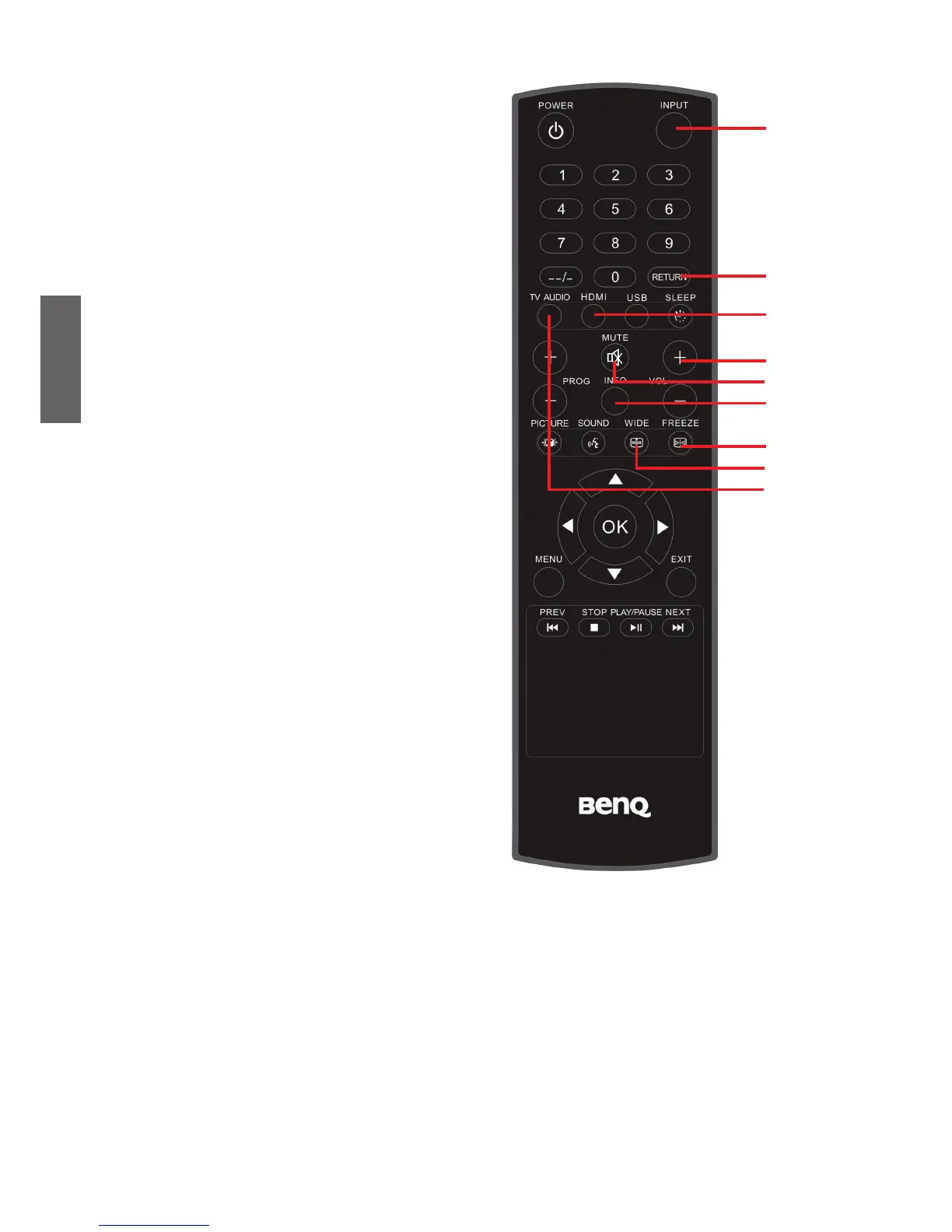
12. INPUT
Press to select an input source.
13. RETURN
Press this button to toggle between the
current channel and the previous one.
See "Return to the previous selected
channel" on page 14.
14. HDMI
Press this button to use the HDMI
mode.
15. VOL +/-
Press these buttons to raise
or
lower
the volume level. See "Adjust the
volume" on page 13.
16. MUTE
Press once to mute the sound output.
Press again to restore the sound
output. See "Mute setting" on page 13.
17. INFO
Press to display the information about
current input. See "Display information
for current input source" on page 14.
18. FREEZE
Press once to stop the screen at
the current image, and press again
to resume the screen playing. See
"Freeze image on screen" on page 14.
19. WIDE
Press to adjust the aspect ratio of your
screen image. See "Adju
st aspect ratio"
on page 16.
20. TV AUDIO
Select the audio type for TV Source.
Please go to page 15 for detailed
explanation.



 To Next Page