157
Motif
The upper or lower thread may occasionally run out or break when you are
embroidering. When this happens, the embroidery computer stops
automatically, provided that the thread and bobbin indicators are activated in
the setup program.
Thread breakage when embroidering
►
the embroidery computer stops automatically
►
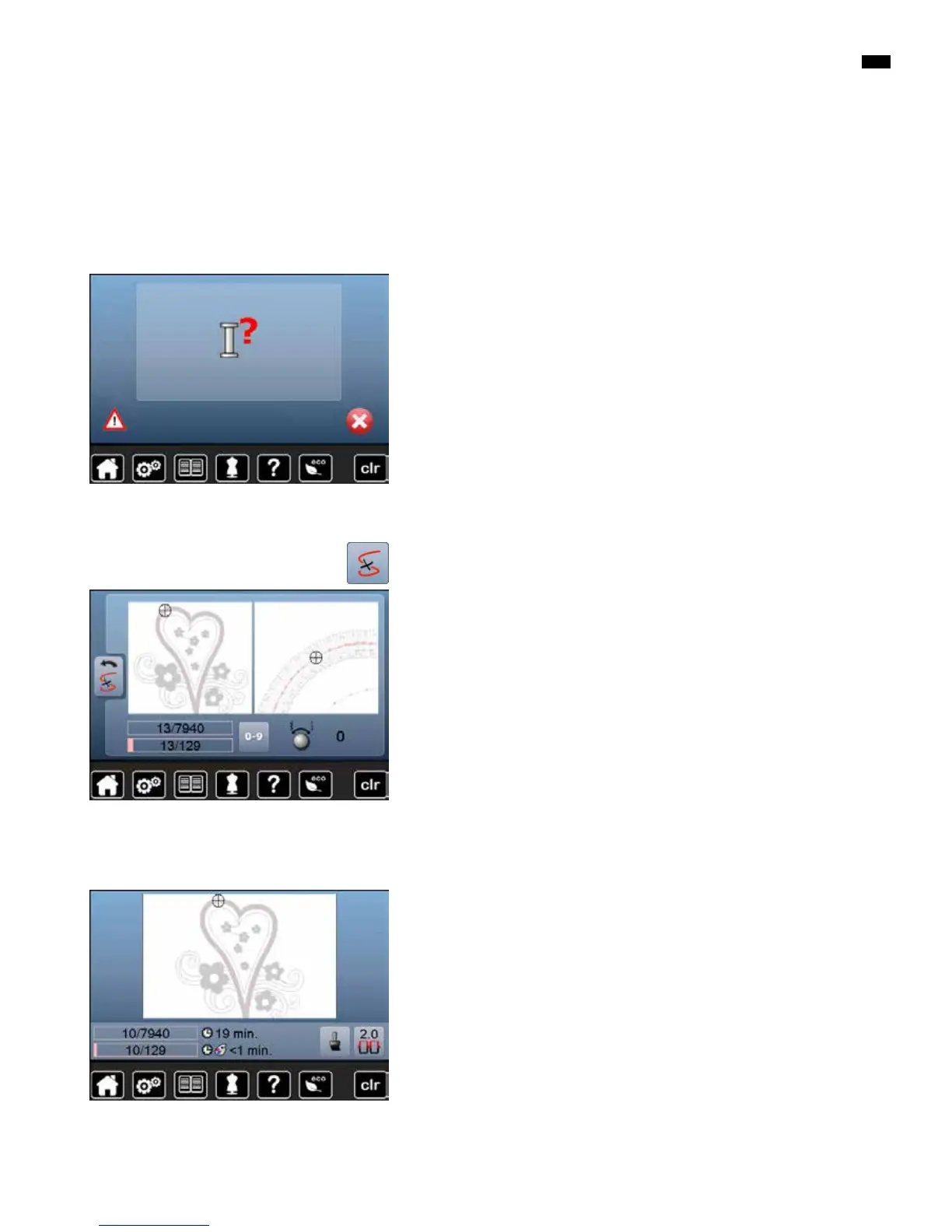
an animation is displayed
█
check upper thread
█
rethread needle
█
check lower thread
█
refill or rethread bobbin
Upper or lower thread breaks
█
touch «Thread breakage»-icon
Embroidery sequence control when thread breaks
In the left portion of the Display the motif is shown in original size and in the
right protion enlarged. This makes it easier to check the embroidery sequence.
►
the message to operate the stitch width and stitch length knobs appears
█
turn the knobs to the left or to the right
►
the hoop moves along the embroidery sequence backwards or forwards
█
turn the stitch width knob slowly
►
the hoop is moved stitch by stitch
█
turn the stitch length knob slowly
►
the hoop is moved in big steps
►
the number in the yellow-framed icon indicates the current position within
the motif by stitch number
█
via the «0-9»-icon a position can be entered directly
█
position the needle back far enough so that it will resume stitching several
stitches before the thread breakage
Returning to original position
█
touch «Back»-icon
►
the Display is closed
Resuming embroidering
█
press «Start/Stop»-button or the foot control



 To Next Page