130
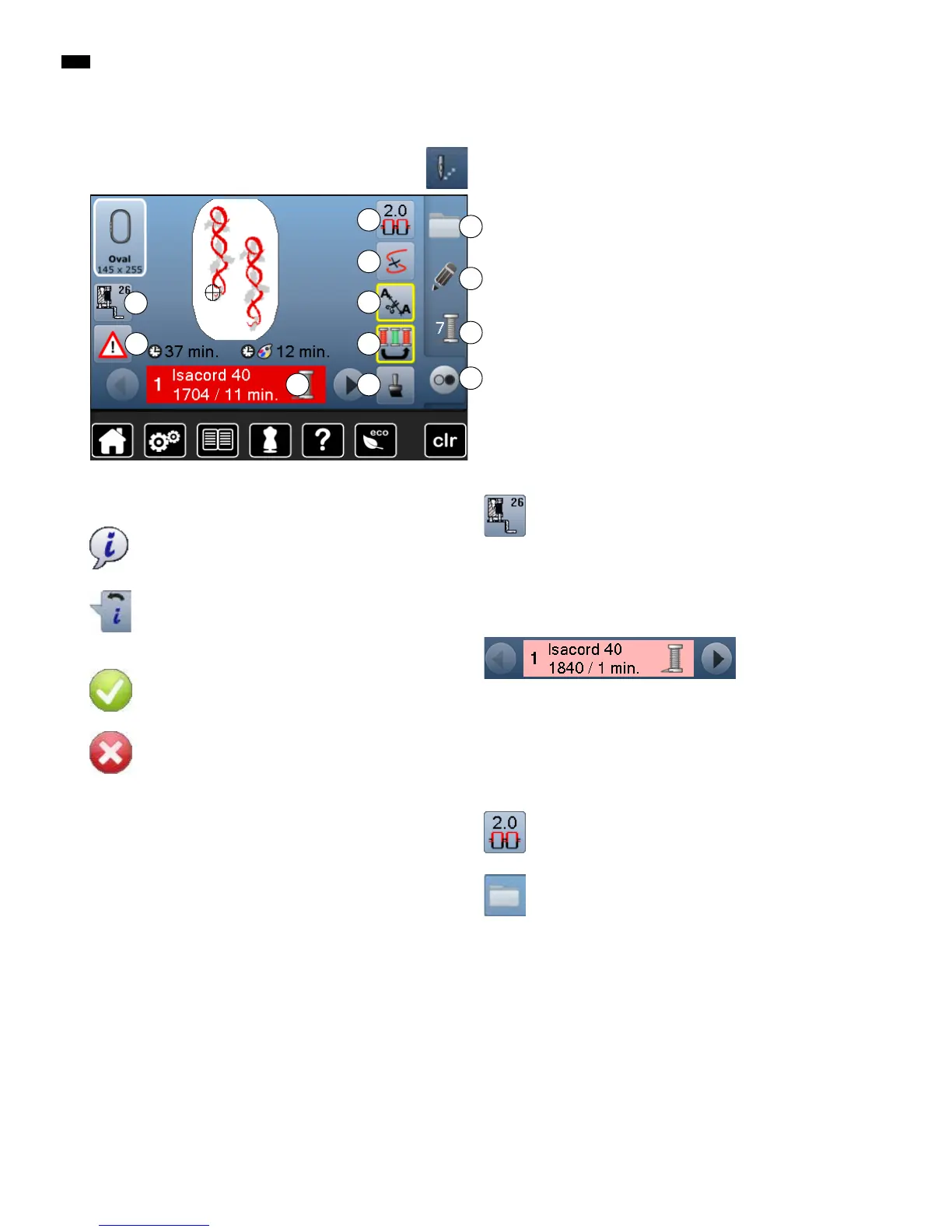
Overview Display
Overview Embroidery menu
█
press «Embroidery menu »-button
With some functions the instruction to use the knobs appears.
Functions
A Presser foot indicator
B Security program
C Color information bar
D Upper thread tension
E Selection
F Thread breakage
G Edit
H Disengage jump stitches
I Color numbers
J Embroidering motifs according to color sequence/Reducing
color changes
K Single/Multi-Color motif
L «Embroidery menu»/«Start/Stop»-button
Presser foot indicator
Embroidery foot No. 26 is displayed by default.
█
touch the button
►
further presser feet, such as e.g. free motion
couching foot No. 43, are displayed and can be
selected
█
attach and select the appropriate presser foot for
the project
Color information bar
Information about the active color.
█
touch arrow icons right/left
►
the current color is changed
►
the hoop moves to the first stitch of the current
color
The active color can also be embroidered individually.
Upper thread tension
Altering Upper thread tension.
►
the respective value is visible in the icon
Selection
█
select new motif
█
add motif
█
save motifs
█
delete motifs
E
H
K
F
G
I
J
L
D
C
Information
█
touch the button
►
another Display is opened
Back
█
touch the icon
►
goes back to the previous Display
►
any alterarions are accepted
Confirm selection
█
touch the button
Alteration/Selection is activated or confirmed.
Leaving the active Display
█
touch the button
►
the Display is closed
►
the previous Display appears
General Functions
A
B



 To Next Page