58
Practical stitches
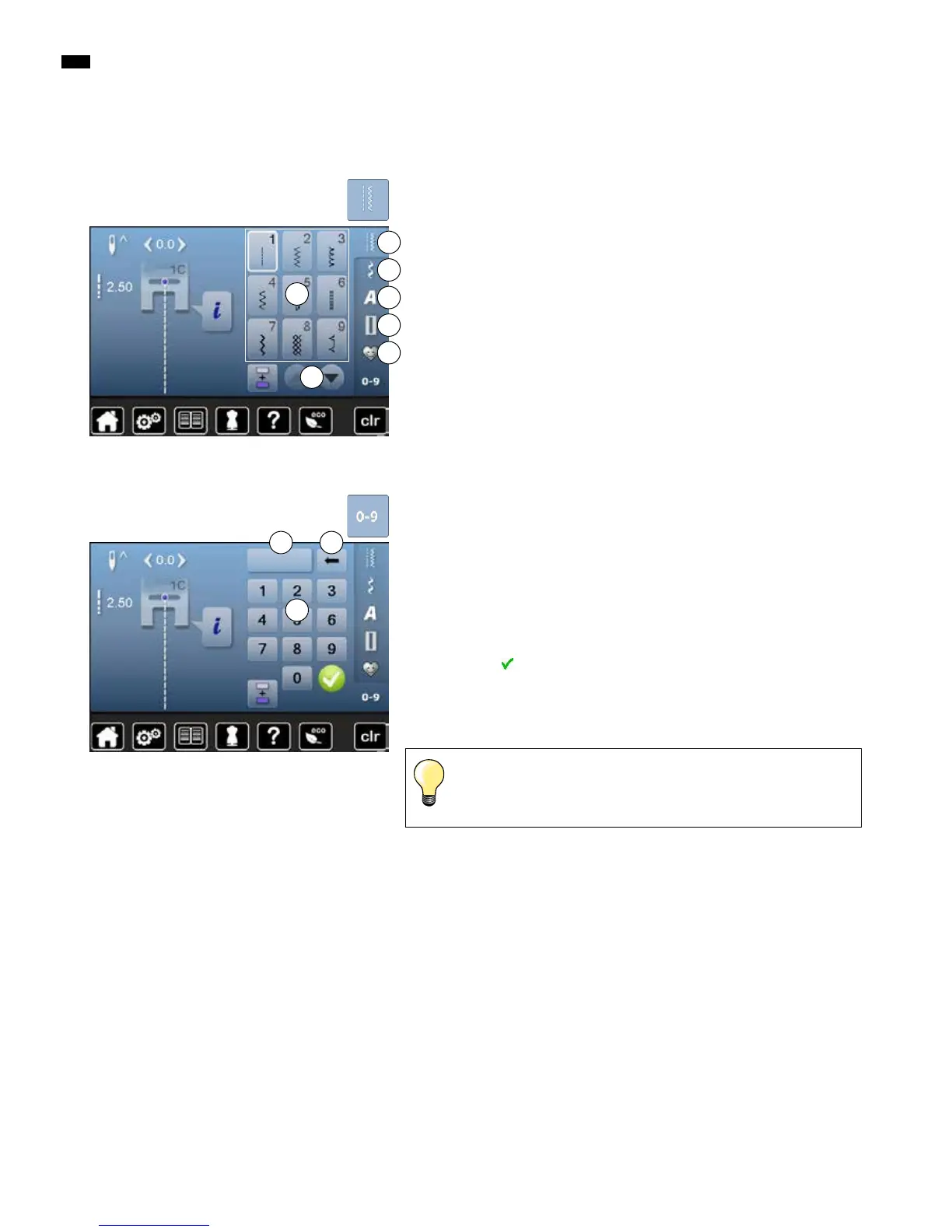
Stitch pattern selection
Direct
A Practical stitches
B Decorative stitches
C Alphabets
D Buttonholes
E Personal program/Memory
►
the available stitch patterns are visible in the Display portion F
█
select desired stitch pattern
█
further stitch patterns are visible when scrolling G
A
B
C
D
E
█
select the desired main category A-E
F
G
By stitch number
█
touch «0-9»-button
►
numbers for entering are visible in the Display portion H
█
enter stitch number
►
the entered stitch number 1 appears
█
touch icon 2
►
last digit is deleted
█
touch icon 1
►
complete number is deleted
█
confirm with
Cancelling
█
touch «0-9»-button
►
the previous Display appears
1 2
An invalid stitch number will be indicated in icon 1 with 3 question
marks.
H



 To Next Page